9
04 GETTING STARTED
4.1 INSERTING/REMOVING A MICRO SD CARD
With the Mirror DVR turned off and the screen facing towards you, insert the memory card with the text on
the Micro SD card facing you. Push the memory card in until a click is heard.
To remove the memory card, ensure that the Mirror DVR is powered off, then push the memory card until a
click is heard and then release the card to eject.
NOTE:
1. Do not remove or insert the memory card while the Mirror DVR is turned on as this may damage the
memory card or corrupt the memory cards stored data.
2. Please use a Class 10 or higher rated micro SD card with a maximum capacity of 128GB.
3. Please format the Micro SD card before the initial use.
4. When removing the memory card, be careful as the card may eject quickly.
5. Micro SD Card is not included.
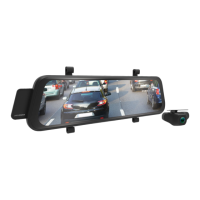
4.2 INSTALLING THE MCPK-962DVR
1. Loop the rubber fasteners over the top fastener clips.
2. There are 2 types of fasteners; please use which ever suits your car. The longer fasteners are for the
bulky pre-installed rear view mirrors.
3. Add EVA PADS in case the mirror is lose to provide more stability.
4. Put the Mirror DVR in position on the front face of your existing rear view mirror ensuring that the
camera lens clears the edge of your rear view mirror.
5. Loop the bottom rubber fasteners over the mirror and attach to the bottom fastener clips.


 To Next Page