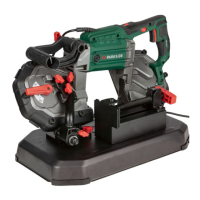
PMB 1100 A1
GB
│
IE
│
NI
│
7 ■
NOTE
► Make sure that the direction arrow on the
saw blade
(if any) is the same as the one
on the rubber wheels
.
♦ Insert the saw blade around the two rubber
wheels.
♦ Retighten the saw blade clamping lever by
turning it clockwise
again.
♦ Replace the two protective covers
.
WARNING! RISK OF INJURY!
► Only operate the appliance with the
protective covers fitted
!
♦ Perform a test run by briefly switching the ap-
pliance on and off a few times to determine
whether the saw blade is correctly seated.
WARNING! RISK OF INJURY!
► Keep your body away from the sawing
area during the test run!
Use
Switching the appliance on and off
Switching on:
♦ Hold down the On/Off switch
.
Switching off:
♦ Release the On/Off switch
.
Switching the work lamp on and off
Switching on:
♦ Move the light switch
to position I.
The work lamp lights up.
Switching off:
♦ Move the light switch
to position 0.
The work lamp goes out.
Setting rotational speed
♦ Adjust the speed setting wheel to a position
between 1 and 6.
Working procedures
♦ Secure the workpiece against slipping, e.g. with
the vice
of the saw table.
♦ Use the weight of the saw when sawing.
Do not exert any additional pressure.
♦ Wait until the saw has reached its full speed
before carefully bringing it into contact with the
workpiece.
♦ If the saw blade
blocks, switch off the appli-
ance immediately.
♦ Do not twist the saw blade
while making
the cut.
WARNING! RISK OF INJURY!
► Do not remove the workpiece until the saw
has come to a standstill.
Cleaning and maintenance
WARNING! RISK OF INJURY!
► Always remove the power plug from the
wall socket before carrying out any work
on the appliance.
■ Store the appliance and the saw blades in a
dry and dust-free location.
■ The appliance must always be clean and free
of oil or grease.
■ Use a soft, dry cloth to clean the housing.
■ The carbon brushes should only be replaced
by the service centre or an authorised specialist
workshop.
■ Never obstruct the ventilation openings.
■ Remove any adhering sawdust with a brush.
NOTE
► Replacement parts not listed (such as carbon
brushes, switch) can be ordered via our
service hotline.


 To Next Page
 Loading...