EasyManua.ls Logo

Parkside PNTS 1500 D5 - User Manual

Parkside PNTS 1500 D5
52 pages
Print Icon
To Next Page IconTo Next Page
Loading...
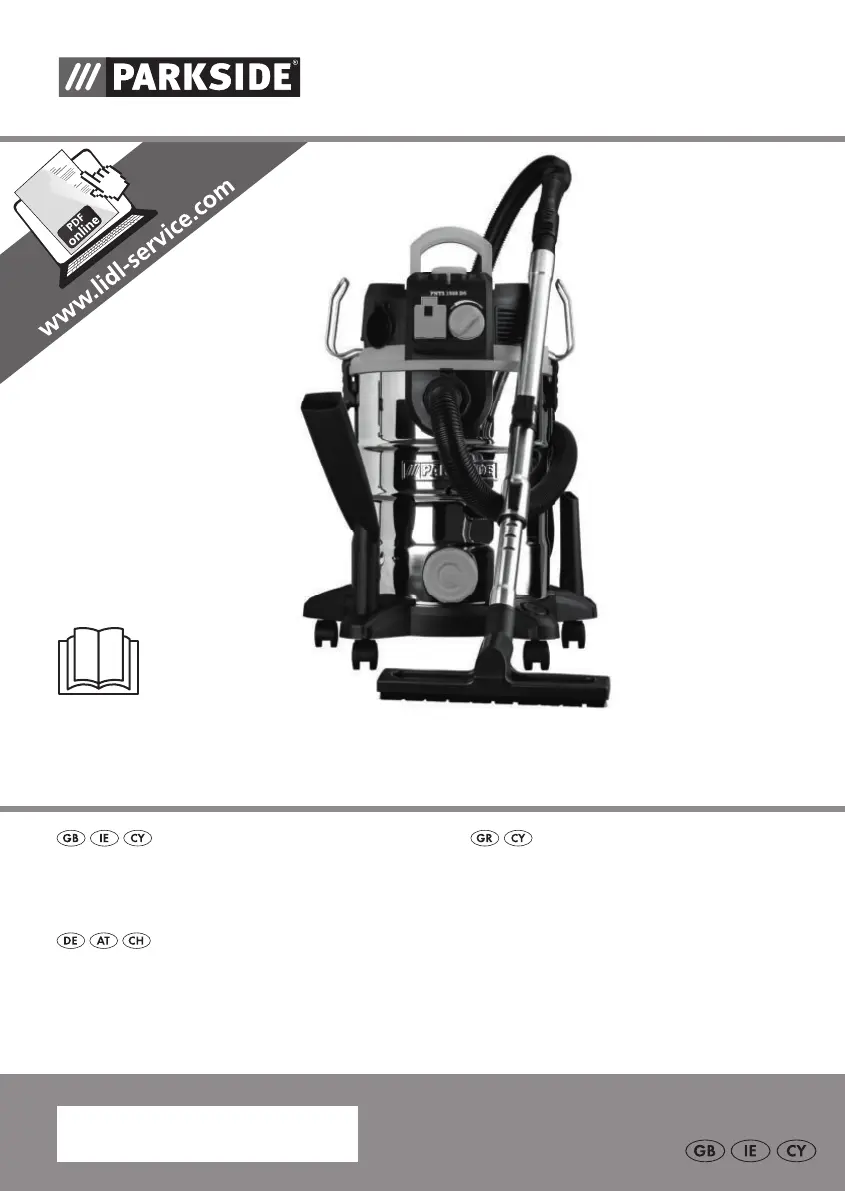
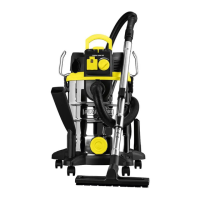
WET & DRY VACUUM CLEANER PNTS 1500 D5
NASS- UND TROCKENSAUGER
Originalbetriebsanleitung
WET & DRY VACUUM CLEANER
Translation of the original instructions
ΗΛΕΚΤΡΙΚΗ ΣΚΟΥΠΑ ΥΓΡΩΝ /
ΣΤΕΡΕΩΝ
Μετάφραση των αυθεντικών οδηγιών λειτουργίας
IAN 304887

Table of Contents

Questions and Answers

  • B
    Brian DayJul 28, 2025
    Why Parkside Vacuum Cleaner has low suction?
    • L
      Lauren CruzJul 28, 2025
      Low suction in your Parkside Vacuum Cleaner can occur due to several reasons: the hose system or jets might be blocked (clear any obstructions); the air control on the handle might be open (close it); the container might be open (ensure it's closed); the container might be full (empty it); the filter might be full or clogged (press the filter cleaning button, empty, clean, or replace the filter); the float in the filter basket might be stuck (release it); or the float itself might be faulty (in which case you should contact Customer Care).
  • W
    William HooperAug 4, 2025
    What to do if my Parkside PNTS 1500 D5 does not start?
    • J
      Jose RodriguezAug 4, 2025
      If your Parkside Vacuum Cleaner isn't starting, the issue could stem from several causes. First, check if there's mains voltage present by inspecting the plug socket, cable, line, plug, and fuse. If any of these are defective, have them repaired by an electrical specialist. Alternatively, the on/off switch may be defective, in which case you should contact customer service for repair. Other potential causes are worn carbon brushes or a defective motor.
  • K
    kevin44Aug 11, 2025
    What to do if my Parkside PNTS 1500 D5 Vacuum Cleaner blows out dust?
    • C
      chudsonAug 12, 2025
      If your Parkside Vacuum Cleaner is blowing out dust, it's likely that the filter is either missing or not correctly assembled. Make sure to use all the necessary filters and double-check that they are in the correct position.
  • T
    timothykellerAug 18, 2025
    What to do if float does not switch off Parkside Vacuum Cleaner?
    • J
      Johnny BradyAug 18, 2025
      If the float in your Parkside Vacuum Cleaner isn't switching the appliance off, it could be that the float in the filter basket is stuck (release it) or the float is faulty (repair by Customer Care).

Summary

Introduction

Intended Purpose

Appliance intended for domestic wet and dry vacuuming, and as a blower.

General Description

Extent of the Delivery

Instructions for unpacking and checking the complete contents of the appliance.

Overview

Illustration of principal functioning parts, found on front/back foldout pages.

Description of Operation

Technical Data

Specifications for the wet and dry vacuum cleaner, including voltage, power, and cable length.

Symbols and Icons

Explanation of symbols used in the instructions and on the appliance.

Safety Information

Symbols on the Appliance

Identifies symbols displayed on the appliance for operational guidance and warnings.

Pictograms: Nozzles & Filters

Illustrates pictograms indicating correct usage of various nozzles and filters.

To Avoid Electric Shock Hazards

Essential safety measures to prevent electric shocks, including cable checks and proper connection.

Assembly

Operation

Switching On;Off

Instructions for powering the vacuum cleaner on and off, including use with electrical appliances.

Airflow Control

Details on adjusting the airflow using the controller and regulator on the handle.

Work Breaks

Guidance on how to store the assembled suction equipment during breaks.

Dry Vacuuming

Vacuuming with Fluted Filter

Procedure for dry vacuuming using the fitted fluted filter.

Vacuuming with Paper Filter Bag

Instructions for using the paper filter bag for improved dust containment during dry vacuuming.

Vacuuming Fine Dust

Recommended filter combinations for vacuuming hazardous fine dust like stone or wood dust.

Wet Vacuuming

Powertool Vacuuming

Cleaning;Maintenance

Filter Cleaning System

Storage

Disposal;Environmental Protection

Guarantee

Guarantee Cover

Details on what the 3-year guarantee covers, including material/manufacturing defects and exclusions.

Processing in Case of Guarantee

Steps to follow for efficient handling of guarantee claims, including required information.

Service-Center

Repair Service

Importer

Replacement Parts;Accessories

Troubleshooting

Parkside PNTS 1500 D5 Specifications

General IconGeneral
BrandParkside
ModelPNTS 1500 D5
CategoryVacuum Cleaner
LanguageEnglish

Related product manuals