EasyManua.ls Logo

Parkside PPDSSA 12 A1 - Charging Times; Safety Instructions; Symbols and Icons

Parkside PPDSSA 12 A1
Print Icon
To Next Page IconTo Next Page
To Previous Page IconTo Previous Page
Loading...
GB MT
20

user should be based on estimated exposu-
re under actual usage conditions (all parts

including, for example, times during which
the power tool is turned off and times when
the tool is turned on but is running idle).
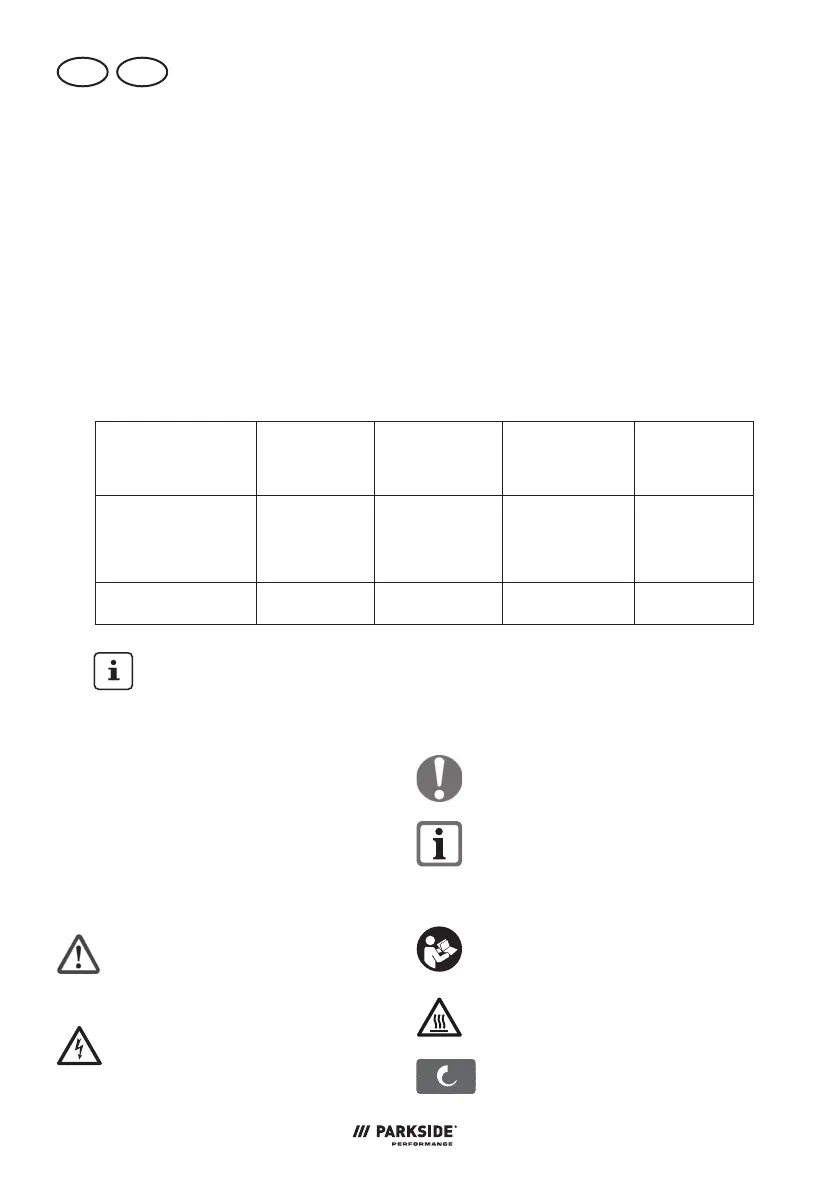
Charging times







-
pliance with the following batteries


We recommend charging these
batteries with the following chargers:


Charging time
(min.)












60 60 120 150


60 45 60 80



Safety instructions

observed when operating the appliance.
Symbols and icons
Symbols in the manual:
Warning symbols with in-
formation on damage and
injury prevention.
Hazard symbol with informa-
tion on the prevention of per-
sonal injury caused by electric
shock.

on preventing damage.

improving tool handling.
Symbols on the appliance:


Caution! Hot surface.
Risk of burns.
Mode selection button

Table of Contents

Related product manuals