12 GB/CY
chuck
11
can be opened simply by turning it in the
direction of the arrow (see labelling at the front of
the drill chuck “
AUF / OPEN”).
After you have inserted the tool you wish to have, turn
the drill chuck in the direction of the arrow until you
cannot hear any click any more (see the labelling on
the front of the drill chuck “
ZU / CLOSE”). The
drill chuck will then lock automatically. The spindle
lock releases itself automatically when the motor is
started (by operation of ON
/ OFF switc
h
6
).
Switching On / Off
To start the device, press the ON / OFF switch
6
and keep it pressed.
To switch off the device, release the ON / OFF
switch
6
.
Activating the lock
Press the rotational direction switch
5
into the
middle position. The ON
/ OFF switc
h
6
is
now blocked.
Setting the speed
The ON / OFF switch
6
has a variable speed
regulator.
Increasing the speed:
Increase the pressure on the ON / OFF switch
6
.
Reducing the speed:
Reduce t
he pressure on the ON
/ OFF switc
h
6
.
The integral motor brake quickly brings the
device to a standstill – which is ideal e.g. for
screwing in a series of screws.
Reversing the direction
of rotation
Push the direction of rotation switch
5
fully
through to the right or left to reverse the direc-
tion of rotation.
Tips and tricks
Drilling in metal: Use a metal drill bit (HSS).
For the best results, you should cool the bit with oil.
Metal drill bits can also be used to drill into plastic.
Drilling in stone: Use a hardened-metal-tipped
masonry drill bit.
Drilling in wood: Use a wood drill bit with a
centring point. For deep holes, use an auger type
bit. For large diameter holes, use a forstner bit. You
can screw small screws into soft wood without the
need for pre-drilling.
Maintenance and cleaning
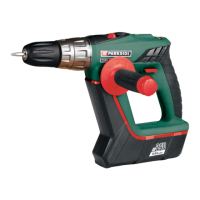
The cordless impact drill / driver is maintenance-free.
Clean the de
vice frequently. This should be done
immediately after you have finished using it.
Use a dry clo
th to clean the outside of the
device - never use petrol, solvents or cleaners.
Never open up the device.
Always have any repairs carried out or replace-
ment parts fitted at the service centre or by an
electrical equipment repair specialist.
Service
Have your device repaired
at the service centre or by qualified
specialist personnel using original
manufacturer parts only. This will ensure
that your device remains safe to use.
If the plug or lead needs
to be replaced, always have the
replacement carried out by the manu-
Preparing for use / Maintenance and cleaning / Service


 To Next Page
 Loading...