17
RETURN HOME
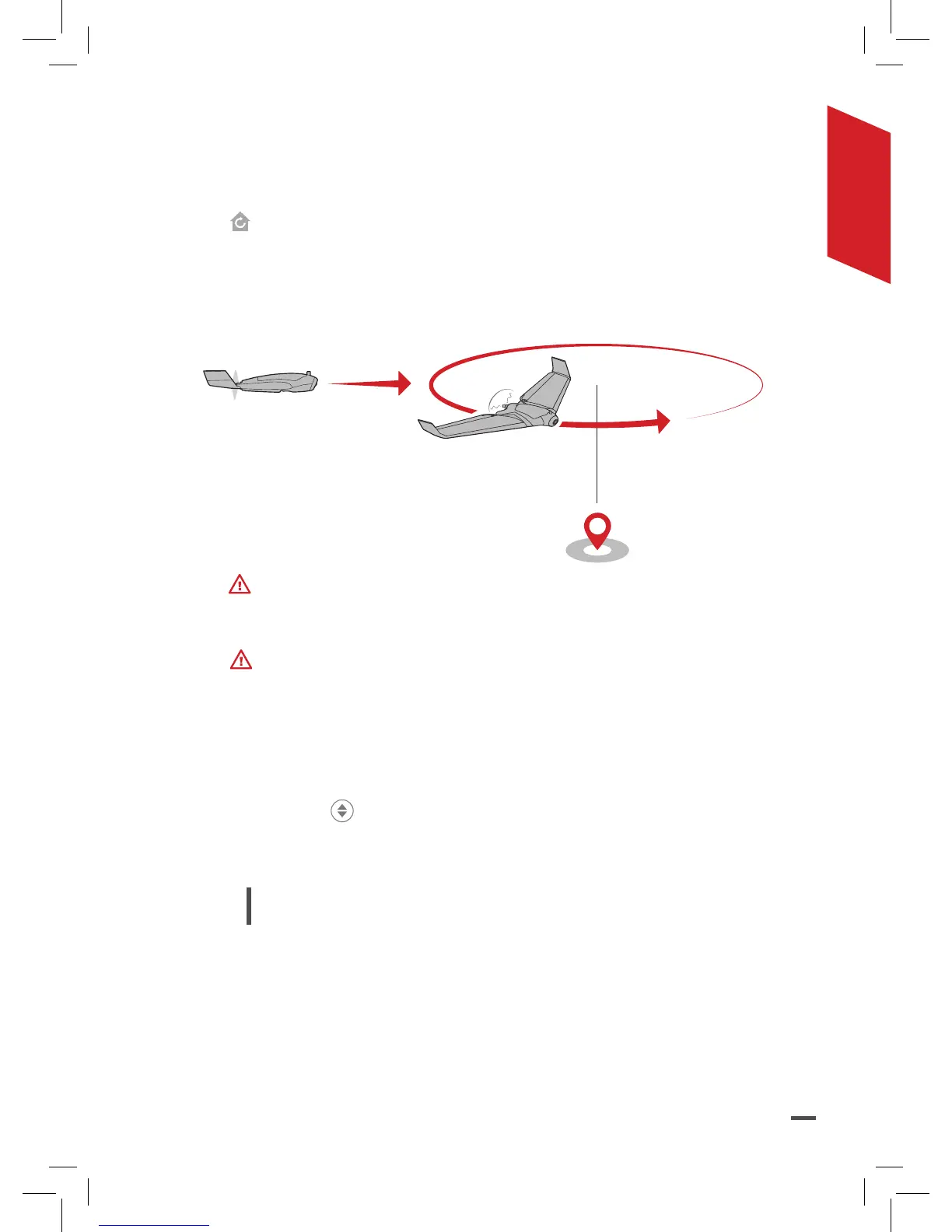
To make the Parrot Disco return to its starting point, press the
button on the Parrot Skycontroller 2 or on the FreeFlight Pro
application.
> The Parrot Disco sets its altitude to 50 meters, comes back
towards its starting position and makes 60-meter diameter
circles above this position.
Make sure you are in an open environment.
LANDING
To avoid damaging the Parrot Disco, land on a suitable surface,
such as grass, for example.
LINEAR LANDING
1. Position the Parrot Disco facing upwind.
2. Press the
button on the Parrot Skycontroller 2.
> The Parrot Disco descends in a straight line and then straightens
and lands softly.
Note: During the descent of the Parrot Disco, you
can over-correct: go up, go down, turn left and turn
right.



 To Next Page