21
LOSS OF CONNECTION
If the connection is lost during flight between your Parrot
Skycontroller 2 and your Parrot Disco, the Parrot Disco will fly in
60-meter diameter circles for a specified time period (10 seconds
by default).
If the connection is not restored, the Parrot Disco returns to its
starting position and then flies in 60-meter diameter circles.
If the connection is not restored after 5 minutes, the Parrot Disco
performs a circular landing.
TURNING OFF THE PARROT DISCO
To turn off the Parrot Disco, press and hold down the On/Off button.
> The red light flashes, and then the Parrot Disco turns off.
RETRIEVING YOUR PHOTOS
AND VIDEOS
ON YOUR COMPUTER
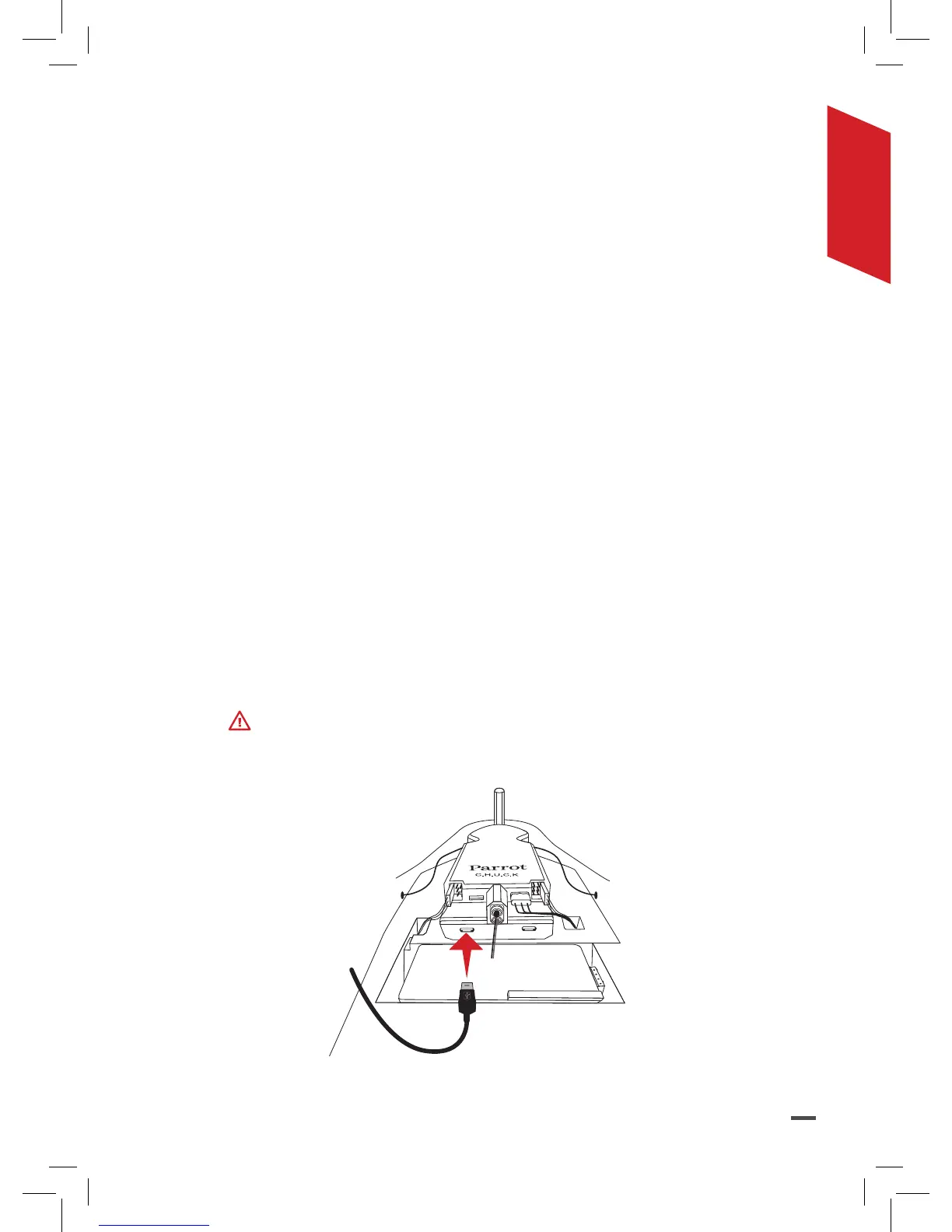
Always use the micro USB port to the left of the Parrot C.H.U.C.K.
1. Connect the Parrot Disco to your computer with the USB/micro
USB (provided).



 To Next Page