81
SVENSKA
7. Centrera din smartphone efter de prickade markeringarna i lådan
och fäst den i mitten av lådan.
8. Stäng luckan igen och skjut in den i Parrot Cockpitglasses.
9. Justera Parrot Cockpitglasses band på huvudet.
Obs: använd Parrot Skycontroller 2 för att ändra inställningarna
i appen FreeFlight.
GPS
40 %
0.0 m/s
0.000...
?
GPS
40 %
0.0 m/s
0.000...
?
FÖRSTA FLYGTUREN: ANVÄNDA
FUNKTIONEN FLAT TRIM
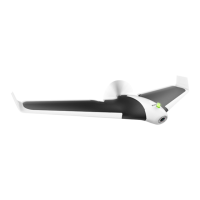
1. Placera Parrot Disco på ett plant underlag.
2. Tryck på På/Av för att starta Parrot Disco.
3. På din smartphone ansluter du till Parrot Disco med Wi-Fi™:
Disco_XXXX.
4. I appen FreeFlight Pro går du till Fly & fi lm > > Position, avstånd
och gränser och trycker på Flat trim.


 To Next Page
 Loading...