8 Piloting
This help system w as created with an evaluation copy of Help & Manual.
Kicking
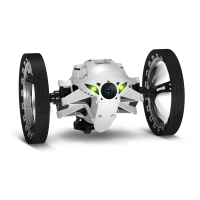
Set the Parrot Jumping Sumo to Kicker position to push an object away.
Before pushing an object away, the spring of the Parrot Jumping Sumo needs to be
compressed. This compression may be performed just before kicking, in which case a
delay of several seconds is necessary before executing.
You also have the option of anticipating the kick by dragging the key to the left to
compress the spring, while continuing to use the Parrot Jumping Sumo. Once the
cursor has returned to its original position, you will be able to push the object away
without delay. To do so:
1. Ensure that the pad of the Parrot Jumping Sumo is in contact with the object to be
kicked.
2. Press .
The kick function is blocked as soon as you take hold of the Parrot Jumping Sumo .
This help system w as created with an evaluation copy of Help & Manual.
Pre-programmed acrobatics
Press Animations to select and launch a pre-programmed movement or acrobatics.
Press the key to interrupt acrobatics in progress.
This help system w as created with an evaluation copy of Help & Manual.
Battery
The
icon indicates the battery charge level of the Parrot Jumping Sumo. The
battery life of the Parrot Jumping Sumo is around 20 mins.
Note: The number of jumps performed can have a considerable impact on the battery life of
the Parrot Jumping Sumo.
When the battery is low, the indicator
turns red and the Parrot Jumping Sumo
emits a series of beeps. It is then no longer possible to perform jumps.
This help system w as created with an evaluation copy of Help & Manual.
Photos
If you wish to save your photos to a USB key, connect a USB or micro-USB key (not
supplied) to the Parrot Jumping Sumo, using, if necessary, a USB/micro-USB cable
(not supplied).


 To Next Page