Wireless Smart Gate Software Setup
8
013-16123A
Bluetooth and Battery LED Information
The Bluetooth LED (light-emitting diode) and the battery LED operate as follows:
Indicator LED Information
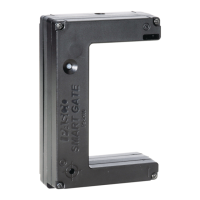
The Indicator LED on the top of the Wireless Smart Gate shines when the sensor is on and connected to the
software and an object blocks the infrared beam entering Port 1 or Port 2. The Indicator LED also shines when
a Photogate or a Time-of-Flight Apparatus is attached to the Auxiliary Port (Port 3) and the photogate beam is
blocked or a projectile hits the Time-of-Flight pad.
Laser Detector Port (Port 4) is a special case. The sensor must be on and Port 4 must be selected in the
PASCO Capstone data collection software. If a laser beam shines into Port 4, and the laser beam is blocked,
the Indicator LED shines red. If the laser beam is unblocked, the Indicator LED is clear.
Bluetooth LED Status Battery LED Status
Red blink Ready to pair Red blink Low power
Green blink Connected
Port Status LED Color Status LED Color
1 Blocked Amber Unblocked Clear
2 Blocked Green Unblocked Clear
1 & 2 Blocked Red Unblocked Clear
3 Blocked Red Unblocked Clear


 To Next Page