PS-3225 Appendix B: UK Timing Modes in SPARKvue
33
013-16123A
Appendix B: UK Timing Modes in SPARKvue
In addition to the previously described Smart Gate Timing Modes, SPARKvue also supports the UK
Timing Modes. To access the UK Timing Modes, click or touch the menu icon in the upper left corner
of the home screen.
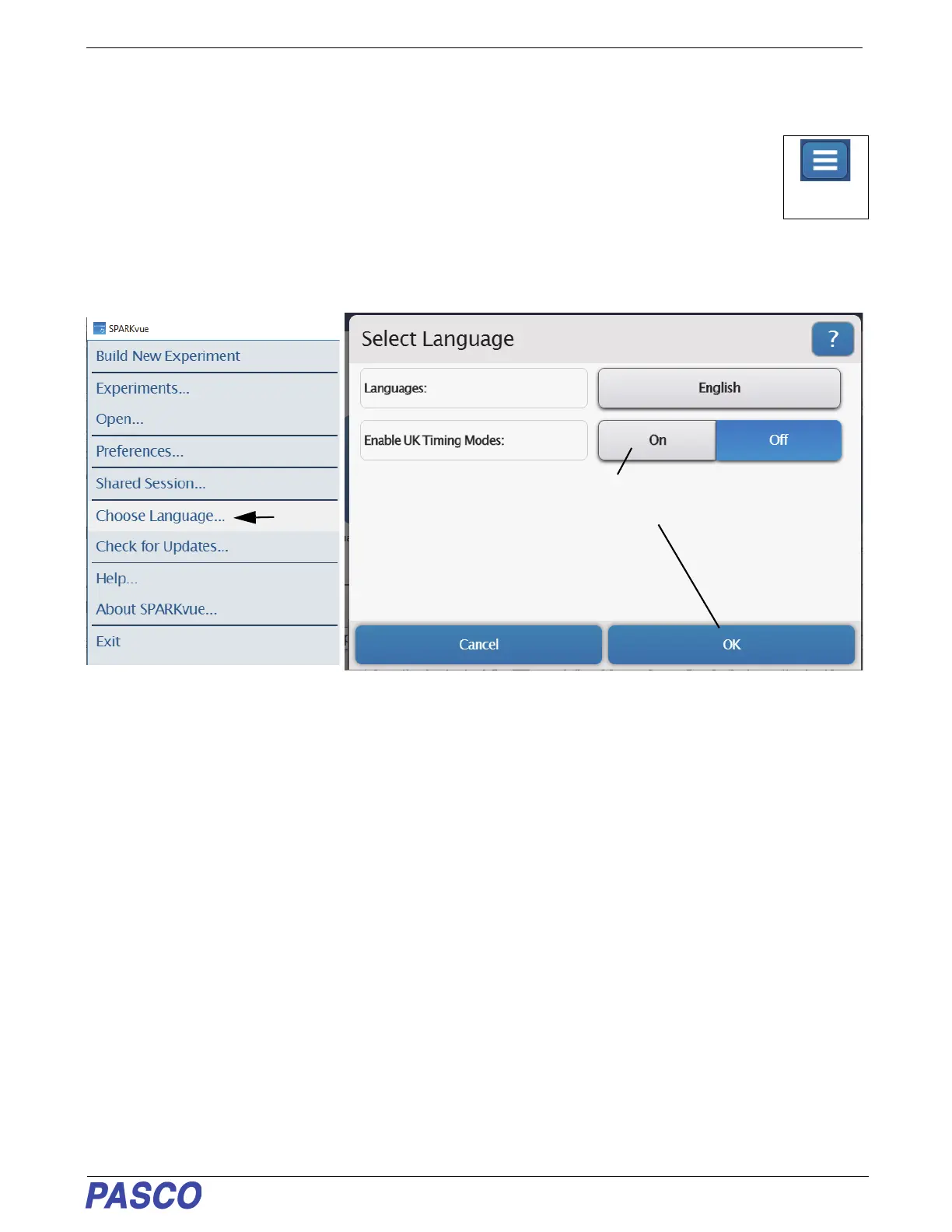
In the SPARKvue menu that opens, select “Choose Language...”. English is the default language
choice. Note: UK Timing Modes are only available in English. Click or touch “On” to Enable UK
Timing Modes. Click or touch “OK”. The “Select Language” window closes and the Assign SmartGate UK Timing
Modes window opens.
SPARKvue Menu-
Select “Choose
Language...”
Click or Touch “On” and then
click or Touch “OK”,
Select


 To Next Page