Need help?
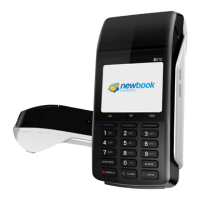
Do you have a question about the PAX D210 and is the answer not in the manual?
Process a credit sale by swiping, inserting, or tapping the card and following prompts for PIN or signature.
Process a credit sale using manual entry for card number, expiration date, CSC, street address, and ZIP code.
Void a credit card transaction by entering the password and transaction number from the current batch.
Process a credit return or refund by selecting RETURN, entering the refund amount, and processing the card.
Process a credit transaction offline by entering the amount, card number, and authorization number.
Reprint the last customer receipt or any receipt by entering the transaction number.
Access the menu to print reports by selecting REPORT and entering the password.
Close the current batch and process settlement by selecting BATCH CLOSE.
Generate a report of host totals by selecting HOST TOTALS.
 General
| Processor | 32-bit ARM11 |
|---|---|
| Memory | 192MB (128MB Flash, 64MB SDRAM) |
| Display | 320 x 240 pixels |
| Connectivity | Wi-Fi, Bluetooth |
| Card Readers | Magnetic Stripe, Smart Card, Contactless |
| Certifications | PCI PTS 5.x, EMV L1 & L2 |


 To Next Page