Need help?
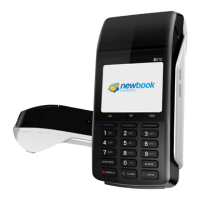
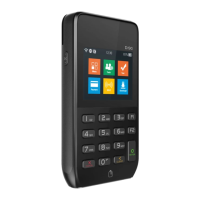
Do you have a question about the PAX D210-W and is the answer not in the manual?
Guide for installing SAM or SIM cards into the terminal's designated slots.
Steps for correctly installing the battery into the POS terminal.
Instructions on turning the POS terminal on/off and using basic controls.
Guidance for magnetic stripe and IC card insertion and operation.
Instructions for contactless card use and receipt tearing.
Detailed technical specifications of the D210-W POS terminal.
Key advice for safe installation and proper usage of the POS terminal.
Guidelines for charging, handling, and maintaining the POS terminal battery.
 General
| Model | PAX D210-W |
|---|---|
| Category | Payment Terminal |
| Display Resolution | 320 x 240 pixels |
| Display | 2.8 inch |
| Display Type | LCD |
| Connectivity | Wi-Fi, Bluetooth |
| Card Reader | Magnetic Stripe |
| Battery | 2300mAh |
| Memory | 128MB Flash, 64MB DDR |
| Power Supply | 5V DC, 1A |
| Security | PCI PTS 5.x |


 To Next Page