5
Smartpay User Guide Pax S300 Combo (with S800 or S80/c)
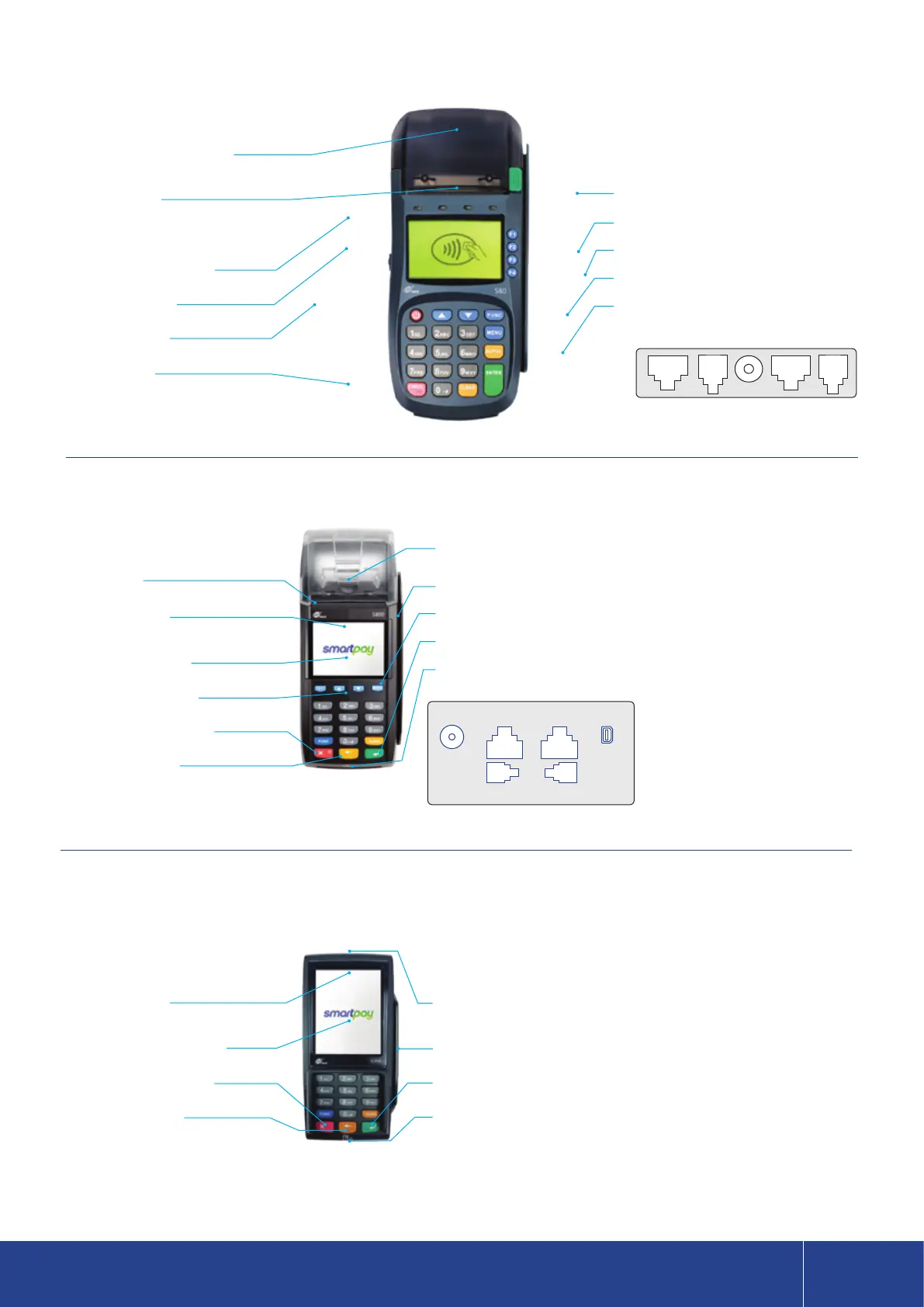
S80c
S800
S300 PINpad
Thermal Receipt Printer
(lift ap to change paper roll)
Paper Cutter
Contactless Reader/LEDs
LED Display Screen
Power On/O Key
Card Chip Slot
Paper Cutter
Contactless LEDs
(will appear along top of PRESENT CARD)
Colour Display Screen
Page Up/Down Arrows
Cancel/Power On/O Key
Clear/Back/NO Key
Contactless LEDs
(will appear along top of PRESENT CARD SCREEN)
Colour Display Touch Screen
Cancel/Power On/O Key
Clear/Back/NO Key
Printer Cover Release Key
F1 - F4
Card Swipe Reader
Menu Key
Enter/Accept/Logon Key
Printer Cover Release Key
(lift ap to change paper roll)
Card Swipe Reader
Menu Key
Enter/Accept/OK Key
Chip Card Slot
PINPad Cable
(plug other end of cable into base unit PINpad port)
Card Swipe Reader
Enter/Accept/OK Key
Chip Card Slot
LAN/RS232B RS232A
LINE PINPAD
POWER MINI USB
LAN/RS232B LINE POWER RS232A PINPAD



 To Next Page