4
3
2
1
17
6
5
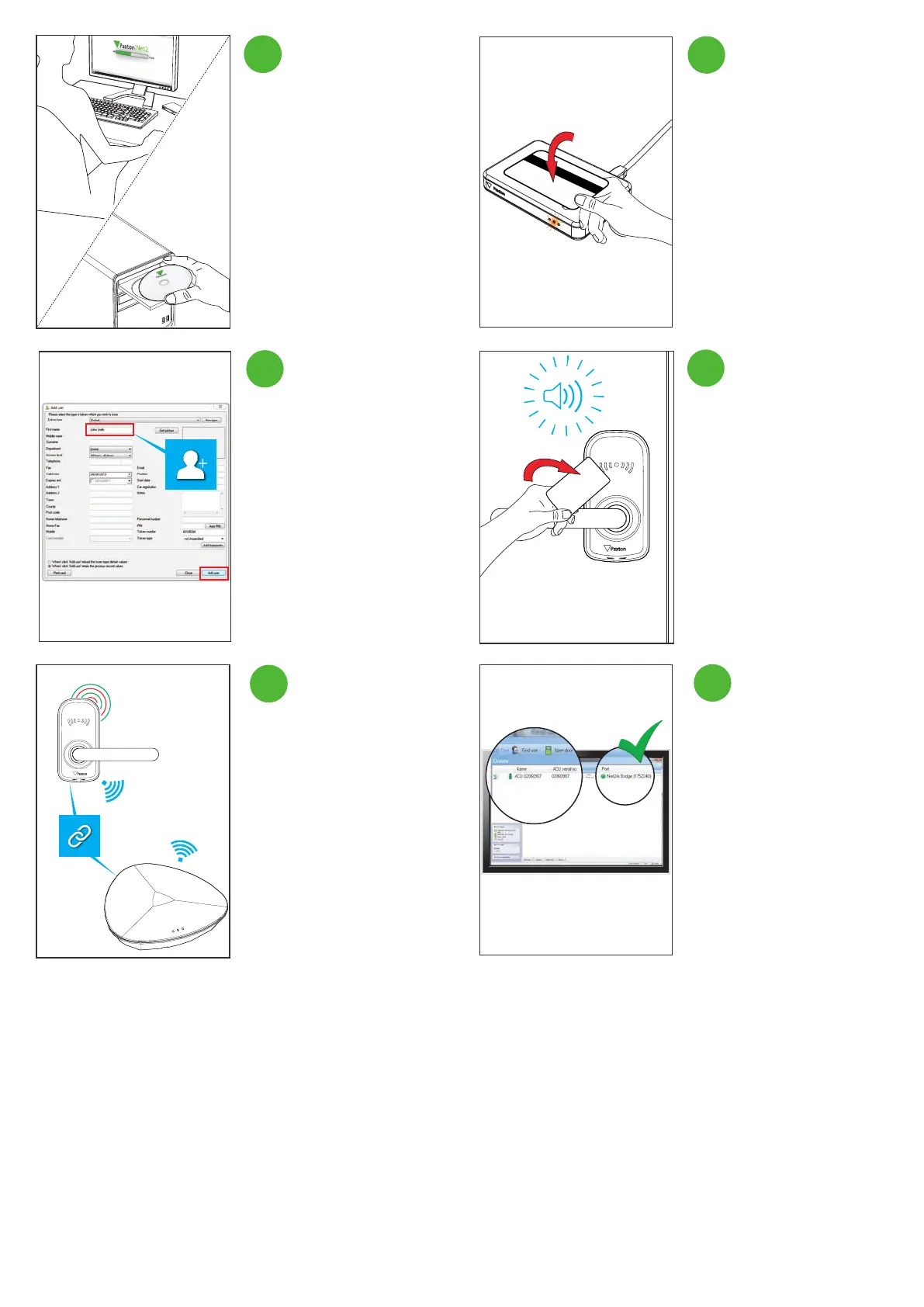
Ensure there is a bridge connected
and within range and present the
enrolled token to the PaxLock Pro,
you will hear a beep.
NOTE: Make sure Net2 is in
commissioning mode via the cong
utility.
Type in the name of the user and
click ‘ Add user’.
Present a new token to the desktop
reader.
Install and open the latest version
of Net2.
The PaxLock Pro will now bind with
the Net2Air bridge providing the
strongest signal, the LEDs will ash
red and green during this process.
The PaxLock Pro will now appear as
a door in Net2.
6


 To Next Page