2: Mainboard Installation
Install A CPU
This mainboard has a Socket 370 which supports Celeron PPGA
and FCPGA Pentium III processors.
To ensure reliability, ensure that your processor has a
heatsink/cooling fan assembly.
Do not try to install a Socket 7 processor in the Socket-370. A
Socket 7 processor such as the Pentium-MMX, or the AMD K5/K6
does not fit in the Socket 370.
The following list notes the processors that are currently supported
by this mainboard.
PPGA Celeron: 300~700 MHz, FSB: 66 MHz
FCPGA Pentium III: 500~933MHz, FSB: 100MHz, 133MHz
Installing a Socket-370 Processor
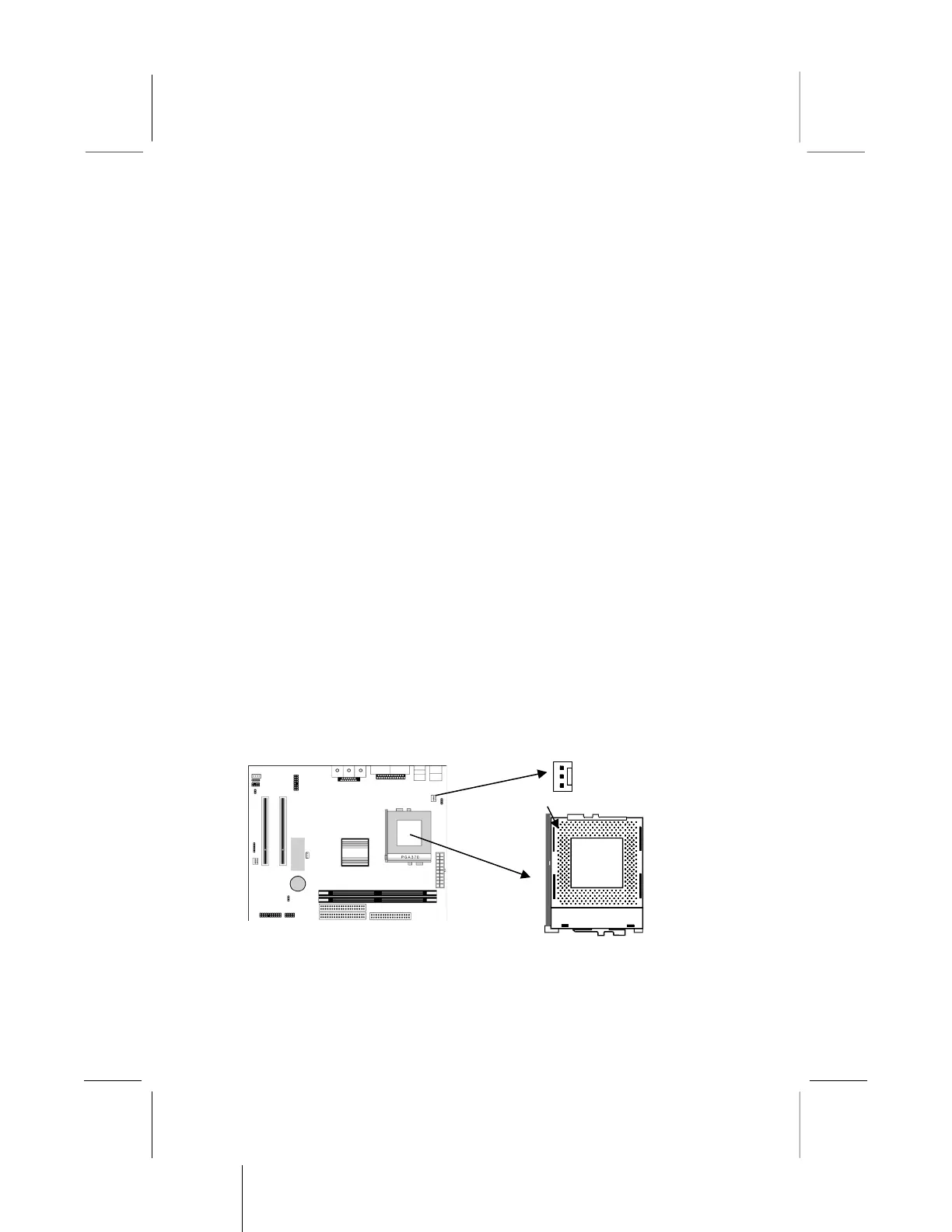
A processor installs into the ZIF (Zero Insertion Force) Socket-370
on the mainboard.
1. Locate the Socket-370 and FAN1. Pull the locking lever out
slightly from the socket and raise it to the upright position.
2. On the processor, identify the Pin-1 corner by its beveled edge.



 To Next Page