PCTV Systems – Broadway 2T
44
Step 3: Run a Channel Scan
Important:BeforeaccessingBroadway2T,makesurethePCyouwanttouse
andtheBroadway2Tboxarebothconnectedtothelocalnetwork.
EvenifyouhaveusedyourPCtosetupyourBroadway2Tandranachannel
scanusingtheBroadwaySetupWizard,youhavetorunachannelscanusing
TVCenter.
ThemostcomfortablewaytorunachannelscanwithTVCenterisusingthe
TVCenterSetupWizard.
Bydefault,theTVCenterSetupWizardstartsautomaticallyaftera
successfullyfinishe
d
installation.
IncasetheTVCenterSetupWizarddoesnotstartautomatically,youcan
openitmanuallybyclickingon:
WindowsStart>Programs>PCTVSystems>TVC enterWizard
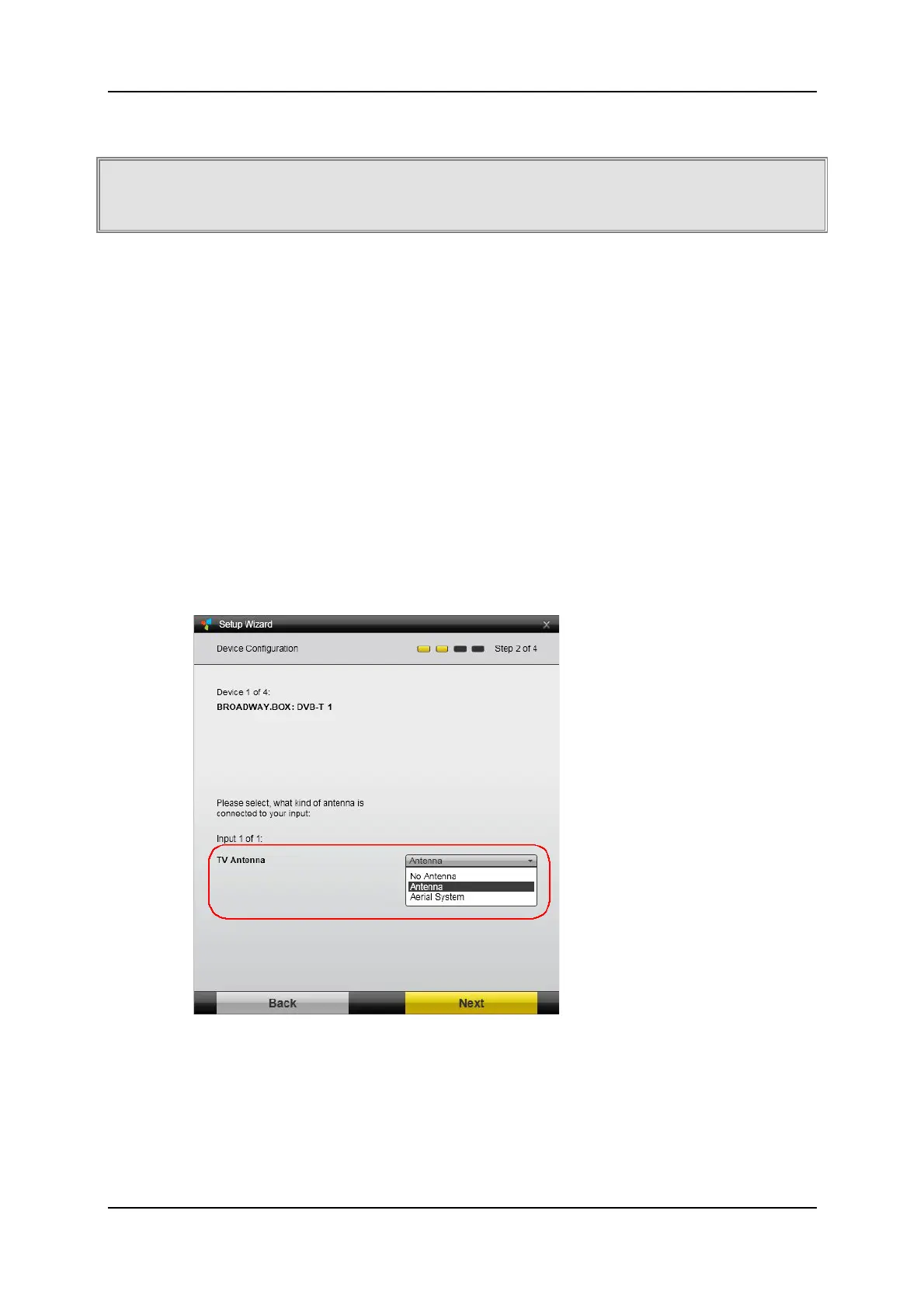
FollowtheinstructionsoftheTVCenterSetupWizard.
OntheDe
viceConfiguratio
npage,makesuretoselectthecorrectTV
AntennaInputforyourBroadway2Tdevice.
Select:
NoAntenna‐ifyoudon’twanttousetherespectivetuner
Antenna–ifyouusethedeliveredminiDVB‐Tantennaoryour
rooftopantenna
AerialSystem–iftheTV‐signalisdistributedviaa MasterAntennaTV
(MATV)/CableAntennaTV(CATV)system.



 To Next Page