Better Solutions Are Within Reach
®
SW24LEDA, SW32LEDA, SW42LEDA
PD196-210R1
User Manual
PDi International, PTE LTD, Henry Building, 5 Eunos Ave #2-00 8A, Singapore 409459 PH +65-6846-1482 FX 937-743-5664
Picture
This menu allows you to adjust the settings for your personal preferences.
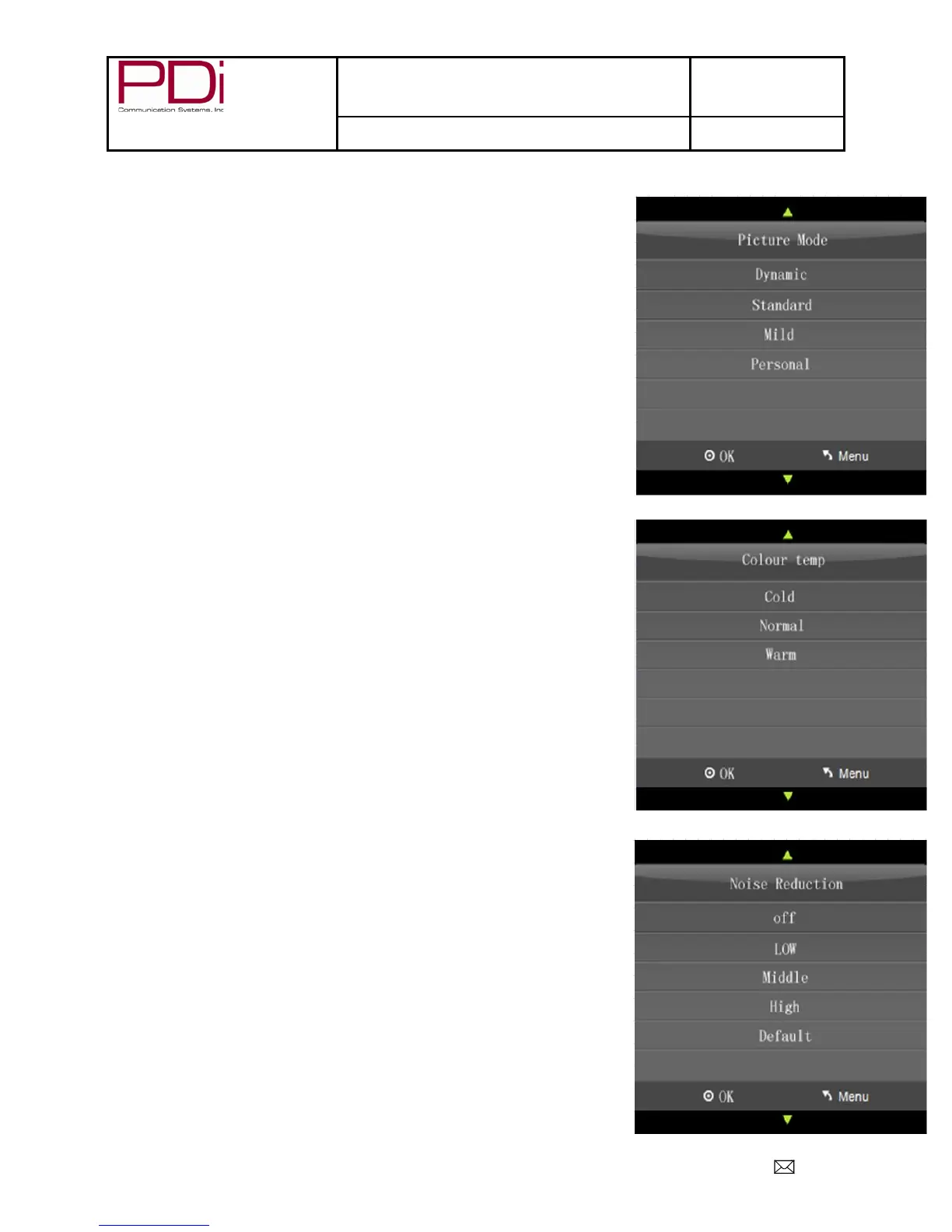
Picture Mode
This menu will let you choose from four settings: Dynamic, Standard, and Mild.
When choosing “Personal”, Contrast, Brightness, Colour, Tint, and Sharpness are
all adjusted according to the selection you choose. You can then further
customize your picture by adjusting the Colour Temperature and Noise
Reduction.
1. Press ► to enter the PICTURE menu.
2. Press ▼ to highlight Picture Mode.
3. Select your preferred mode and press “OK”.
4. Press “EXIT” to return to previous screen.
Colour Temperature
Colour Temperature adjusts the colour balance of the picture. Cold, Normal, and
Warm are preset adjustments.
1. Press ► to enter the PICTURE menu.
2. Press ▼ to highlight Colour Temp.
3. Press “OK” to enter Colour Temp menu.
4. Press ▼ to highlight desired selection.
5. Press “OK” to select and return to previous screen.
Noise Reduction
Additional picture improvement may be achieved by enabling the Noise
Reduction function found in the Picture Menu. You may choose from Off, Low,
Middle, High or use the Default (Middle)
1. Press ► to enter the PICTURE menu.
2. Press ▼ to highlight Noise Reduction.
3. Press ► to enter the Noise Reduction menu.
4. Press ▼ to select the desired noise reduction level.
5. Press “OK” to select and return to previous screen.


 To Next Page