Better Solutions Are Within Reach
®
SW24LEDA, SW32LEDA, SW42LEDA
PD196-210R1
User Manual
PDi International, PTE LTD, Henry Building, 5 Eunos Ave #2-00 8A, Singapore 409459 PH +65-6846-1482 FX 937-743-5664
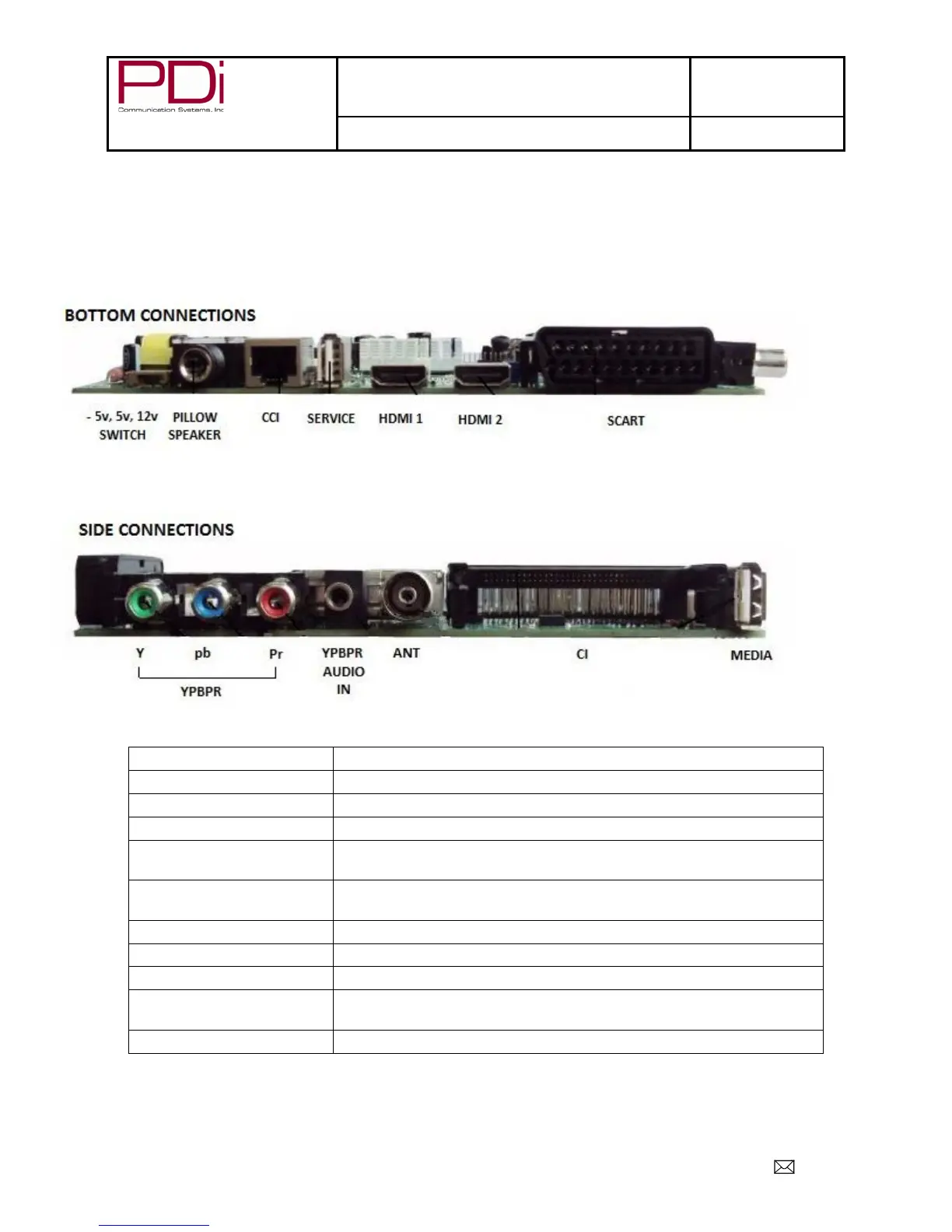
Connecting External Devices
This instruction manual shows the simplest and most effective way of connecting your TV to ancillary equipment.
Alternate methods are listed below.
Connections
Set for pillow speaker type
Computer Controlled Interface
HDMI1, HDMI2
Connect an external appliance fitted with an HDMI connector,
such as a DVD player.
SCART
Composite video connection for a VCR or any other video
appliance.
CI
Connect a Conditional Access Module (CAM) subscription
card to subscribe to pay services (DTV mode only)


 To Next Page