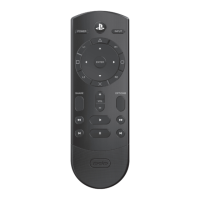
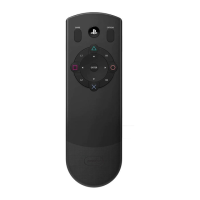
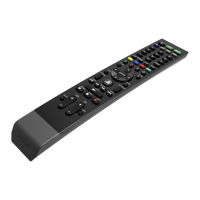
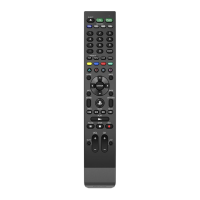
control the playback of common types of media, including Blu-ray Disc media.
Infrared (IR) technology enables you to operate peripheral devices such as your television, AV amplifier, and
cable/satellite set-top box. For IR operation, you must point the IR transmitter of the remote directly at the
device. Check that there are no obstructions between the remote control and the device.
Preparing for use
Remove the battery cover on the rear of the Universal Media Remote and insert 2 AAA batteries. Make sure the
batteries are in the correct position.
Operating the PS4™ system
Check the PS4™ system software version To use the Universal Media Remote, the PS4™ system software must be
version 2.55 or later. You can check the system software version by selecting Settings -> System -> System
Information.
Pairing the Universal Media Remote with a PS4™ system
This operation is performed only once, when you are using the Universal Media Remote for the first time.
1. Turn on the PS4™ system.
2. From the PS4™ system menu, select Settings -> Devices -> Bluetooth Devices
3. On the Universal Media Remote, press the PS4 device key
4. Next, press and hold the SHARE button and the PS button simultaneously until the red LED begins to flash
5. Place the remote close to the PS4™ system and wait for “PDP Universal Media Remote for PS4” to appear in
the device list.
6. Using a connected controller, select “PDP Universal Media Remote for PS4” from the list, and press the X
button. When prompted, select “Yes”.
7. The red LED on the remote will illuminate for 3 seconds and then turn off,
indicating successful pairing.
Tips
For the latest PS4™ usage instructions, refer to the user’s guide for the PS4™ system
(manuals.playstation.net/document/).
For the latest Universal Media Remote instructions, refer to the online user’s
guide (support.pdp.com).
Only one Universal Media Remote can be registered with the PS4™ system at a time.
When you pair the Universal Media Remote with another PS4™ system,
registration with the original PS4™ system is cleared. To use the remote with the original PS4™ system, you
will have to follow the pairing procedure again.
How to use the Universal Media Remote
DEVICE buttons
Switch between devices.



 To Next Page