6
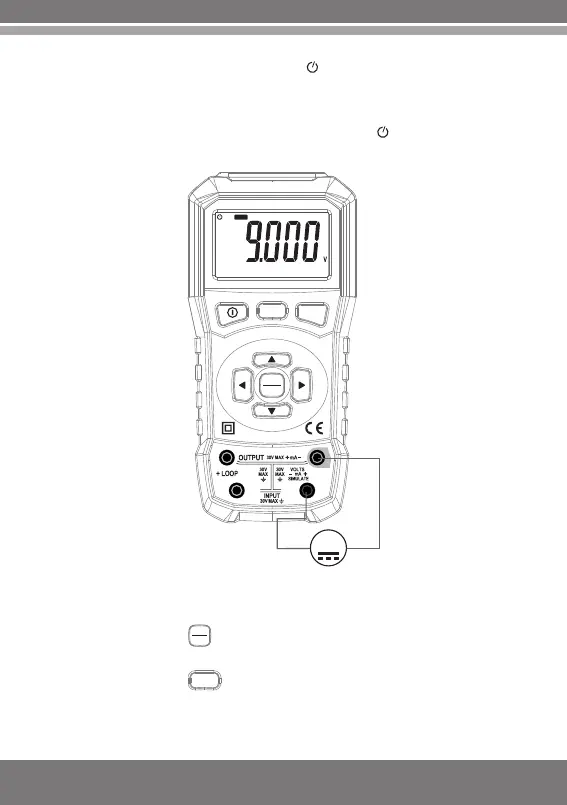
3.2 DC voltage measurement
1. Power on the meter.
2.Press the key to switch to measurement status and the
word "INPUT" will appear on the display screen.
3.Press the key in accordance with the measuring range
and switch to "V" or "mV" measuring range.
V/mV
2.The auto power off indication on the display screen will
disappear.
3.The reboot after shutdown will resume the function of auto
power off, and the auto power off indication will appear on the
display screen.
V/mV
mA%
INPUT
OUTPUT
mA
VOLT/mA CAL IBR ATOR
COM
V
V
INPUT
INP UT
OUTPUT


 To Next Page