7
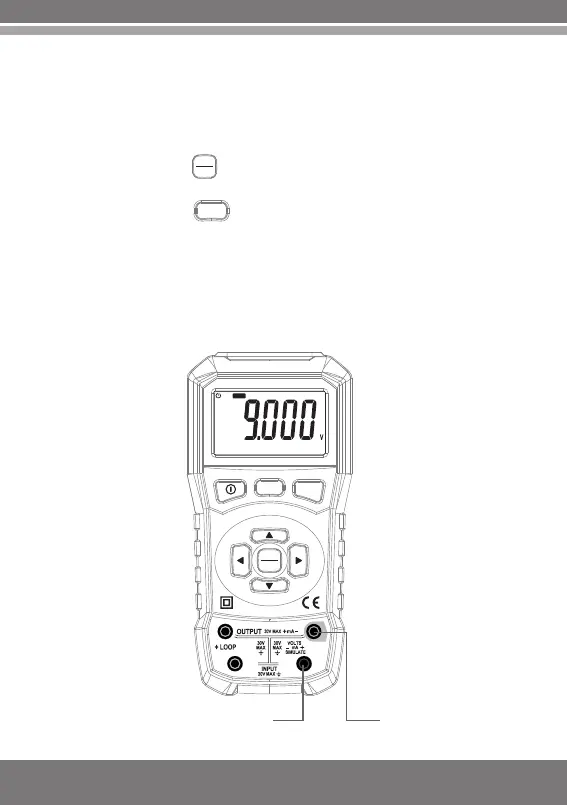
4.Connect test lines as shown in the figure on the right hand.
5. Capture measurement results on the display screen.
1.Power on the meter.
2.Press the key to switch to output status and the word
"OUTPUT" will appear on the display screen.
3.Press the key in accordance with the measuring range
and switch to "V" or "mV" measuring range.
4. Connect test lines as shown in the figure on the right hand.
5. Press the key "Data Adjustment" and adjust the displayed
value in accordance with the voltage value desired to be output.
6. Output voltage of the meter
3.3 DC voltage output
INPUT
OUTPUT
V/mV
V/mV
mA%
INPUT
OUTPUT
mA
VOLT/mA CAL IBRATOR
COM
V
INPUT
V+V-


 To Next Page