Size = A5
ENGLISH
20
Intended use
This product is only intended for audio
entertainment. This product is only suit-
able for private household use and it is not
designed for commercial purpose. Every
other type of use can lead to damage to
the product or injury.
The Imtron GmbH assumes no liability for
damage to the product, for property dam-
age or for personal injury due to careless or
improper usage of the product, or usage of
product which does not meet the manu-
facturer’s specifi ed purpose.
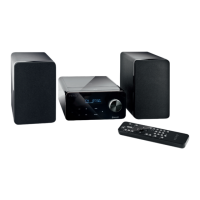
Partlist
A. Display
B. Power indicator
C. button
D. CD-tray
E. button
F. button
G.
button
H. button
I. button
J. AUX IN jack
K. USB port
L. Volume knob
M. Speakers
N. Wire antenna
O. Speaker jack (left and right)
P. Antenna jack
Q. Power cable and power plug
Accessories
2 x Speaker
1 x Wire antenna
1 x Remote control
1 x User manual
Remote control
1. button
2. SLEEP button
3. INTRO button
4. INFO button
5. MENU/REP button
6. Skip-/ search back
7. Playback/Pause
8. TUNE -/+ , 10-/10+ button
9. FOLD+/- button
10. Volume Vol +/-
11. CLOCK/ALARM, MUTE button
12. Battery compartment
13. MEMORY/PROG button
14. Stop-/AUTO button
15. Skip-/ search forward
16. EQ button
17. SOURCE button
18. CD eject button
Note
All main functions can be accessed with the remote control. If the remote control does not
work, please check the followings:
– If there any object between the product and remote control causing obstruction.
– Try to darken the room or to reduce the distance between device and remote control.
– Is the battery installed with correct polarity (+ to +,- to -)?
– Try with a brand new battery.
IM_PMS310BT-B_170920_A_V03_HR.indb 20 20/9/17 10:33 am


 To Next Page