26 27
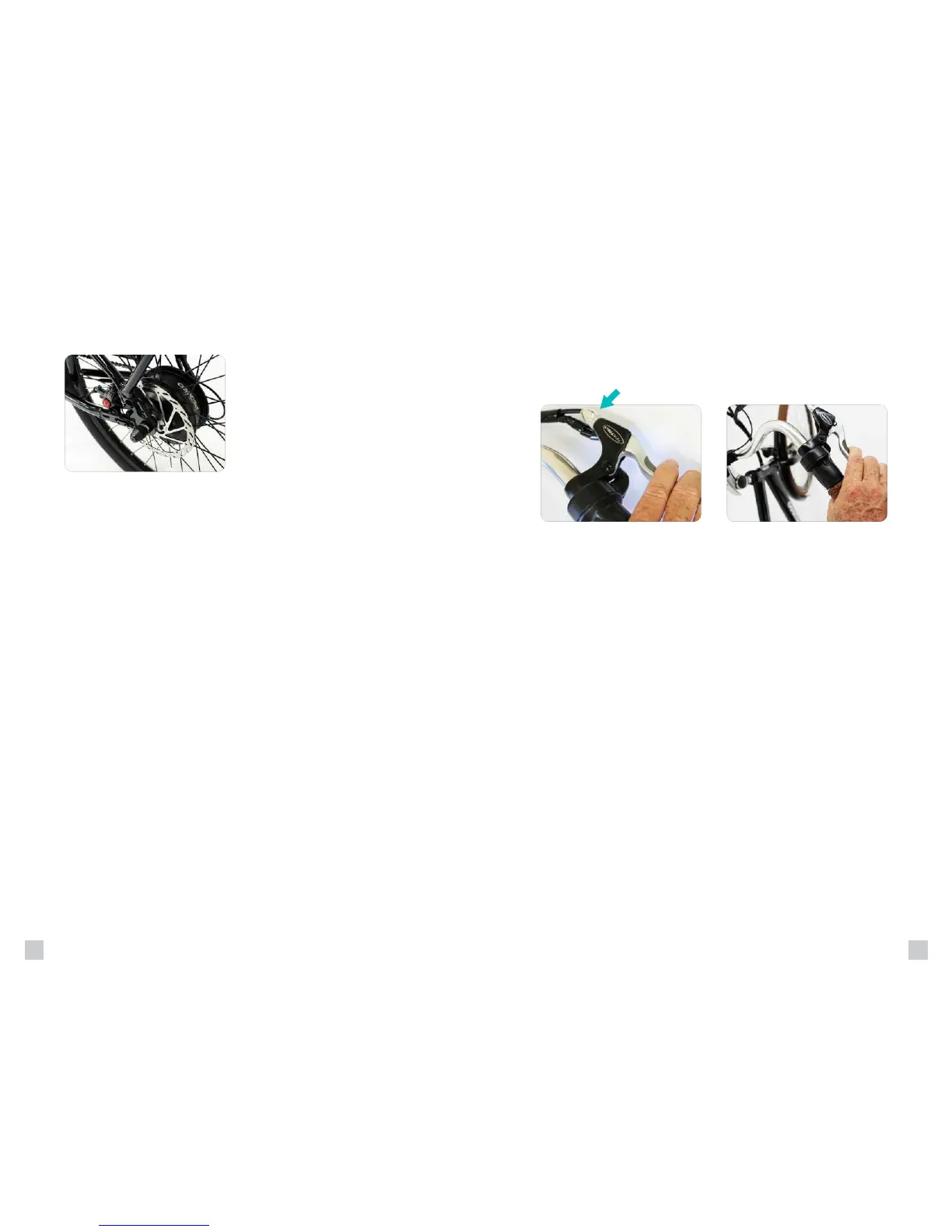
A quick adjustment may be made by screwing or unscrewing the
for safe stopping (Figure 1). If the brakes are still not operating correctly,
they may require further adjustment by an experienced bicycle mechanic.
WARNING:
• Disc brake rotors become hot during use. Do not touch or come
in contact with the disc rotor shortly after use.
• Wet weather will require a longer distance to stop. Brake earlier
and avoid sudden stops when riding in wet conditions.
The rear brake should always be applied before and while the front brake
is applied. Applying only the front brake to slow or stop at high speeds
may result in the rider being ejected from the saddle and continuing
forward over the handlebars. It is best to apply even pressure to both
brake levers when slowing or stopping.
Bicycles equipped with disc brakes will occasionally make a slight
scraping noise when the wheels are turning without the brakes being
applied. This is normal.
Make sure that the brake lever does not contact the handle bar
when full hand pressure is applied (Figure 2). If so, then the
bra kes mus t be adjuste d by increa si ng the tensi on on the cabl e.
BRAKES
Operating Procedures
Figure 1 Figure 2
Your Pedego is equipped with disc
brakes for maximum reliability. Applying
hand pressure to the brake levers will
cause the wheel brake to cause friction
against the brake disc, slowing the wheel.
The more hand pressure applied to the
brake lever, the faster the Pedego
will come to a stop.


 To Next Page