30 31
TROUBLESHOOTING
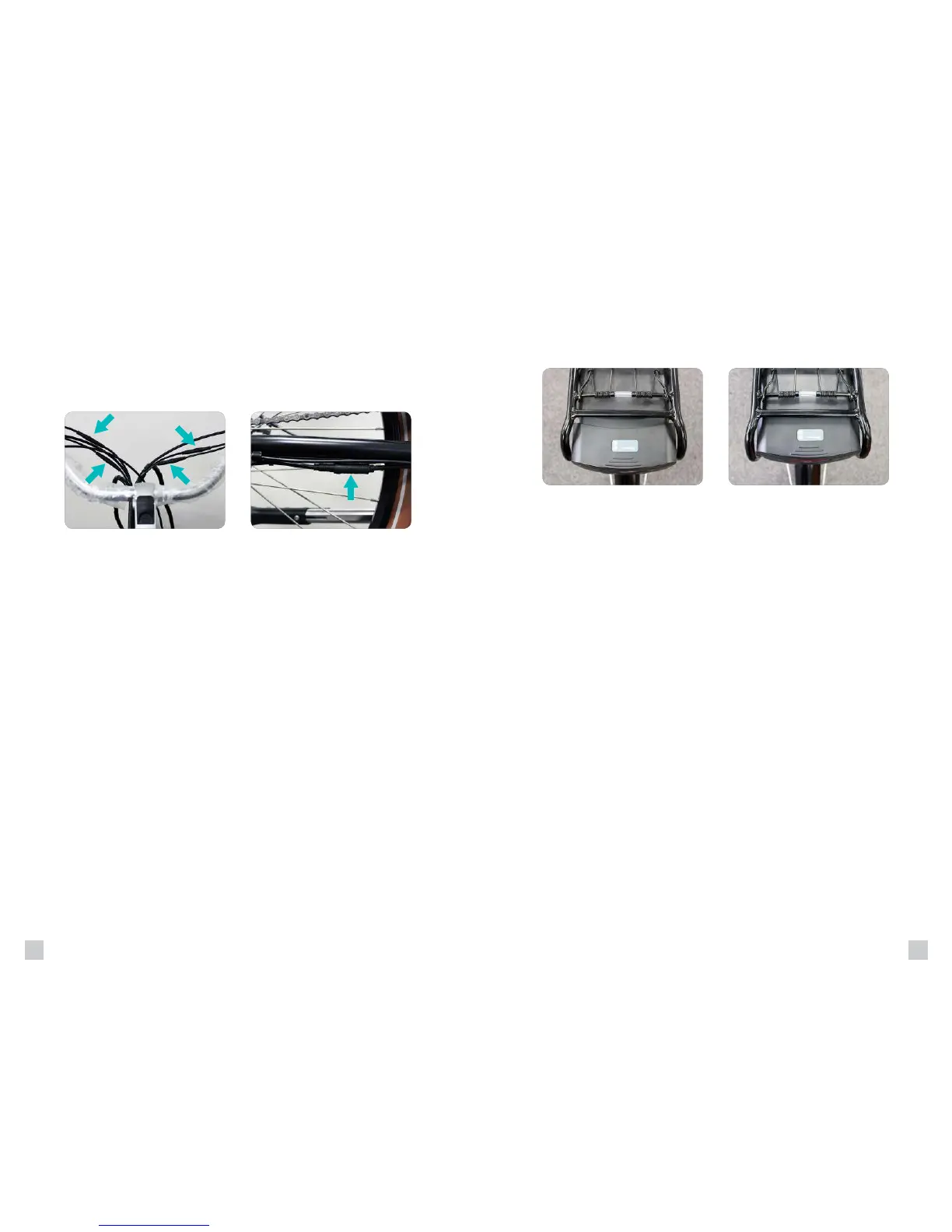
to make sure they did not come loose or unplugged.
1. Throttle - Black (Boomerang & Comfort Cruiser) or Yellow (Boomerang
Plus, City Commuter, Interceptor, Stretch, & Trail Tracker)
2. Left Brake Lever - Red
3. Right Brake Lever - Red
4. Motor
5. LCD Meter - Green (If Applicable)
Simply unwrap the black spiral wire covering until the Quick Disconnect
Make sure that the battery is inserted fully into the bicycle. If it is not, the
bicycle will receive no power causing all of the electronics to not turn on.
For any additional troubleshooting help, refer to the Customer Help page
at www.pedegoelectricbikes.com/faqs/customerhelp/ or contact your
local Pedego dealer.
Operating Procedures Operating Procedures
BAD
Quick Disconnects
GOOD
Motor Disconnect
4
1
5
2
3


 To Next Page