10 of 14
ISSUED: 01-10-07 SHEET #: 009-9039-2 03-12-07
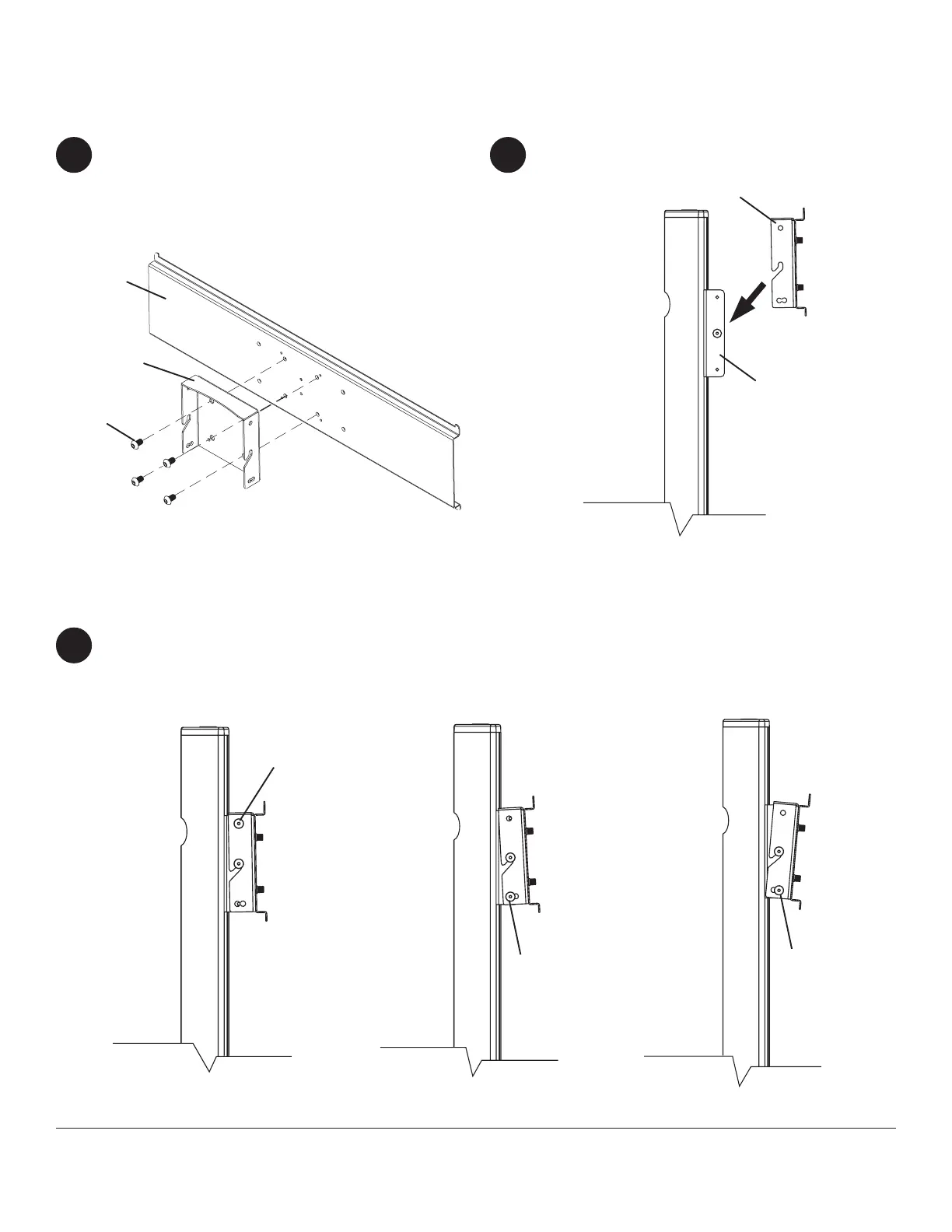
Attach universal plate (E) to hook plate (B) using four
M10 x 15 mm socket screws (OO). Tighten screws
using 6 mm allen wrench (Q).
12
E
B
OO
Attaching Screen using Universal Plate with Adapter Brackets
For attaching screens with VESA 100 hole pattern, skip to page 13. For attaching Dedicated plate
skip to page 14.
13
Attach hook plate (B) to screen mount bracket (A).
B
A
14
Insert two 1/4-20 x 12 mm screws (I) into holes indicated below for desired screen orientation. Tighten all screws
using 4 mm allen wrench (N).
I
I
I
2° Backward Tilt 5° Forward TiltNo Tilt


 To Next Page