10
Owner’s manual
EN
RESET
RESET button (8) is placed on the housing and must be activated with either
a ball point pen or thin metal object. (Do not use sharp object to avoid damaging
the unit.) The RESET button (8) is to be activated for the following reasons:
- Initial installation of the unit when all wiring is completed.
- All the function buttons do not operate.
- Error symbol on the display.
RADIO OPERATION
BAND SELECTION
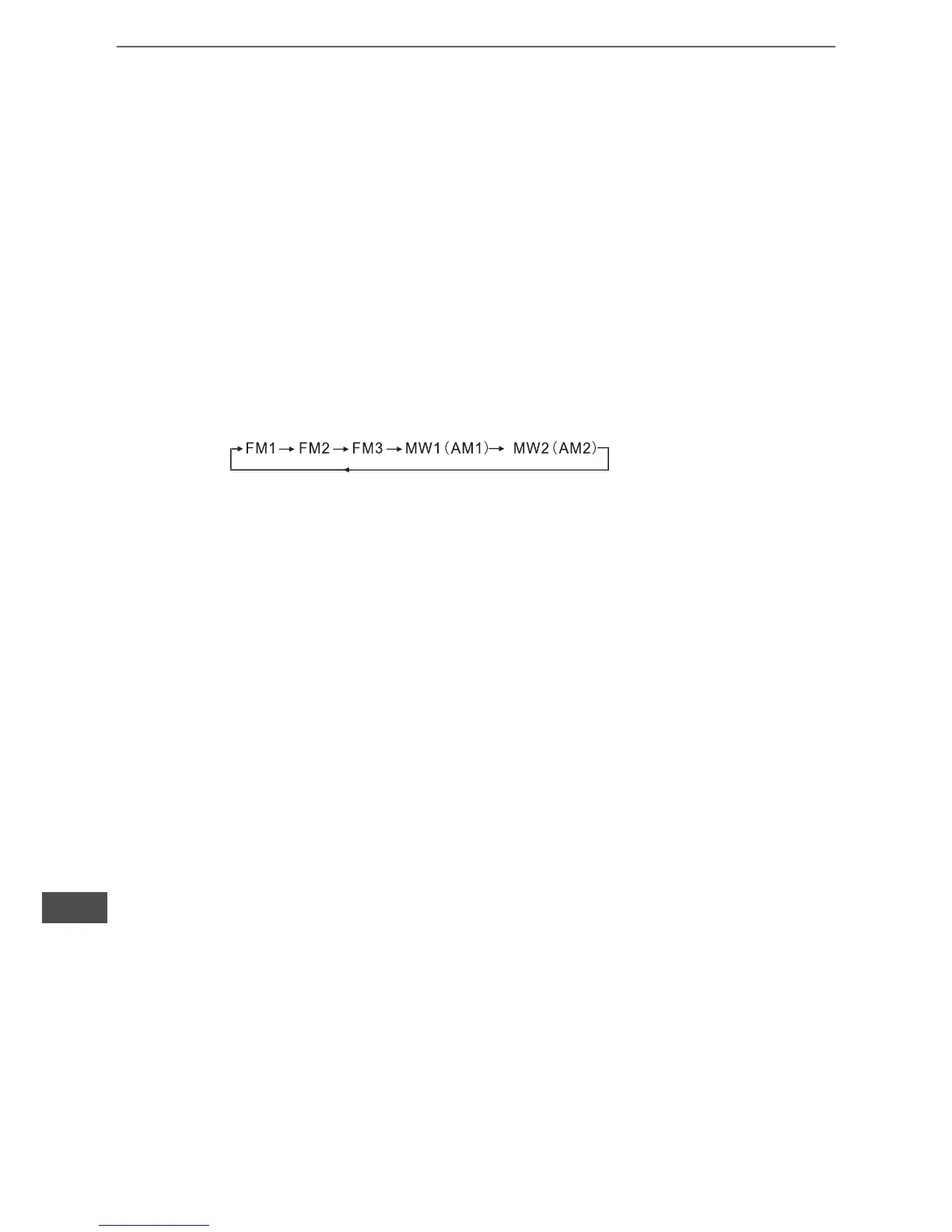
At tuner mode, press BAND button (9) to select the desired band. The reception band will
change in the following order:
STATION SELECTION
Press TUNE/SEEK/TRACK FORWARD button (10) or TUNE/SEEK/TRACK
REVERSE button (11) shortly for manual tuning function.
Press for several seconds the automatic tuning mode (SEEK
mode) is selected.
AUTOMATICALLY MEMORY STORING & PROGRAM SCANNING
-Automatically Memory Storing
Press AMS(MP3) button (12) for several seconds, the radio searches from the current fre-
quency and checks the signal strength until one cycle search is nished.
And then 6 strongest stations are stored into the corresponding preset number button,
- Program Scanning
Press AMS(MP3) button (12) shortly to scan preset station. When the AMS mode is carry out,
“INT” appear on LCD display, the unit scan each stored station for 5 seconds, you also can
press the corresponding number button or AMS button. Your desired station will start playing.
STATION STORING
Press preset button (13~18)
1) RADIO MODE.
M1 ~ M6
- PRESET MEMORY is loaded when key is pressed for less than 1 second.
- PRESET MEMORY is saved when key is pressed for longer than 1 sec.
2) CD/MP3/FLASH MP3
PLAY/ PAUSE
Press preset button (13) is activated. During a PAUSE, DISC INDICATOR ashes.
TOP - First song will play when Top key is pressed for lunger than 0.5 sec during play.


 To Next Page