EasyManua.ls Logo

Pelonis PFT28A2BBB - User Manual

Pelonis PFT28A2BBB
10 pages
Print Icon
To Next Page IconTo Next Page
Loading...
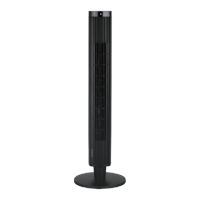
30” Tower Fan
version A - 05 - 2021
PFT28A2BWW
PFT28A2BBB
midea.com
USER MANUAL
en
PFT28A2BWW
PFT28A2BBB
Warning Notice: Before using
this product, please read this
manual carefully and keep it for
future reference. For additional
support, please call customer
service at 1-866-646-4332.
The design and specifications are
subject to change without prior
notice for product improvement.
Consult with your dealer or
the manufacturer for details.
version A - 04 - 2021 (PREVIEW01)
Question and Answer IconNeed help?

Do you have a question about the Pelonis PFT28A2BBB and is the answer not in the manual?

Summary

Product Warning Notice

Important Safety Instructions

Parts and Features Overview

Fan Parts Assembly Guide

Operating Instructions

Fan Control Features

Details the timer, oscillation, and speed selection controls.

Fan Operation Steps

Sequential guide for plugging in and using the fan's primary functions.

Cleaning and Storage Guide

User Servicing Instructions

Service and Support Information

One Year Limited Warranty

Overview

This document serves as the owner's manual for the Pelonis 30" Tower Fan, models PFT28A2BWW and PFT28A2BBB. It provides essential information for safe operation, assembly, maintenance, and troubleshooting of the fan.

Function Description

The Pelonis 30" Tower Fan is designed to provide cooling airflow in household environments. It features a tower design, which typically allows for a wider oscillation angle and a more space-efficient footprint compared to traditional round fans. The fan operates by drawing in air and expelling it to create a cooling breeze. It is equipped with a timer function, allowing users to set a specific duration for operation before it automatically turns off. Additionally, it includes an oscillation feature to distribute air across a broader area, enhancing comfort in a room. The fan offers multiple speed settings, enabling users to adjust the intensity of the airflow to suit their preferences.

Usage Features

The fan is straightforward to operate, with controls located on the top of the unit.

  • Power and Speed Control: The fan's speed is controlled by a push-button switch, offering four positions: "0" for Off, "1" for Low speed, "2" for Medium speed, and "3" for High speed. This allows for flexible adjustment of airflow intensity.
  • Oscillation Function: An oscillating switch, also a push-button, enables the fan body to angle left or right, distributing air over a wider area. Pushing the button again stops the oscillation, allowing for targeted airflow.
  • Timer Function: A 120-minute automatic timer is integrated into the fan. Users can turn a knob to select the desired operating time, after which the fan will automatically shut off. If the timer function is not required, the knob should be set to "O". This feature is convenient for setting the fan to run for a specific period, such as during sleep, without needing to manually turn it off.
  • Placement: For optimal performance and safety, the fan should be placed on a dry, level, and stable surface to prevent overturning. It is not recommended for use by a window to reduce the risk of electric shock.
  • Power Connection: The fan utilizes a polarized plug, meaning one blade is wider than the other. This plug is designed to fit into a polarized outlet in only one way, a safety feature to reduce the risk of electric shock. If the plug does not fit initially, it should be reversed. Users are advised not to attempt to defeat this safety feature and to contact a qualified electrician if the plug still does not fit.
  • Cord Management: The power cord should be arranged carefully to avoid running it under carpeting or covering it with throw rugs, runners, or similar coverings. This prevents tripping hazards and potential damage to the cord.

Maintenance Features

Proper maintenance is crucial for the longevity and safe operation of the Pelonis Tower Fan.
  • Cleaning: Before any cleaning, ensure the fan is turned off and unplugged from the power outlet.
    • Exterior Cleaning: The outer surfaces of the fan should be gently wiped with a soft cloth.
    • Grills and Fan Blade Area: To clean dust from between the grills and around the fan blade area, a pipe cleaner, flexible dust wand, vacuum cleaner, or compressed air is recommended.
    • Rear Grill: The rear grill can be cleaned with a soft, dry cloth.
    • Important Cleaning Precautions: Do NOT immerse the fan in water, and prevent water from dripping into the motor housing. Harsh chemicals such as gasoline or paint thinner should NOT be used to clean the fan, as they can damage the unit.
  • Storage: For storage, the fan can be left assembled and covered to protect it from dust. It should be stored in a cool, dry place.
  • User Servicing (Fuse Replacement): The fan is equipped with overload protection in the form of a fuse located in the attachment plug.
    • Accessing the Fuse: To replace the fuse, first grasp the plug and remove it from the receptacle without pulling on the cord. Then, slide open the fuse access cover on top of the attachment plug towards the blades.
    • Removing the Fuse: Carefully remove the old fuse by inserting the tip of a tool into the fuse slot (close to the terminal) and gently prying it out. Avoid overexertion.
    • Replacing the Fuse: Replace the old fuse ONLY with a 2.5 Amp, 125 Volt fuse. Using a fuse with an incorrect rating can pose a fire risk.
    • Closing the Fuse Cover: After replacement, slide the fuse access cover closed on top of the attachment plug.
    • Safety Note: The attachment plug contains a safety device (fuse) that should not be removed permanently. If the attached plug is damaged, the product should be discarded or returned to an authorized service facility for examination and/or repair, rather than attempting to replace the plug itself. When replacing the fuse, avoid sudden or forceful operation to prevent damage or accidents.
  • General Safety: Regular inspection of the power cord and plug for any damage is advised. If the cord or plug is damaged, the fan should not be operated and should be discarded or returned to an authorized service facility. Avoid contact with moving fan parts during operation. Close supervision is necessary when the appliance is used by or near children.

Pelonis PFT28A2BBB Specifications

General IconGeneral
BrandPelonis
ModelPFT28A2BBB
CategoryFan
LanguageEnglish

Related product manuals