
 Need help?
Do you have a question about the Pelonis PSF40T2ABB and is the answer not in the manual?
Read safety rules carefully. Reduce risk of fire, electric shock, and misuse by following specific warnings.
Guidance on cord and plug safety, voltage, assembly, fan operation, cleaning, and placement for user safety.
Detailed instructions for assembling the fan, including connecting parts and securing with a nut.
Explains the functions of the ON/OFF, SPEED, OSC/LOUVER, MODE, and TIMING keys on the control panel.
Instructions for inserting AAA batteries and important safety warnings regarding battery disposal and mixing.
Guidance on using the remote controller effectively at a distance and information on motor overheat protection.
Step-by-step guide for safely replacing the fuse in the fan's attachment plug.
How to properly clean the fan's plastic parts using mild soap and water, avoiding damage.
Provides toll-free number, email, and mailing address for warranty claims and inquiries.
Instructions for recording purchase details and the note about proof of purchase for warranty claims.
Details on the one-year warranty for motor and control board, exclusions, and limitations.
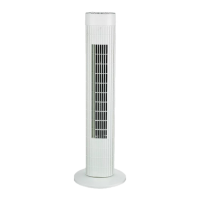
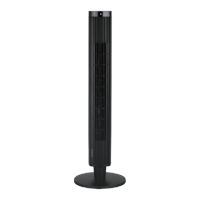
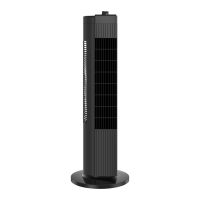
This document serves as the owner's manual for the Pelonis 40" Tower Fan, model PSF40T2ABB (SKU# 6211463). It provides essential information regarding the fan's assembly, operation, safety, and maintenance.
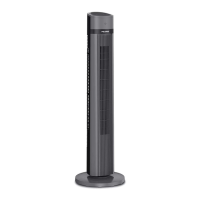
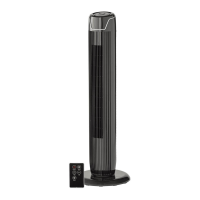
The Pelonis 40" Tower Fan is designed to provide air circulation for personal comfort. It features a sleek, vertical design, making it suitable for various indoor environments where space might be a consideration. The fan's primary function is to move air, offering different settings to customize the airflow experience.
Before operating the fan, it is crucial to read and understand the "Important Safety Instructions" and "Rules for Safe Operation" sections. These guidelines are in place to prevent potential hazards such as fire, electric shock, and injury. The fan is equipped with a polarized plug, meaning one blade is wider than the other, designed to fit into a polarized outlet in only one way. If the plug does not fit, it should be reversed. If it still doesn't fit, a qualified electrician should be contacted, and no attempt should be made to modify this safety feature. The appliance is not intended for use by individuals with reduced physical, sensory, or mental capabilities, or lack of experience and knowledge, unless they are supervised or instructed by a person responsible for their safety. It is important never to leave the fan running unattended and to unplug or disconnect it from the power supply before any servicing.
A key safety feature is the overload protection, which utilizes a fuse. If the fuse blows, it indicates an overload or short-circuit. In such a case, the product should be unplugged, and the fuse replaced according to the user servicing instructions and the product's proper fuse rating. If a replacement fuse blows, it suggests a short-circuit, and the product should be discarded or returned to an authorized service facility for examination and/or repair. The fan should never be operated with a damaged cord or plug. The power cord should not be run under carpeting, throw rugs, runners, or similar coverings, nor should it be routed under furniture or appliances. It should be arranged away from traffic areas to prevent tripping hazards. The fan is designed to be used under its rated voltage and should only be connected to power once fully assembled. To prevent injury, fingers, pencils, or any other objects should never be inserted through the guard while the fan is running. When not in use, or when moving, assembling, or cleaning the fan, it should be unplugged from the outlet. It is essential to ensure the fan is placed on a stable surface during operation to prevent overturning. The fan is not designed for outdoor use or in windows, as moisture can create an electrical hazard.
The fan requires minimal assembly. The process involves taking the fan body and spare parts out of the box. The front base is placed onto the rear base and joined together. A plastic nut, initially on the fan body, needs to be unlocked. The power cord is then passed through a designated flute in the base, and the fan body is inserted into the base. Finally, the fan body is secured to the base using the plastic nut. Visual aids (Fig. 1, Fig. 2, Fig. 3) are provided in the manual to guide the user through these steps.
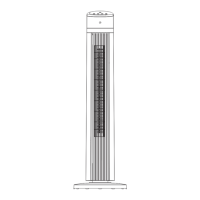
The fan is operated via a control panel located on the unit itself, as well as a remote control.
The control panel features several keys for different functions:
The fan also comes with a remote control for convenient operation from a distance. The remote control mirrors the functions available on the main control panel, including fan speed, oscillation, power, timer, and mode.
The remote control requires batteries, which are not included in the packaging. To install them:
To use the remote control, point it towards the receptor on the fan body. It operates effectively at distances up to approximately 16.4 feet and within a 30-degree angle (left and right) from the receptor. When the remote control is no longer needed or before disposal, the batteries should be removed and safely disposed of.
The fan is equipped with an overheat protection mechanism. The motor windings contain a thermal-fuse that will burn out if the motor overheats for any unexpected reason. This causes the fan to switch off, preventing the motor's temperature from rising further and protecting the plastic parts of the fan from deformation or burning due to excessive heat.
The manual provides detailed instructions for replacing the fuse located in the attachment plug:
Regular cleaning is important for maintaining the fan's performance and longevity.
For warranty claims or service, customers can contact Pelonis via a toll-free number (1-866-646-4332) or email (customerservice@supportuscenter.com). Written inquiries can be sent to Midea America Corporation, Customer Care Center, at their address in Parsippany, NJ. Users are advised to staple their sales receipt to the manual and record the date and place of purchase, as proof of purchase is required for all warranty claims.
The Pelonis 40" Tower Fan comes with a One (1) Year Limited Warranty. This warranty covers defects in material and workmanship for a period of one year from the original retail purchase date. The warranty specifically covers the motor and the electric control circuit board. Users are encouraged to read all instructions before use and to return the Warranty Registration card within fifteen days of purchase.
In case of malfunction or failure within the warranty period, the fan should be delivered or sent, postage prepaid, along with proof of purchase, to Pelonis. Pelonis reserves the right to inspect the claimed defective parts to determine if the issue is covered by the warranty. Within sixty days of receiving the product, Pelonis will, at its option, repair and/or replace the defective part(s) free of charge.
This warranty only covers defects arising from normal usage. Pelonis assumes no responsibility if the fan fails due to:
Pelonis makes no further warranties or representations, express or implied, beyond those stated in the manual. No representative or dealer is authorized to assume any other liability regarding the fan. The duration of any implied warranties, including merchantability and fitness for a particular purpose, is limited to the duration of the express warranty. Pelonis is not liable for direct, indirect, special, or consequential damages. The manual notes that some states do not allow limitations on implied warranty duration or exclusions, so these limitations may not apply to all users. The warranty provides specific legal rights, and users may have other rights that vary by state.
 General
| Type | Tower Fan |
|---|---|
| Power | 40 Watts |
| Height | 40 inches |
| Speed Settings | 3 |
| Oscillation | Yes |
| Remote Control | Yes |
| Timer | Yes |
| Voltage | 120 Volts |
| Power Source | Electric |


 To Next Page