3.9 Spirometry
Spirometry can be enabled, or disabled via the
on-screen menu system.
NOTE
If the spirometry system is turned OFF:
a) Fresh gas / fresh gas mixture compensation
is disabled.
b) Special Modes are disabled.
See Appendix 3, for a detailed description of the
spirometry system.
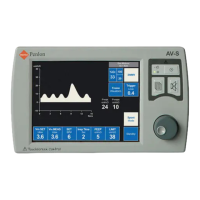
3.10 Display Waveforms
Default waveform is always Pressure v Time
(cmH2O v seconds)
Wave Freeze is available when ventilation is in
progress.
Second waveform
A second waveform can be displayed by using
menu control or touch waveform on screen.
The second waveform is selectable:
Volume v Time (litres v seconds)
Volume v Pressure (litres v cmH
2O)
Compliance loop waveform
- First loop can be frozen
- Subsequent loops overlaid
Display Functions
Automatic Scale adjustment
Y axis
a) Scale adjusts as Plimit is changed
(-20 to 40, 60, 80 cmH
2O)
b) In Vol. v Time mode as Vt is changed
(0 to 0.5L, 1.0 L, 2.0 L)
X axis
a) Scale adjusts as Rate is changed
0 to 15sec, 5 sec, 3sec
b) In Vol. v Pres. mode as Plimit is changed
(-20 to 40, 60, 80 cmH
2O)
DESCRIPTION
29


 To Next Page