EasyManua.ls Logo

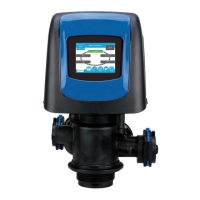
Pentair FLECK 5810 - User Manual

Pentair FLECK 5810
32 pages
Print Icon
To Next Page IconTo Next Page
Loading...
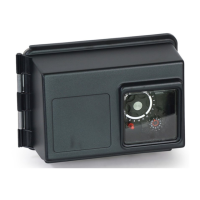
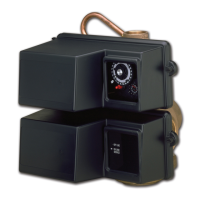
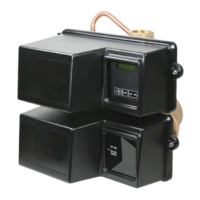
FLECK 5810 & 5812 XTR2
SERVICE MANUAL
waterpurification.pentair.com
5810
5812

Questions and Answers

  • E
    Eric StevensonAug 5, 2025
    Why does my Pentair FLECK 5810 Control Unit show a 'Motor Stall' error?
    • A
      amandathomasAug 5, 2025
      The 'Motor Stall' error appears when no state changes in the optical sensor are detected for six seconds. To resolve this, try the following: * Unplug the unit, then plug it back in to allow the control to attempt to find its position again. * Check that the optical sensor is correctly in place and the wires are connected to the circuit board. * Make sure the motor and drive train components are in good condition and assembled properly. * Also, check the valve to ensure the piston travels freely. Replace or reassemble components as needed. If the error persists, unplug the unit, put it into bypass, and contact technical support.
  • D
    damonstewartAug 10, 2025
    What to do if Pentair FLECK 5810 valve constantly regenerates?
    • C
      Charles DanielAug 10, 2025
      An error in programming has caused a regeneration loop condition in the control. Disconnect the motor from the control circuit board. A Motor Stall error will occur, allowing access to Master Settings. Navigate to the Valve screen and check Regen Type settings. Ensure that the value for Capacity is larger than the value for Hardness, and save settings. If the error continues to occur, unplug the unit, put it into bypass and contact technical support.
  • K
    Katelyn JonesAug 17, 2025
    What does 'Reset Error Probable Mechanical Failure' mean on my Pentair FLECK 5810?
    • S
      Sarah JohnsonAug 17, 2025
      This error indicates that the valve has reset at least five times in a short amount of time, suggesting a probable mechanical failure. You can attempt to perform a manual regeneration. If the error continues, call technical support.
  • J
    Jessica CookAug 23, 2025
    What to do if my Pentair FLECK 5810 Control Unit displays 'Valve Position Valve took over a minute to find cycle step'?
    • K
      Katrina RaymondAug 23, 2025
      This error means the valve has failed to find its position in one minute. Unplug the unit and plug it back in. Also, check the valve and verify that the piston travels freely. Replace/reassemble the various components as necessary. If the error continues, call technical support.
  • S
    Sydney WilliamsAug 29, 2025
    What does 'Motor Run-On Undesired change detected in the optical sensor' mean on Pentair Control Unit, and how to fix it?
    • K
      Kaitlyn BowenAug 29, 2025
      This is a non-critical error, indicating an extra optical sensor pulse was detected. Press the Regeneration button to advance the motor and clear the error.

Summary

Job Specification Sheet Overview

Important Safety and Warning Information

Critical safety precautions, warnings, and legal disclaimers for system installation and use.

Installation and System Setup

Plumbing and Electrical Guidance

Information on water pressure, electrical connections, plumbing codes, and outdoor installation considerations.

Touchscreen Control Quick Start Guide

Initial Configuration Screens

Guides through setting language, units, and optional service contact information.

Operating the Touchscreen Control

Home, Day;Time, and Regeneration Screens

Explains the functions and displays of key control screens for daily operation.

Touchscreen Control Features and Navigation

Control Interface Elements

Detailed descriptions of buttons like Home, Settings, Diagnostics, and navigation arrows.

Touchscreen Settings and Assistance

Basic Settings and Master Access

Adjusting hardness, regeneration time, and accessing advanced programming menus.

Master Settings Programming

Format, Valve, and Regeneration Settings

Configuring language, units, valve type, and regeneration parameters for optimal performance.

Master Settings: Regeneration Types and Relays

Regeneration Logic and Relay Outputs

Understanding Time Clock, Softener, and Filter regeneration modes, plus setting auxiliary relays.

Master Settings: Meter and Remote Control

Meter Configuration and Remote Regeneration

Setting up water meters and remote regeneration triggers for advanced control.

Master Settings: Diagnostics and Customization

Non-Factory Settings and Diagnostics

Saving custom configurations and using diagnostic tools for troubleshooting.

Master Settings Reference Chart

Control Operation and Error Handling

Master Reset and Alarms

Procedures for resetting the control and interpreting alarm and error messages.

Troubleshooting Guide

Error Alerts and Recovery

Specific error conditions, their meanings, and recommended recovery steps.

Powerhead Assembly Components

5810 Control Valve Assembly

5812 Control Valve Assembly

Drain Line Flow Controls (DLFC)

Bypass Assembly Details

Safety Brine Valve Components

5810 Upflow Water Conditioner Flow Diagram

5810 Downflow Water Conditioner Flow Diagram

5812 Upflow Water Conditioner Flow Diagram

5812 Downflow Water Conditioner Flow Diagram

5810 Dimensional Drawings

5812 Dimensional Drawings

Wiring Diagram and Connections

Injector Flow Rate Data

Pentair FLECK 5810 Specifications

General IconGeneral
BrandPentair
ModelFLECK 5810
CategoryControl Unit
LanguageEnglish

Related product manuals