EasyManua.ls Logo

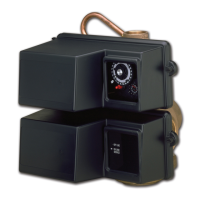
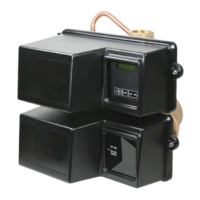
Pentair FLECK 5800 - User Manual

Pentair FLECK 5800
48 pages
Print Icon
To Next Page IconTo Next Page
Loading...
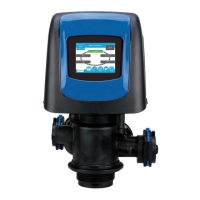
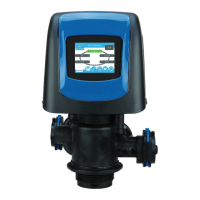
FLECK 5800/5810/5812 XTRI (CONNECTED XTR2)
SERVICE MANUAL
pentair.com

Questions and Answers

  • K
    Kyle JordanAug 18, 2025
    How to reset Service Interval on Pentair FLECK 5800 Control Unit?
    • J
      James PittsAug 18, 2025
      If the Service Interval timer has expired on your Pentair Control Unit, navigate to the Assistance/Mainten. Interval screen within Master Settings and set a new Service Interval time.
  • J
    Janet KellyAug 20, 2025
    What to do if my Pentair Control Unit valve constantly regenerates?
    • E
      Emily SotoAug 20, 2025
      If your Pentair Control Unit valve is constantly regenerating, it might be due to a programming error causing a regeneration loop. To resolve this, disconnect the motor from the control circuit board. A Motor Stall error will occur, allowing access to Master Settings. Navigate to the Valve screen and check Regen Type settings. Make sure that the value for Capacity is larger than the value for Hardness, and save settings. If the error continues, unplug the unit, put it into bypass.
  • D
    David MunozAug 23, 2025
    What to do if my Pentair FLECK 5800 shows a Motor Stall Motor Run-On error?
    • C
      Casey HamiltonAug 23, 2025
      If your Pentair Control Unit displays a Motor Stall Motor Run-On error, it indicates that no state changes have been detected in the optical sensor for six seconds. First, unplug the unit and plug it back in to allow the control to attempt to find its position again. Check that the optical sensor is correctly placed and the wires are connected to the circuit board. Also, verify that the motor and drive train components are in good condition and properly assembled. Check the valve and verify that the piston travels freely. Replace or reassemble components as needed. Plug the unit back in and observe its behavior. If the error persists, unplug the unit and put it into bypass.
  • K
    Kelly RamirezAug 26, 2025
    What to do if Pentair FLECK 5800 has Flow meter error Continuous Flow?
    • E
      Elizabeth AndrewsAug 26, 2025
      If your Pentair Control Unit shows a 'Flow meter error Continuous Flow', it means the flow meter has reported continuous flow for more than 24 hours. This error will clear when the flow to the meter drops below 0.5 GPM or 1 LPM. If continuous flow is expected, you can turn plumbing leak detection off in Master Settings.
  • S
    Shawn WatkinsAug 27, 2025
    What to do if my Pentair Control Unit displays an Over current Motor over current detected error?
    • R
      ricardo67Aug 28, 2025
      If your Pentair Control Unit displays an 'Over current Motor over current detected' error, it means the motor drew too much current. Try performing a manual regeneration.
  • C
    christopherpalmerAug 30, 2025
    What to do if my Pentair FLECK 5800 Control Unit displays Emergency Regen Occurred?
    • M
      Michelle ScottAug 30, 2025
      If your Pentair Control Unit displays 'Emergency Regen Occurred', it means over 105% of the total capacity has been depleted. This error will clear when regeneration occurs. Repeated Emergency Regen may indicate an undersized system.
  • J
    Jeffrey LynchSep 2, 2025
    What to do if Pentair Control Unit has Flow meter error No flow detected?
    • D
      danielle95Sep 2, 2025
      If your Pentair Control Unit displays a 'Flow meter error No flow detected', it means no flow has been detected for 7 days. This error will clear when a flow pulse is detected. Check to ensure the meter cable is properly installed and the meter spins freely. Clear the meter of debris if necessary.
  • K
    Kim SmithSep 4, 2025
    What does it mean when my Pentair FLECK 5800 displays Offline?
    • A
      ajohnstonSep 4, 2025
      If your Pentair Control Unit displays 'Offline', it indicates that the WiFi connection has been disrupted for more than 60 minutes. Verify that your WiFi is not experiencing any issues.
  • A
    Alexander BurtonSep 7, 2025
    What to do if my Pentair Control Unit displays Optical Sensor Undesired change detected in the optical sensor?
    • J
      Jesse BennettSep 7, 2025
      If your Pentair Control Unit displays 'Optical Sensor Undesired change detected in the optical sensor', it is a non-critical error, meaning an extra optical sensor pulse was detected. Press the Regeneration button to advance the motor and clear the error.
  • K
    kcastanedaSep 9, 2025
    What to do if my Pentair FLECK 5800 hasn't regenerated for 100 days?
    • B
      barronjosephSep 9, 2025
      If your Pentair Control Unit hasn't regenerated for 100 days, initiate a regeneration.

Summary

INSTALLATION

Electrical Facilities

Covers power requirements and transformer usage for the control unit.

Existing Plumbing

Discusses pre-installation checks for pipe condition and potential iron buildup.

Installation Instructions

Provides step-by-step guidance for physical installation and initial plumbing connections.

Electrical Connection

Explains how to connect the controller to the power supply safely.

START-UP INSTRUCTIONS; FLUSHING & CONDITIONING

TOUCHSCREEN CONTROL FEATURES

Buttons and Symbols

Explains the meaning and function of various buttons and icons on the control interface.

Master Settings

Password and Main Screen

Accessing Master Settings requires a password; displays main configuration options.

Master Settings Programming Overview

Overview of configurable parameters for system operation and regeneration.

Valve Settings

Selection of valve model and regeneration type for the system.

Regeneration Settings

Configuration of regenerant flow, cycle steps, and refill parameters.

REGENERATION

CONTROL OPERATION

Operation During Power Failure

System behavior and data retention during power interruptions.

MASTER RESET

Reset Procedures

Procedures for resetting control parameters to factory or custom defaults.

DIAGNOSTICS

Error Log

Accesses and clears logged error messages and alerts.

ALARMS AND ERRORS

Alarm and Error Alert Display

How alarms and error alerts are displayed and handled.

USB Connection for Field Programming

USB Screen Operation

Connecting a PC for programming and downloading diagnostic parameters.

TROUBLESHOOTING

Error Alerts and Common Issues

Troubleshooting common error messages and their reset procedures.

PENTAIR PRO: APP SETUP

WIRING DIAGRAM

XTR2 Control Wiring

Shows the electrical connections for the XTR2 control unit.

Pentair FLECK 5800 Specifications

General IconGeneral
BrandPentair
ModelFleck 5800
Operating Pressure20 - 125 psi
ApplicationWater Softening, Filtration
Valve Size1"
BackwashAdjustable
Electrical120V AC, 60Hz
Inlet/Outlet1"

Related product manuals