EasyManua.ls Logo

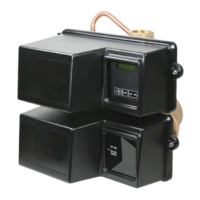
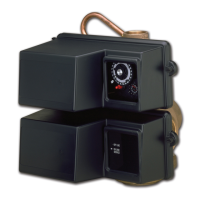
Pentair FLECK 3150 NXT - User Manual

Pentair FLECK 3150 NXT
122 pages
Print Icon
To Next Page IconTo Next Page
Loading...
FLECK
3150 NXT
INSTALLER
MANUAL
WATER PURIFICATION

Table of Contents

Questions and Answers

  • S
    sancheztonyAug 16, 2025
    What to do if my Pentair FLECK 3150 NXT water softener fails to regenerate?
    • N
      Nathan HartAug 16, 2025
      If your Pentair Control Unit water softener isn't regenerating, it could be due to a few reasons. First, ensure the unit has continuous electrical service by checking the fuse, plug, and switch. If the power was interrupted, reset the time of day. If the timer is defective, consider replacing the controller.
  • M
    Michael DavisAug 19, 2025
    How to reduce excessive salt consumption in my Pentair FLECK 3150 NXT?
    • K
      kimberlymillerAug 19, 2025
      To reduce excessive salt consumption in your Pentair Control Unit, check the salt usage and salt setting to ensure it is properly adjusted. Also, examine the brine tank for excessive water; refer to the troubleshooting steps for 'Excessive water in brine tank' for guidance.
  • N
    nyoungAug 22, 2025
    Why is my Pentair FLECK 3150 NXT producing hard water?
    • B
      Brenda McclainAug 22, 2025
      Your Pentair Control Unit might be producing hard water due to several reasons. The bypass valve could be open, so ensure it is closed. The brine tank may be empty, so add salt, maintaining the level above the water. A plugged injector screen, insufficient water flowing into the brine tank, a leak at the distributor tube, or an internal valve leak could also be responsible. Clean the injector screen, check the brine tank fill time, inspect the distributor tube for cracks, check the o-ring and tube pilot, and replace seals, spacers, and/or the piston if necessary.
  • J
    Julie BoyerAug 25, 2025
    Why is there a loss of water pressure in my Pentair FLECK 3150 NXT?
    • W
      websterdavidAug 26, 2025
      A loss of water pressure in your Pentair Control Unit can occur due to iron buildup in the line to the water softener or within the softener itself. Clean the line and the controller, and add a mineral cleaner to the mineral bed. Increasing the frequency of regeneration may also help. Additionally, the inlet of the softener might be plugged with foreign material; in this case, remove the piston and clean the controller.
  • L
    lopezsamanthaAug 28, 2025
    What causes excessive water in the brine tank of my Pentair Control Unit, and how do I fix it?
    • D
      donnawellsAug 28, 2025
      Excessive water in the brine tank of your Pentair Control Unit can be caused by a plugged drain line flow control, a plugged injector system, a controller that is not cycling, foreign material in the brine valve, or foreign material in the brine line flow control. Try the following: * Clean the flow control. * Clean the injector and screen. * Replace the controller. * Replace the brine valve seat and clean the valve. * Clean the brine line flow control.
  • V
    vgrayAug 31, 2025
    Why doesn't my Pentair FLECK 3150 NXT softener draw brine, and how can I fix it?
    • J
      Jonathan WatsonAug 31, 2025
      If your Pentair Control Unit softener isn't drawing brine, the drain line flow may be plugged, the injector could be plugged, or the injector screen might be clogged. Clean the drain line flow control, the injector, and the screen. Also, check if the line pressure is too low and increase it to 1.4 bar. Internal valve leaks can also cause this issue, so change the seals, spacers, and piston assembly. Finally, verify that the cam cycled; if not, check the drive motor and micro-switches.
  • N
    Norma JordanSep 3, 2025
    What should I do if my Pentair Control Unit drain flows continuously?
    • M
      Matthew AllenSep 3, 2025
      If the drain on your Pentair Control Unit flows continuously, the controller may not be programming correctly, or there might be foreign material in the valve body, or there is an internal valve leak. Check the controller program and the positioning of the controls. If it's not positioning properly, replace the power head assembly. Remove the power head assembly and inspect the bore for foreign material, and check the valve body in various regeneration positions. If there is an internal valve leak, replace the seals and piston assembly.
  • J
    Juan DavisSep 6, 2025
    Why does my Pentair FLECK 3150 NXT Control Unit controller cycle continuously?
    • R
      Rebecca ShortSep 6, 2025
      If your Pentair Control Unit controller cycles continuously, it may be due to a maladjusted, broken, or shorted micro-switch. Determine if the micro-switch or controller is faulty and replace it, or replace the complete power head.
  • S
    Shirley BellSep 9, 2025
    Why is my Pentair FLECK 3150 NXT losing mineral through the drain line?
    • R
      robert08Sep 9, 2025
      Loss of mineral through the drain line in your Pentair Control Unit could be due to air in the water system or an improperly sized drain line flow control. Ensure that the well system has a proper air eliminator control and check for a dry well condition. Also, check for the proper drain rate.
  • D
    Duane AlvarezSep 12, 2025
    What to do if units of measure do not correspond on Pentair FLECK 3150 NXT?
    • V
      Valerie BrownSep 12, 2025
      If the units of measure do not correspond on your Pentair Control Unit, it means the units have different units of measure programmed. Check and program all units in the system with the same units of measure.

Summary

Generalities

Scope of the documentation

Provides information for product use, installation, operation, and maintenance.

Release management

Details document revisions, dates, authors, and descriptions of changes.

Manufacturer identifier and product

Identifies the manufacturer and product name.

Intended use

Specifies the device's intended use for industry environment water treatment.

Safety

Safety pictograms definition

Defines warning symbols (Caution, Warning, Danger, Note, Prohibition, Mandatory).

Serial label location

Illustrates the location of the serial label and its components.

Hazards

Outlines risks of injury, property damage, or environmental pollution from non-compliance.

Personnel safety

Specifies that only qualified personnel should perform work.

Material safety

Highlights electrical hazards and risks from moving parts.

Hygiene and sanitization

Covers preliminary checks, assembly, and disinfection procedures.

Description

Technical specifications

Lists design ratings, flow rates, valve connections, and electrical specifications.

Outline drawing

Provides dimensional drawings of the valve assembly.

Components description and location

Details and illustrates the location of various system components.

System regeneration cycle

Explains the Down Flow (DF) regeneration cycle steps.

UF regeneration cycle

Explains the Up Flow (UF) regeneration cycle steps.

Filter cycle (3-cycles operation)

Describes the operational cycles for filter applications.

Injector block position for DF and UF configurations

Illustrates injector block positions for different configurations.

System sizing

Recommendations

Provides recommendations for valve configuration based on brine system.

Sizing a softener (single unit)

Guides on sizing a softener by considering key water parameters.

Parameters to be considered

Lists critical parameters for softener sizing like hardness and flow rate.

Determining the required volume of resin

Explains how to calculate the necessary resin volume for the tank.

Resin exchange capacity and capacity of the unit

Differentiates resin capacity from unit capacity and explains calculations.

Valve configuration

Details how to determine valve configuration based on resin specifications.

Cycle time calculation

Provides formulas and guidance for calculating regeneration cycle times.

Salt amount definition

Explains how salt settings are controlled via controller programming.

1800 Injector flow rates

Presents injector flow rates as a function of inlet pressure.

Installation

Mandatory installation requirements

Strictly forbids unqualified personnel from accessing internal parts.

Warnings

Manufacturer's disclaimer for damages due to improper use.

Safety notices for installation

Emphasizes observing all warnings and using qualified personnel.

Installation environment

Covers general, water, electrical, and mechanical environmental considerations.

Integration constraints

Lists requirements for the water treatment system's location and setup.

Valve connection to piping

Details on connecting the valve to piping, including flexible connections.

Top-mounted valve installation

Guidance on mounting the valve with top access and flexible piping.

Side-mounted valve installation

Instructions for valve installation in reduced height locations.

Block diagram and configuration example

Illustrates system block diagrams and top-mounted configuration.

System types

Describes different system configurations like single, duplex, and multi-valve setups.

Electrical connections

Diagrams and wire color codes for electrical connections.

Bypassing

Explains the function and installation of bypass valves.

Drain line connection

Details on proper drain line installation with air gaps and material requirements.

Overflow line connection

Instructions for connecting the brine tank overflow line to the drain.

Brine line connection

Guidance on connecting the brine line securely and ensuring no air leaks.

Programming

Display during service

Shows information displayed to the user during normal operation.

Commands

Explains basic navigation commands for the controller interface.

Setting the time of the day

Procedure for setting the current time on the controller.

Basic programming

Covers initial setup like language and water hardness settings.

Language setting

Allows selection of the controller's display language.

Inlet water hardness

Setting for input water hardness to optimize softener performance.

Regeneration days override

Sets maximum days without regeneration, regardless of water volume.

Regeneration start time

Defines the scheduled time for regeneration cycles.

Master programming mode

Access and overview of the advanced configuration settings.

Master programming mode chart

Detailed table of parameters, options, definitions, and notes.

Entering master programming mode

Steps to access the master programming mode.

System type

Configuration of the system type (single, multiple valves, etc.).

Valve address in the system

Assigns an address to each valve in a multi-valve system.

System size

Sets the total number of valves connected in the system.

Regeneration type

Selects regeneration trigger: time clock, volume delayed, or volume immediate.

Valve type

Specifies the type of valve being used with the NXT controller.

Regeneration flow

Sets the direction of flow during the brine draw cycle.

Remote started regeneration

Enables regeneration start via an external signal.

Display format

Sets units for volume, time, and hardness display.

System capacity

Sets the tank capacity for calculating treatment volume between regenerations.

Safety coefficient

Reduces total capacity by a percentage for safety.

Inlet water hardness

Sets input water hardness based on display format.

Trip points setting

Configures flow rates and delays for switching tanks in multi-tank systems.

Programming regeneration cycle times

Sets specific times for each regeneration cycle step.

Auxiliary relay; Chemical pump

Configures auxiliary relay or chemical pump output during regeneration.

Flow meter selection

Selects the type and size of the flow meter installed.

Parameters saving

Process for saving programmed settings to the controller's database.

Commissioning

Water filling, draining and waterproofness inspection

Steps for filling, draining, and checking the system's water tightness.

Activating a single valve system

Procedure for activating and setting up a single valve system.

Activating a multiple valves system

Procedure for activating multiple valve systems.

Sanitization

Covers disinfection of water softeners.

Sodium or calcium hypochlorite

Details on using hypochlorite solutions for disinfection.

Operation

Display during service

Shows current system status and regeneration information.

Display during regeneration

Details the information displayed during a regeneration cycle.

LED status

Explains the meaning of different LED colors and flashing patterns.

Recommendations

Provides advice for optimal system operation and salt usage.

Manual regeneration

Procedures for initiating manual regeneration cycles.

To advance regeneration cycles

How to move to the next cycle in a regeneration sequence.

Operation during a power failure

Describes how the system behaves and recovers after a power outage.

Maintenance

Mandatory maintenance intervals

Highlights the need for regular cleaning and maintenance by certified professionals.

Use original spare parts

Emphasizes using genuine parts for safety and warranty compliance.

Use original approved lubricants

Specifies approved lubricants for maintenance procedures.

Maintenance instructions

Recommendations for annual cleaning and hardness testing.

First steps for cleaning and maintenance

Essential preliminary steps before performing any maintenance.

Motor replacement

Step-by-step guide for replacing the motor assembly.

Power head, piston and;or seal and spacer kit disassembly;replacement

Detailed instructions for disassembling and replacing key valve components.

Injector and BLFC cleaning

Procedure for cleaning the injector and Brine Line Flow Controller.

Cams replacement

Instructions for replacing the cam assembly.

Micro-switches replacement

Guide for replacing the micro-switches in the system.

Valve on tank assembly

Steps for correctly assembling the valve onto the tank.

Troubleshooting

Error detection

Information on how errors are detected, displayed, and resolved.

Water softener fails to regenerate

Troubleshooting common causes and solutions for regeneration failure.

Hard water issues

Addresses problems related to hard water and its effects.

Programming error

Identifies and resolves errors related to controller programming.

Examples of error displayed

Illustrates common error messages and their meanings.

Spare parts and options

Valve parts list

Comprehensive list of parts for the valve assembly.

Power head 3150 parts list

Detailed breakdown of components for the power head assembly.

Injector parts list

List of components related to the injector assembly.

Safety brine valves list

Parts list for safety brine valves.

Air checks list

List of air check components.

Distribution systems parts list

Parts for various distribution system configurations.

DLFC parts list

List of components for the Drain Line Flow Controller.

Meters parts list

Components for the water meter assembly.

Kit meter & Meter cables list

Lists kits and cables for meter installation.

Other components list

Includes mixing assembly and pipe fittings.

Disposal

Product disposal compliance

Guidance on scrapping the device according to environmental standards.

Pentair FLECK 3150 NXT Specifications

General IconGeneral
BrandPentair
ModelFLECK 3150 NXT
CategoryControl Unit
LanguageEnglish

Related product manuals