EasyManua.ls Logo

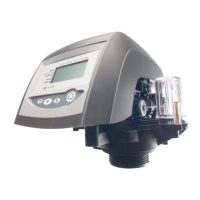
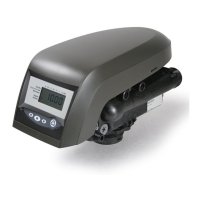
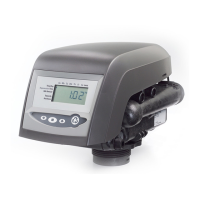
Pentair AUTOTROL LOGIX 742 - User Manual

Pentair AUTOTROL LOGIX 742
110 pages
Print Icon
To Next Page IconTo Next Page
Loading...
www.pentairaquaeurope.com
INSTALLER
MANUAL
AUTOTROL
MAGNUM 293 - 298
LOGIX 742-762
INDUSTRIAL

Table of Contents

Questions and Answers

  • T
    Tyler StevensAug 21, 2025
    Why does my Pentair AUTOTROL LOGIX 742 Control Unit show ERR 2?
    • S
      Sandra RodriguezAug 22, 2025
      If your Pentair Control Unit displays ERR 2, it indicates that the controller power doesn't match 50 or 60 Hz. To resolve this, try disconnecting and then reconnecting the power. If the problem persists, you may need to obtain a controller or AC transformer that is appropriate for your power frequency.
  • D
    deborah26Aug 25, 2025
    How to fix ERR 1 on a Pentair AUTOTROL LOGIX 742 Control Unit?
    • K
      Kelsey LewisAug 25, 2025
      When the Pentair Control Unit displays ERR 1, it means the controller power has been connected, but the controller is unsure of its operating status. To fix this, reset the controller.
  • S
    Samuel SmithAug 26, 2025
    What to do if my Pentair AUTOTROL LOGIX 742 Control Unit will not draw brine?
    • R
      Ryan SmithAug 26, 2025
      If the Pentair Control Unit isn't drawing brine, several factors could be at play. First, check if the water pressure is low and adjust accordingly. A restricted drain line could also be the culprit, so remove any obstructions. Inspect the injector for blockages and clean the injector and screen. If the injector is defective, replace it along with the cap. Ensure valve disc 3 is closing properly by removing any foreign matter; if the disc is damaged, replace it. Lastly, check if the air check valve is prematurely closed; if so, momentarily put the controller into brine refill cycle. If needed, replace or repair the air check.
  • D
    Darren ArnoldAug 28, 2025
    Why is my Pentair Control Unit leaking hard water after regeneration?
    • J
      joselewisAug 28, 2025
      If you're experiencing hard water leakage after regeneration with your Pentair Control Unit, it could be due to several reasons. Start by checking the brine dosage setting and repeat the regeneration process. If you have an external bypass valve, check for leaks and replace if necessary. Inspect the O-ring around the riser pipe for damage and replace if needed. Finally, verify that the brine amount and system capacity are appropriate for your system.
  • Y
    yvettegrayAug 30, 2025
    Why am I running out of conditioned water between regenerations with my Pentair AUTOTROL LOGIX 742?
    • S
      Stacy GarciaAug 30, 2025
      If you're running out of conditioned water between regenerations with your Pentair Control Unit, start by ensuring proper regeneration settings. Verify the brine setting is at the correct level. Also, confirm that the hardness and capacity settings are accurate. If your water hardness has increased, adjust the setting accordingly. Finally, check for any restrictions in the meter turbine rotation due to foreign matter; clean the turbine and flush with clean water, replacing the meter if necessary.
  • M
    Mary DuranAug 31, 2025
    What causes brine tank overflow in a Pentair AUTOTROL LOGIX 742 and how to fix it?
    • J
      jacqueline78Aug 31, 2025
      If your Pentair Control Unit's brine tank is overflowing, several issues might be the cause. First, check for uncontrolled brine refill flow rate. Remove the brine controller to clean the ball and seat. Also, inspect the brine line for air leaks. Check all connections in the brine line. Finally, ensure that the drain control isn't clogged with resin or other debris and clean it if necessary.
  • G
    Gina UnderwoodSep 2, 2025
    How to stop brine tank overflow in my Pentair AUTOTROL LOGIX 742 Control Unit?
    • J
      Justin GarrettSep 3, 2025
      If the brine tank of your Pentair Control Unit is overflowing, it could be due to several reasons. Check if the brine valve disc 1 is being held open by foreign matter and manually operate the valve stem to flush away any obstructions. Inspect the brine line for air leaks, ensuring all connections are secure. Verify that the drain control is appropriate for the injector; a small drain control with a larger injector can reduce draw rates. Lastly, check for and clean any resin or debris clogging the drain control.
  • T
    Tina MillsSep 4, 2025
    Why does my Pentair Control Unit regenerate at the wrong time of day?
    • K
      Kenneth HollowaySep 5, 2025
      If your Pentair Control Unit is regenerating at the wrong time of day, it's likely that the controller is set incorrectly. Correct the time setting according to the instructions.
  • A
    aaronrussellSep 6, 2025
    What to do if there is no conditioned water after regeneration in my Pentair AUTOTROL LOGIX 742?
    • C
      Christopher SpencerSep 6, 2025
      If you're not getting conditioned water after regeneration with your Pentair Control Unit, ensure there is brine in the brine tank by adding some. Also, check the injector for clogs and clean the injector and screen. If the air check valve closes prematurely, momentarily put the controller into the brine cycle. If needed, replace or repair the air check.
  • J
    jacksonpaigeSep 8, 2025
    Why is there flowing or dripping water at the drain or brine line after regeneration in my Pentair AUTOTROL LOGIX 742?
    • E
      Eric PhillipsSep 9, 2025
      If you notice water flowing or dripping at the drain or brine line after regeneration in your Pentair Control Unit, it might be because the valve stem return spring is weak; in this case, replace the spring. Another reason could be debris preventing the valve disc from closing properly, so remove any debris.

Summary

Safety

Safety Information

Hazards

Outlines general safety precautions to avoid injury, damage, or pollution.

Personnel Safety Precautions

Specifies that only qualified personnel should perform work on the unit.

Material Safety Precautions

Highlights safety points related to electrical hazards and moving parts.

Hygiene and Sanitization Procedures

Hygiene and sanitization

Covers procedures for maintaining hygiene during installation and use.

Technical Specifications and Performance

Technical specifications

Lists detailed design specifications, ratings, flow rates, and connections.

Performance flow rate characteristics

Presents a graph showing flow rate versus pressure drop for the valve.

Components description and location

Illustrates and labels the various components of the valve assembly.

Regeneration Cycles

Systems regeneration cycle

Describes the different cycles involved in the system's regeneration process.

Installation Procedures

Installation environment

Covers general, electrical, and mechanical considerations for the installation environment.

Electrical Installation Requirements

Details electrical safety, connections, and transformer requirements.

Mechanical Installation Considerations

Covers mechanical aspects like lubrication, connections, and drain line setup.

Integration constraints

Outlines site requirements and constraints for system integration.

Valve connection to piping

Explains how to connect the valve to the piping system.

Drain line connection

Covers requirements and precautions for connecting the drain line, including air gaps.

Programming the Controller

Basic programming

Introduces the basic programming menus and parameters.

Basic programming mode chart 742-762;298 valve type

Lists parameters, ranges, defaults, and notes for basic programming of 742-762/298 valves.

Basic programming mode chart 742 F-762 F;293 valve type

Lists parameters, ranges, defaults, and notes for basic programming of 742F-762F/293 valves.

Basic programming 742 - 762;298 valve type

Guides through setting up valve type, system size, time, and day of week.

Basic programming 742 F - 762 F;293 valve type

Guides setting valve type, system size, time, and day of week for 293 valve type.

Advanced programming

Introduces accessing advanced programming features.

Basic programming parameters (5 - Cycle softener system)

Lists parameters for basic programming of 5-cycle softener systems.

Advanced programming parameters (5 - Cycle softener system)

Lists advanced programming parameters for 5-cycle softener systems.

Basic programming parameters (3 - Cycle filter system)

Lists parameters for basic programming of 3-cycle filter systems.

Advanced programming parameters (3 - Cycle filter system)

Lists advanced programming parameters for 3-cycle filter systems.

Cycle time programming

Explains how to set and adjust cycle times for regeneration.

Diagnostic

Details how to access and view diagnostic values and system data.

Resetting the controller

Provides instructions for resetting the controller to its default state.

Commissioning the System

Sanitization

Explains procedures for disinfecting water softeners.

System Operation

Manual regeneration

Explains how to initiate manual regeneration, both delayed and immediate.

Maintenance Procedures

293 CV; IT: General system inspection

Outlines annual inspection procedures for 293 CV/IT models.

293 CV; IT: Recommended maintenance plan

Provides a 5-year maintenance schedule for 293 CV/IT models.

298 CV; IT: General system inspection

Outlines annual inspection procedures for 298 CV/IT models.

298 CV; IT: Recommended maintenance plan

Provides a 5-year maintenance schedule for 298 CV/IT models.

Cleaning and maintenance

Details the steps for cleaning and maintaining various valve components.

Motor replacement

Provides step-by-step instructions for replacing the motor.

Camshaft replacement

Details the procedure for replacing the camshaft.

Cartridge replacement

Details the process for replacing valve cartridges.

Troubleshooting Guide

Logix controller

Lists common error codes, their causes, and solutions for the Logix controller.

Magnum IT and Cv valve

Provides troubleshooting for issues related to water softening regeneration and valve operation.

Magnum valve cartridge

Offers troubleshooting steps to isolate suspect cartridges.

Pentair AUTOTROL LOGIX 742 Specifications

General IconGeneral
TypeControl Unit
ModelAUTOTROL LOGIX 742
DisplayLCD
Cycle TimeAdjustable
Rinse TimeAdjustable
Brine Draw TimeAdjustable
Brine Refill TimeAdjustable
Power Supply24V
Control TypeElectronic
Port Size1"
MaterialsPlastic, Stainless Steel
Operating Pressure20 - 125 psi (1.4 - 8.6 bar)
Operating Temperature34 - 120°F (1 - 49°C)
Flow RateService Flow: Up to 27 gpm (6.1 m3/h); Backwash Flow: Up to 27 gpm (6.1 m3/h)
Backwash FlowUp to 27 gpm (6.1 m3/h)

Related product manuals