- 2 -
2. General explanations
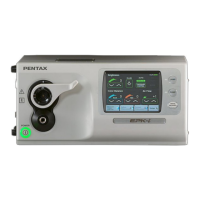
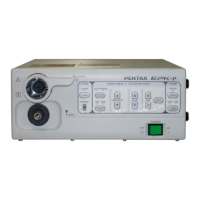
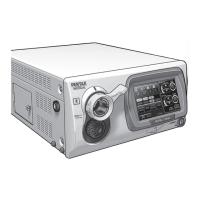
The PENTAX EPK-i is a high-end Video Processor, which produces High Definition images with a
specially developed scope “Mega Scope 90i”. Several image processing methods (advanced
enhancement, etc.) that help the user observe precisely and easily have been introduced. At the same
time, the EPK-i keeps compatibilities with the former K-series scopes (Y/C signal type). To obtain stiller
frozen images, a mechanical structure (rotary shutter etc,) has been built in. A user-friendly manner has
been established with several new devices.
Features
1) High Definition image> High Definition images can be created with “Mega Scope 90i” which has a
mega pixel CCD. The 90i scope provides the image data in digital signal to the EPK-i. The EPK-i
can process the image signal without converting the analog signal. The EPK-i has a DVI (Digital
Visual Interface) output port. Therefore non deteriorated image can be seen on the PENTAX LCD
monitor (when “DVI-D” port of the monitor is used. / For analog signal, “VGA” port is also available
on the monitor). The DVI port can provide either DVI (digital signal) or VGA (analog signal)
depending on “DVI Output” setting of the system (refer to the Owner’s Manual). The default setting
is “VGA”. When the full digital environment is used, “DVI Output” must be set to “DVI”. Otherwise
the image will not appear on the monitor.
Note: PENTAX LCD monitor will be launched soon.
A summery for the monitor connector, exclusive cable and “DVI Output” setting are shown in the
table below:
Connector on LCD monitor
Connector of cable
DVI Output setting
DVI-D
DVI
VGA
VGA
Note: The connectors shown in the table are male.
Because DVI signal is very fast, the DVI cable is limited to 3m. With a longer cable, the image
becomes noisy as opposed to the image on the analog CRT monitor becoming darker with an
analog longer cable.
2) Advanced Enhancement> In addition to the ordinary image enhancement (Edge enhancement),
Surface Enhancement and Contrast Enhancement are available. Both enhancement modes cannot
be used simultaneously. The other one will be disabled.
3) Still and Fine Freeze> Thanks for the progressive scan method on the mega pixel CCD and the
rotary shutter of the EPK-i, stiller and finer images can be captured. Because of the progressive
scanning the captured image is real as opposed to the compensated or interpolated image from the
field scanning. The finer image is attributed to the progressive scanning. Meanwhile the rotary
shutter controls the exposure time. The shorter the exposure time is, the stiller the frozen image
becomes. However as the side effect the image becomes darker. Together with the ordinary iris, the
rotary shutter controls the exposure time as short as possible and so that the luminance becomes
enough for the acceptably brighter and stiller image. During the progressive scan, the next light
comes through the hole of the rotary shutter. Thus another mechanical shutter interrupts the light.
This shutter is driven by a solenoid motor and momentarily closes. As a result of the stiller freeze,
mechanical parts are increased. However no adjustment or it is easy if any.
4) LCD Touch panel>As an operational panel, an LCD touch screen panel has been introduced. The
EPK-i has a single board computer inside. Thus it takes about one and half minutes by the LCD
touch panel is ready for the operation. The LCD touch panel reacts by pressure, which is a sensitive
device. Do not operate it with a sharp edge. The lamp, pump and white balance switches are
independent from the single board computer. It means the lamp can be turned on and the pump
works with level-1 before the system has been up and running. The LCD touch screen has a
function that an image put from “VIDEO IN” port is displayed.
5) SA-P2 port>The exclusive port for the water jet supplier SA-P2 is available on the back panel of
the EPK-i. When the scope button or the foot switch assigned with function “WJ” is pressed, an
open-collector, active-low signal is sent to the SA-P2 to turn on and off.
6) Lamp>The lamp (300W xenon lamp) can be replaced by a lamp cartridge (OL-X25) by the user
(refer to the Owner’s Manual). The door of the lamp house can be opened without any special tool.
This door activates the interlock switch for AC power of the unit when it is completely closed. The
lamp cartridge consists of the lamp, two heat sinks and IR cut filter. Trained service engineers are
allowed to replace the lamp itself (The Service manual for the EPK-i will be issued soon. Please
refer to it in detail).


 To Next Page
 Loading...