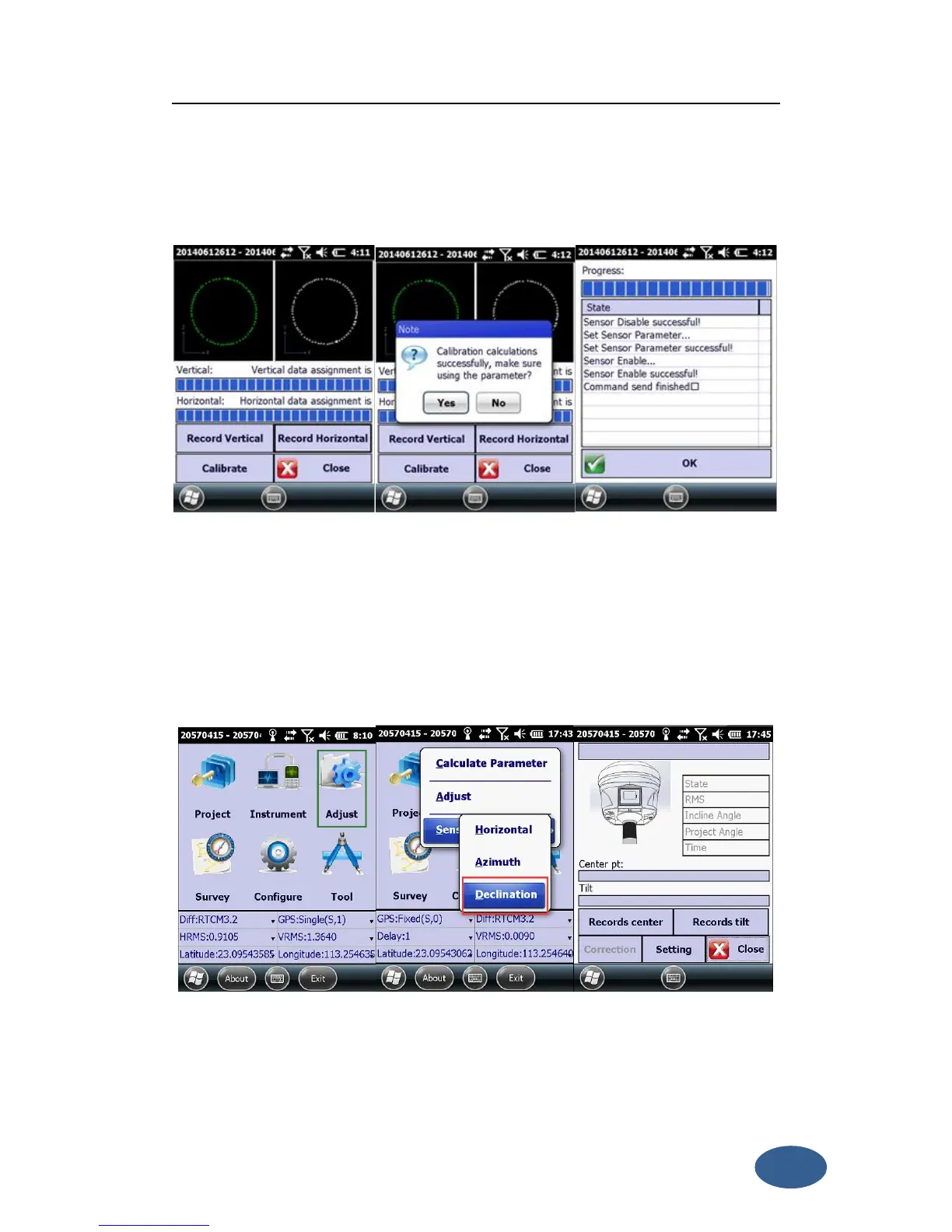
Figure 2-5
The last step is “Calibrate”. After step one and two, it will show 2 circles on the
screen. Then click “Calibrate”, it will calculate the parameter and ask you “Make sure
using the parameter?” Click “Yes”, the parameter will be applied.
Figure 2-6
(3) Declination Calibration
After “Horizontal Calibration” and “Azimuth Calibration”, now it’s the last
step—“Declination Calibration”. Click “Adjust—Sensor Calibrate—Declination” to
enter the interface. Declination Calibration also contains three steps, “Records Center,
Records Tilt and Calibrate”
Figure 2-7
(a) The first step is “Records center”. Keep the pole on the same point, make sure
the bubble is in center, click “Record center”, it will collect 10 center points.


 To Next Page