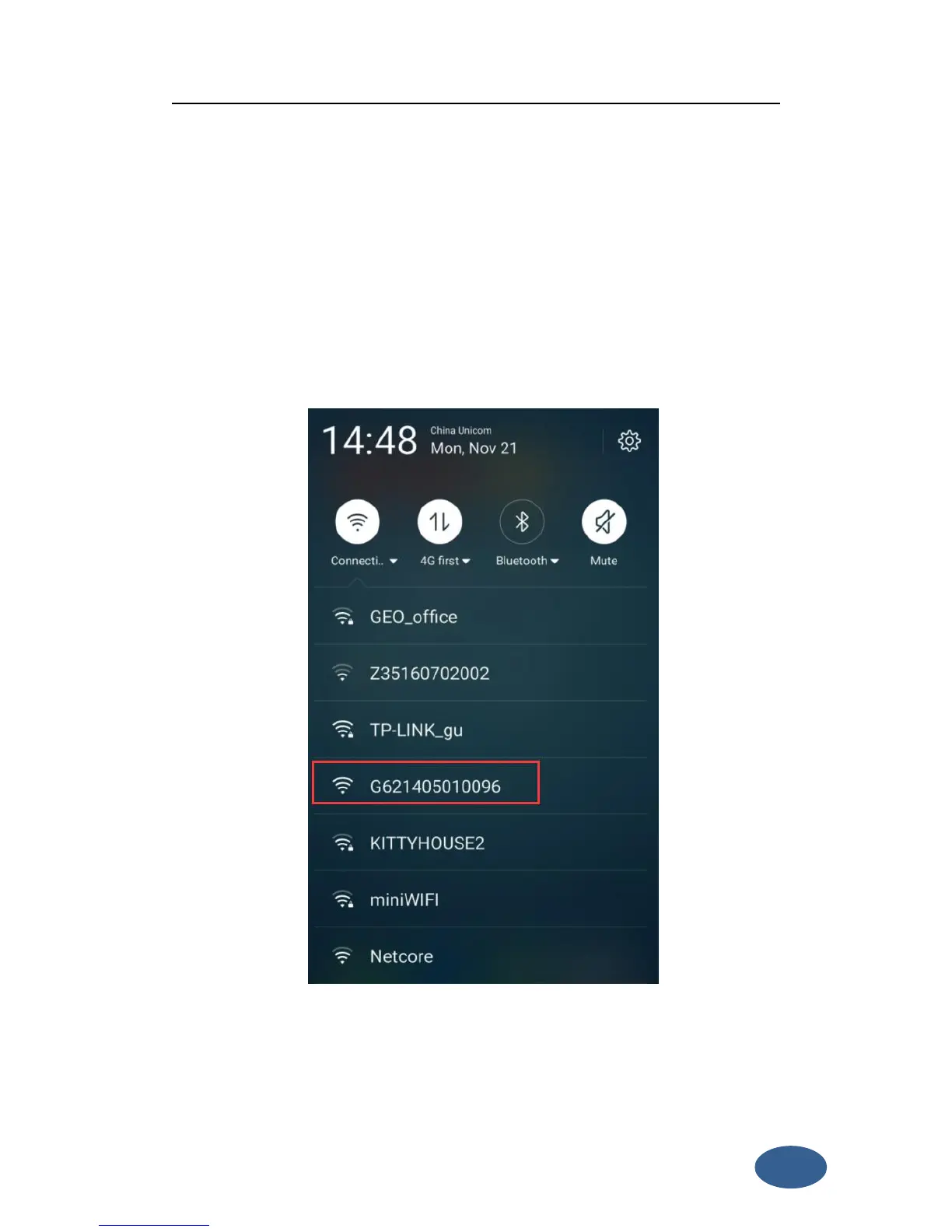
G6 has WIFI function, it could work as a hotspot, then Phone, controller, PC and
other devices can connect its WIFI. The default WIFI name is device number, there is
no password for this WIFI.
After you power on the G6 receiver, you could search the hotspot via
phone/PC/controller. The hotspot name is the G6 serial number, and there is no
password (This WIFI don’t have the internet access, you could just login the web
page to view the receiver status and set modes).
Figure 3-1
After connecting the WIFI, input IP “192.168.10.1” into your web browser to open.
Then it will pop up a window. It ask for log account and password, default is:
Account: admin Password: password


 To Next Page