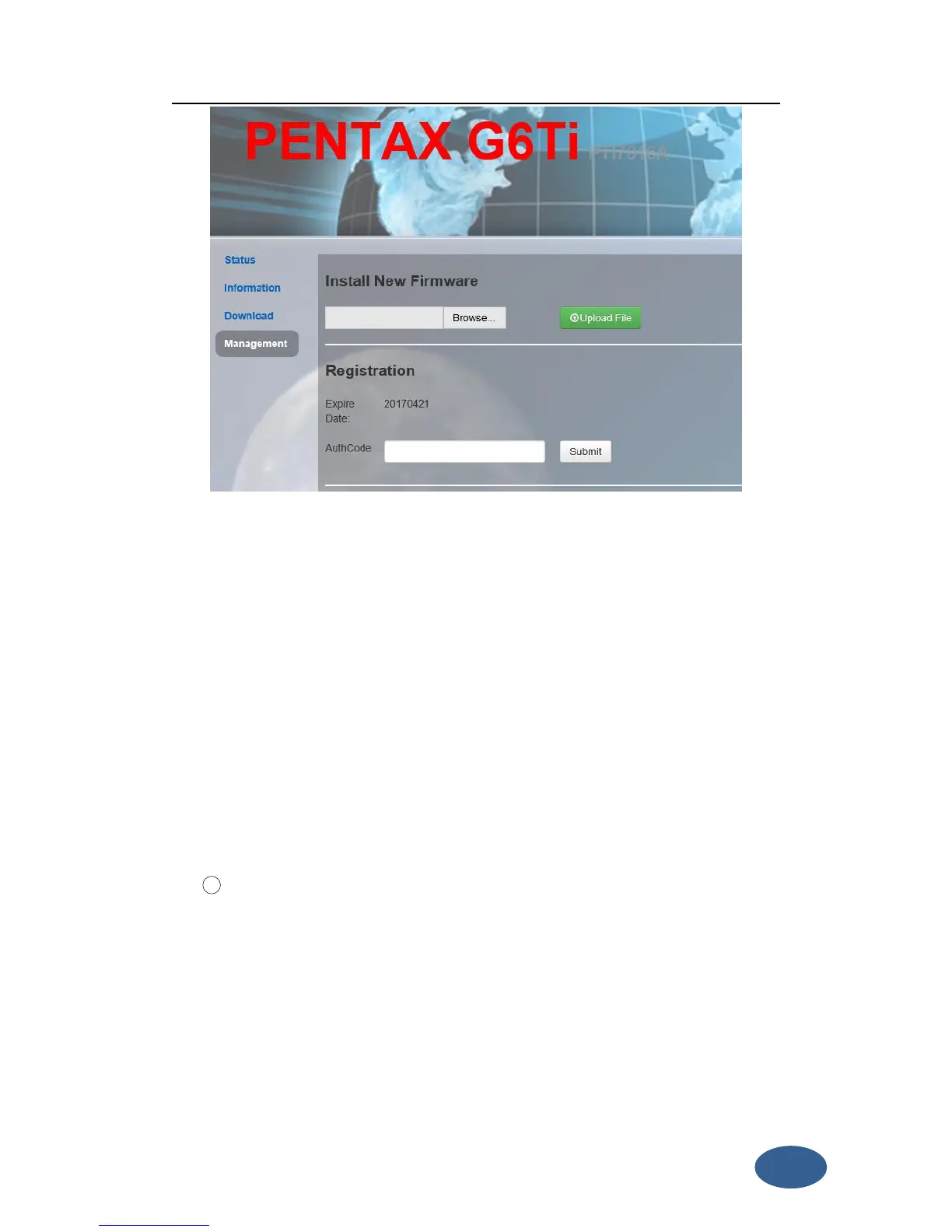
Figure 3- 6 Registration
You could also register device via controller. Connect G6 with the surpad software in
controller. Click “About”, you will see “Register instrument”, then click it. The last step
is inputting code, then finish registration.
“Settings” includes “Working Mode”, “Device Configuration” and “NMEA Message”.
All of these functions are very useful. Here will introduce every selection.
You can select different work mode to configure, static, rover and base. In different
mode, there are different configuration you can make.
As the pictures show, you can set cutoff angle, select satellites system, input the
point name, antenna height, PDOP threshold. And the antenna measurement and
collect interval. These are all the parameters can be used in static collection.
At last, there are two record options. If you activate auto record, it will collect data
automatic when you power on the receiver.


 To Next Page