CAMERA OPERATION
47
STEP UP
ADVANCED OPERATIONS
46
CAMERA OPERATION
Besides single-frame drive mode, the camera can be set
as follows:
• Consecutive-frame drive mode: Pictures can be taken
consecutively while holding down the shutter release but-
ton. p.46
• Multi-exposure mode: Expose the same frame multiple
times. p.47
• Self-timer mode: A picture will be taken with a 12-sec-
ond delay. p.49
• Wireless remote control: The wireless remote control
allows you to trip the shutter at a distance. p.50
• Auto bracketing: Three pictures are taken consecutively
as follows: Correctly exposed, underexposed, and over-
exposed. p.53
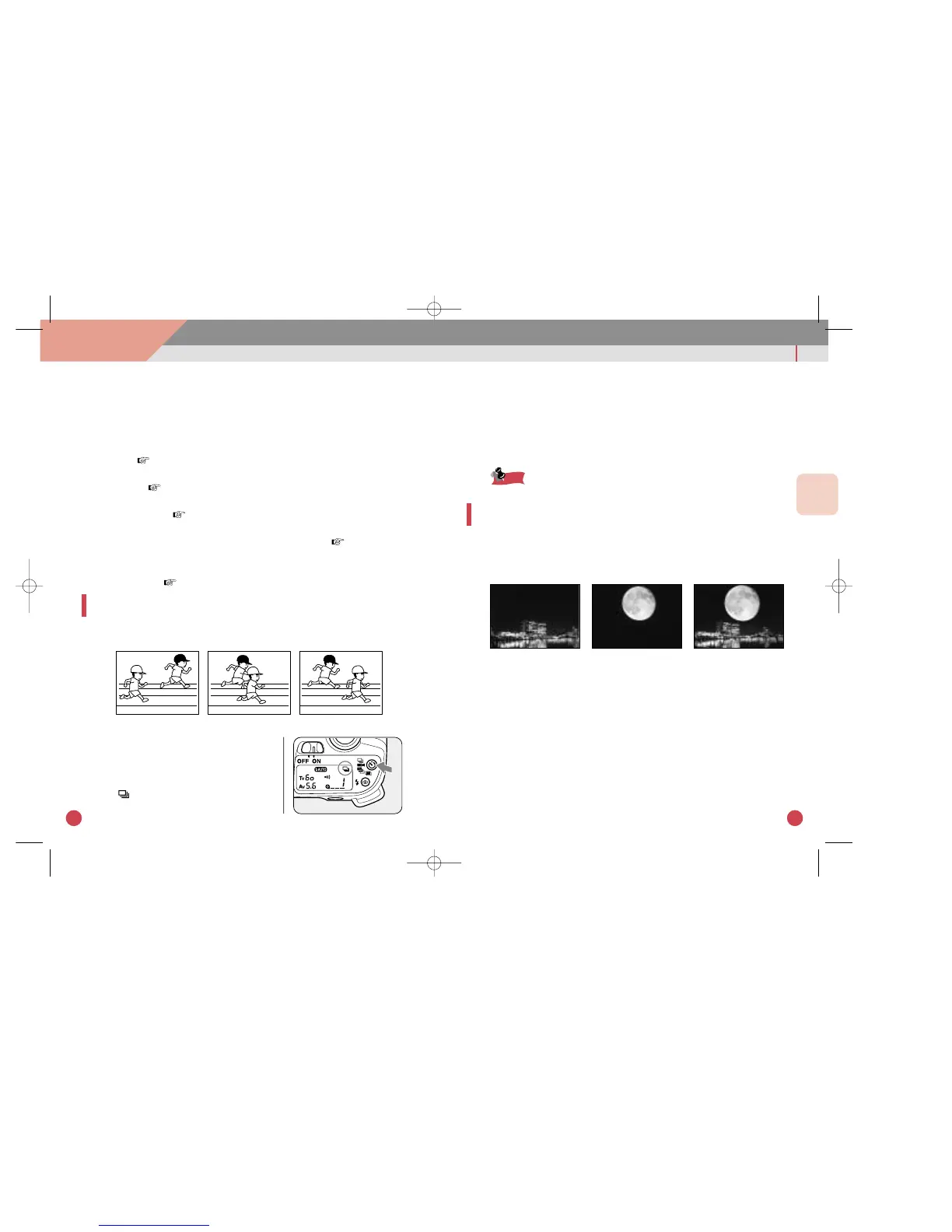
CONSECUTIVE-FRAME DRIVE
Keep the shutter release button pressed to take pictures
continuously.
1 Setting the consecutive-frame
drive mode
qTurn the main switch to [ON].
wPress the drive mode button until
[ ] appears on the LCD panel.
2 Shooting consecutive frames
qDepress the shutter release button halfway down to focus the sub-
ject.
wDepress and hold down the shutter release button completely.
eTo stop taking consecutive pictures, take your finger off the shut-
ter release button.
The shutter cannot be released while the built-in flash is being charged.
MULTIPLE EXPOSURES ON A SINGLE FRAME
Picture can be exposed on the same frame multiple times.
For example, you first take a picture of a dark background,
then use flash to photograph someone on the same frame.
+=



 To Next Page
 Loading...