99
◆ Using Wireless high-speed sync flash
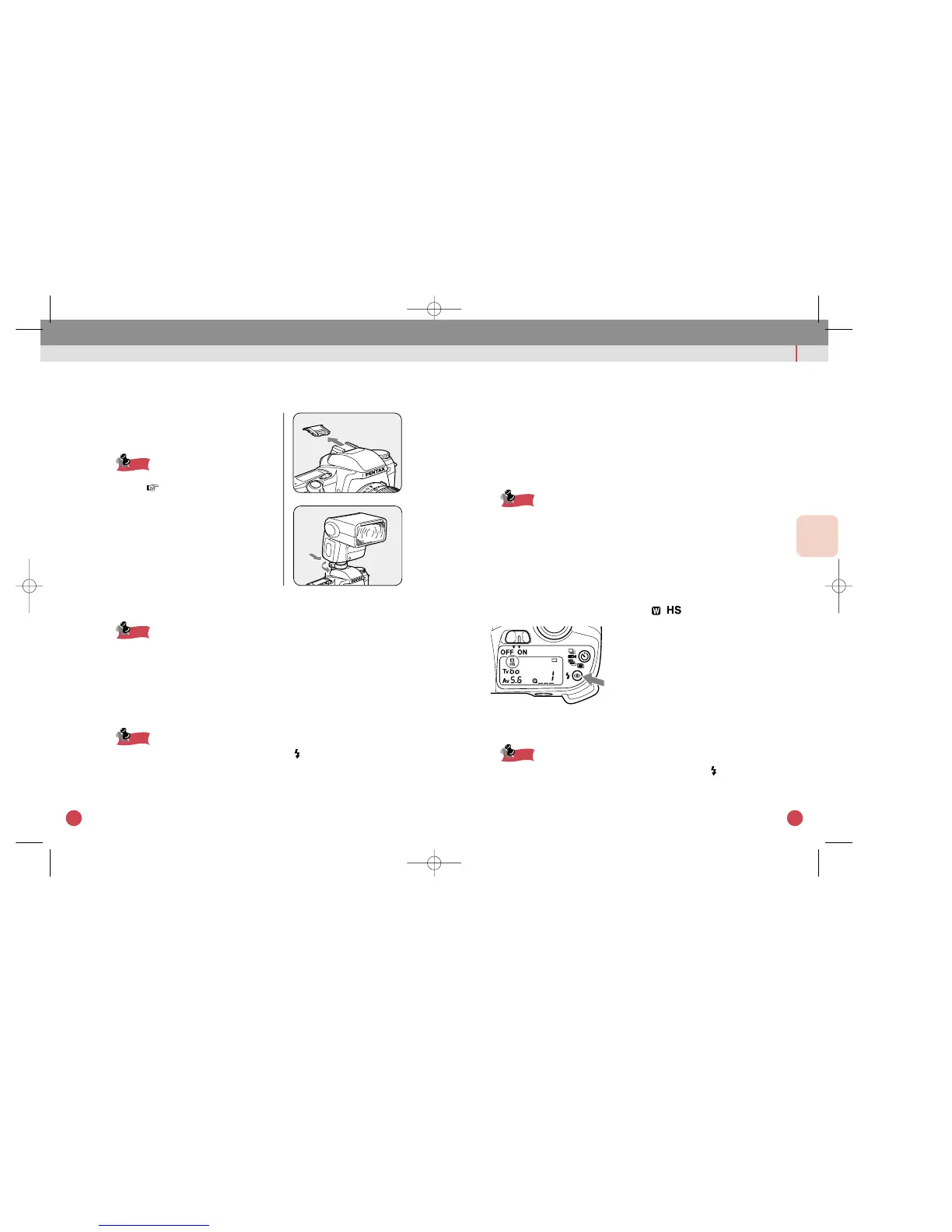
1 Positioning the flash
qPlace the flash unit at the desired location.
wSet the flash unit’s power switch to [WIRELESS].
eSet the flash unit’s sync mode switch to HS (high-speed sync).
rSet the wireless mode switch to S (Slave).
• For instructions on how to operate the flash unit, refer to the flash
unit's operating manual.
• For wireless Flash, refer to page 100.
2 Set the camera to the HS mode.
qPress the flash pop-up button to enable the built-in flash to be
used.
w press the flash mode button until [ ] is displayed.
eCheck that both the built-in flash and external flash unit are ready.
rFocus the subject and take the picture.
• When the built-in flash is ready (fully charged), the [ ] will light in the
viewfinder when the shutter release button is depressed halfway down.
• The high-speed sync is only available when the shutter speed is faster
than 1/125 sec.
USING EXTERNAL FLASH
STEP UP
FLASH PHOTOGRAPHY
98
◆
Using High-speed sync Flash on the Camera
1 Attaching the flash unit
qRemove the Hot Shoe Cover FK from
the camera.
Store the Hot Shoe Cover in the strap’s
pocket. p.12
wAttach the flash unit to hot shoe.
2 Set the flash unit to the HS mode.
qSet the flash unit’s sync mode switch to HS (high-speed sync).
For instructions on how to operate the flash unit, refer to the flash unit’s
operating manual.
3 Taking a picture.
qCheck that the flash is ready.
wFocus the subject and take the picture.
• When the flash is ready (fully charged), the [ ] will light in the
viewfinder when the shutter release button is depressed halfway down.
• The high-speed sync is only available when the shutter speed is faster
than 1/125 sec.
• The high-speed sync flash mode does not work in the Auto Picture
Mode and Picture Mode.



 To Next Page
 Loading...