Camera Setup 16
Inserting an SD/SDHC Memory Card
English
Inserting an SD/SDHC Memory Card
The camera features 10 MB internal flash memory but you may also use an optional SD/SDHC memory
card for additional storage.
Follow these instructions to insert the SD/SDHC card.
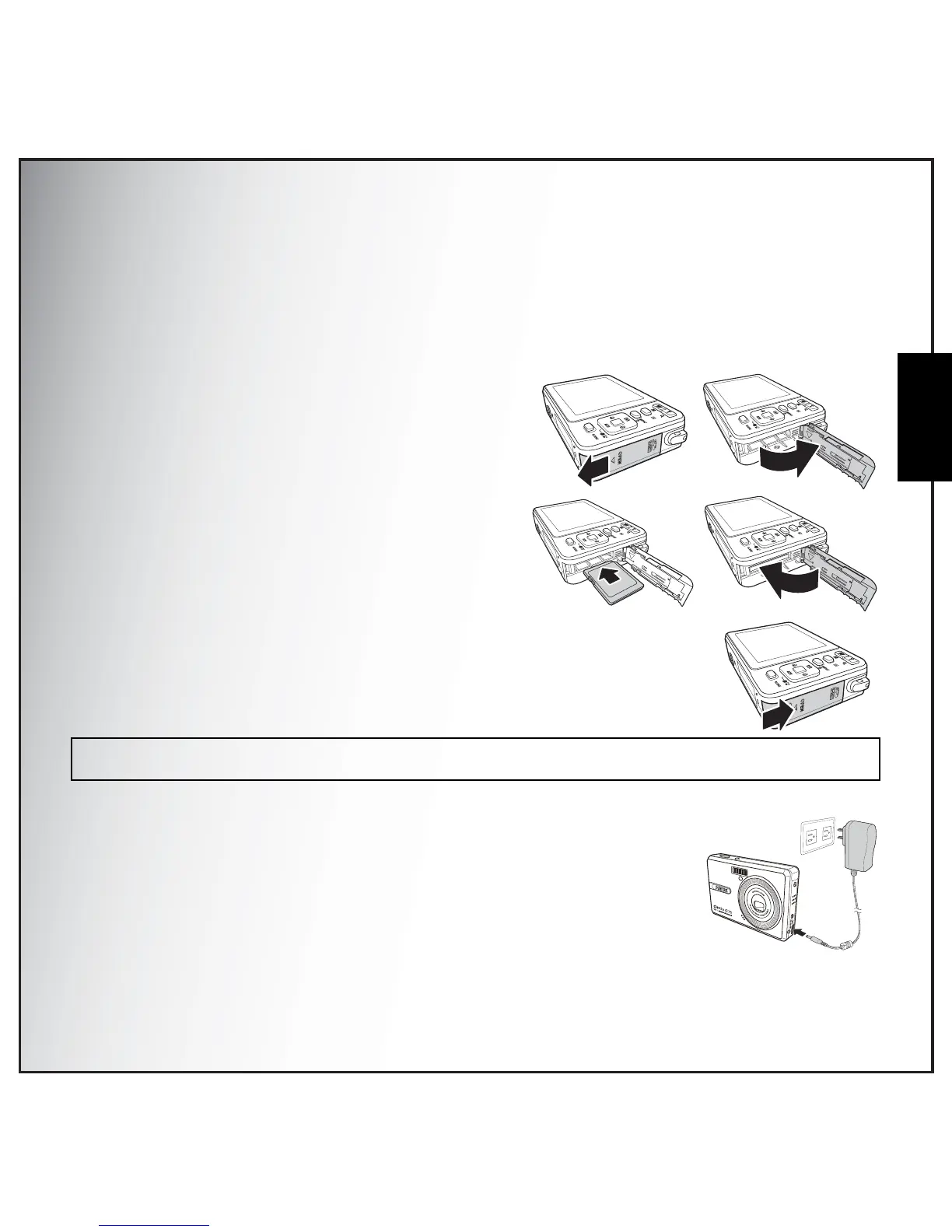
1. Open the battery compartment on the left of
the camera.
2. Insert the SD/SDHC card into the memory
card slot as shown.
3. Close the battery compartment.
To remove the SD/SDHC card, gently push the card until it pops out. Pull out
the card carefully.
Charging the Battery
1. Insert the battery into the camera and connect the AC adapter to the
DC-in port as shown in the picture.
2. Connect the AC adapter to a live household outlet to start charging.
3. Disconnect the battery when the charging is done.
4. When the charging is done, Power LED turns off.
Note:
Please don't take in and out the SD card while camera is processing. It will make unexpected error or image damaged.



 To Next Page