23 Getting Started
Taking Photos
English
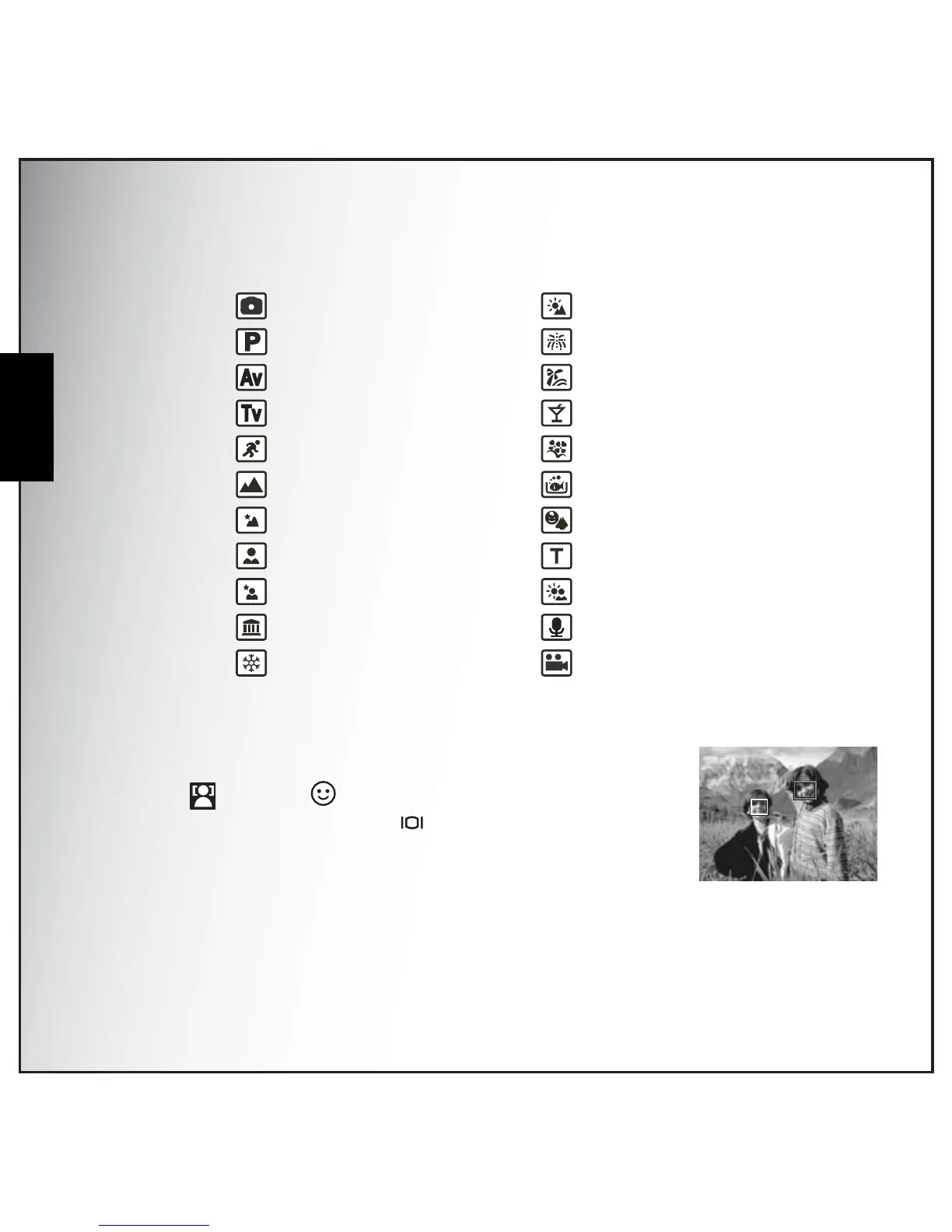
1. Use the Left/Right/Up/Down navigation buttons to scroll through the modes.
2. Press OK to confirm your selection.
Face and Smile Detection AF/AE Function
The face ( ) and smile ( ) detection functions can be set on and off
with each press of the Down/Screen navigation button in the following
capture modes:Auto, P-Mode, Av, Tv, Portrait, Night Portrait, Museum, Snow,
Sunset, Beach, Party, Kids & Pets, Backlight. When the subject’s face/ smile
is detected, the white focus frame appears to track faces/smiles while the
camera or people are moving.
When the Shutter button is pressed halfway, the green focus frames appear on the LCD screen. Then
the camera automatically adjusts the focus point and exposure to the optimized value. Press the
• Auto
• P-Mode
• Aperture Priority
• Shutter Priority
• Sport
• Landscape
• Night Landscape
• Portrait
• Night Portrait
• Museum
• Snow
• Sunset
• Fireworks
• Beach
• Party
• Foliage
• Aquarium
• Kids & Pets
• Copy
• Backlight
• Audio
• Video
F3.5



 To Next Page