93
6
Playback/Deleting/Editing
Viewing Images on a TV
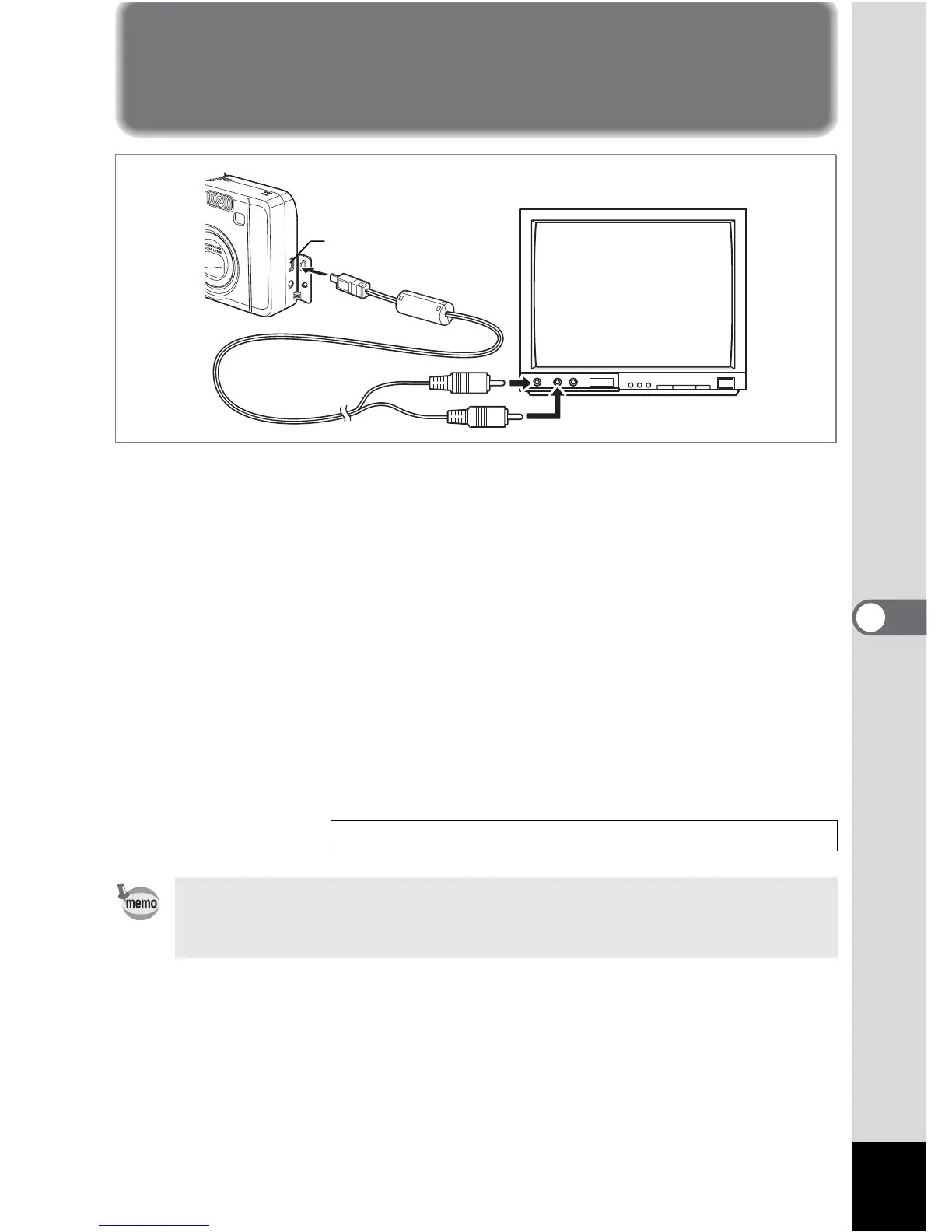
By using the AV cable, you can capture and play back images on a
TV or other equipment with a video IN jack. Make sure that both the
TV and the camera are turned off before connecting the cable.
1 Open the terminal cover and connect the AV cable to
the PC/AV terminal.
2 Connect the other end of the AV cable to the image
input terminal and sound input terminal on the TV.
When using stereo sound equipment, insert the sound terminal into the
L (white) terminal.
3 Turn the TV and camera on.
Changing the Video Output Format 1p.89
If you intend to use the camera for a long time, use of the AC adapter
D-AC5 (optional) is recommended. Refer to the operating manual for the
TV or equipment to which the camera is connected.
PC/AV terminal









 To Next Page