2
Getting Started
33
Charging the Battery
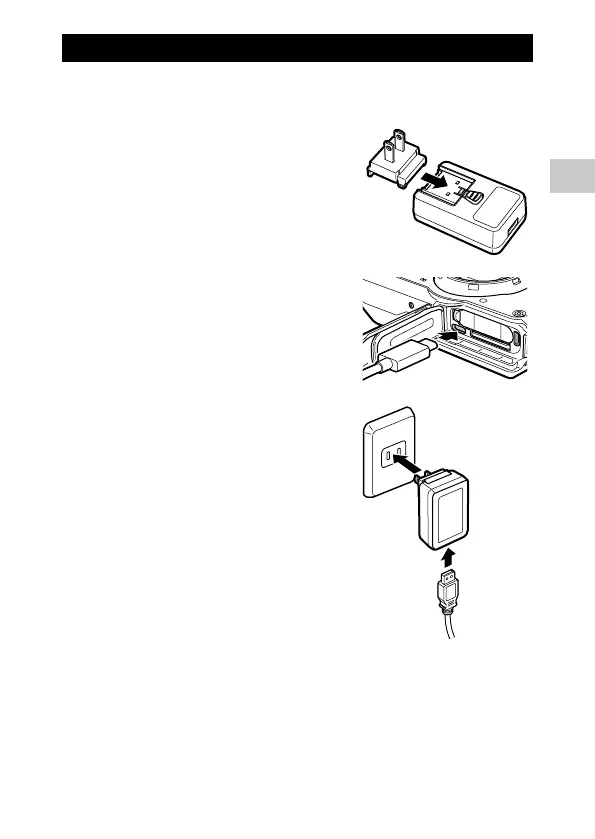
Charge the rechargeable battery DB-110 using the provided USB cable, USB
power adapter, and power plug before use.
1 Insert the power plug to the USB
power adapter.
Insert it until it clicks into place.
2 Open the battery/card cover, and
connect the USB cable to the USB
terminal.
3 Connect the USB cable to the USB
power adapter.
4 Plug the USB power adapter into a
power outlet.
The power button lamp of the camera turns
on and charging starts.
Depending on the battery level, the charging
time differs. An exhausted battery will be ful-
ly recharged in about 3 hours (at 25°C (77°F)).
When charging is complete, the power but-
ton lamp turns off.
5 Remove the USB cable from the USB
terminal, and close the battery/card cover.
6 Unplug the USB power adapter from the power outlet.
3
4











 To Next Page