Page | 8
Pairing/Initialization Procedure
● When PMobile boots for the first time, it will indicate that it
needs an installation.
○ If your PD5 (PeopleNet Connected Tablet) is already
paired to a PMG (PeopleNet Mobile Gateway) or PCG
(PeopleNet Mobile Gateway) which we will refer to as an
OBC (On Board Computer)
○ You can manually start the installation process by going
to default home -> settings -> information -> admin ->
password 9238 -> installation.
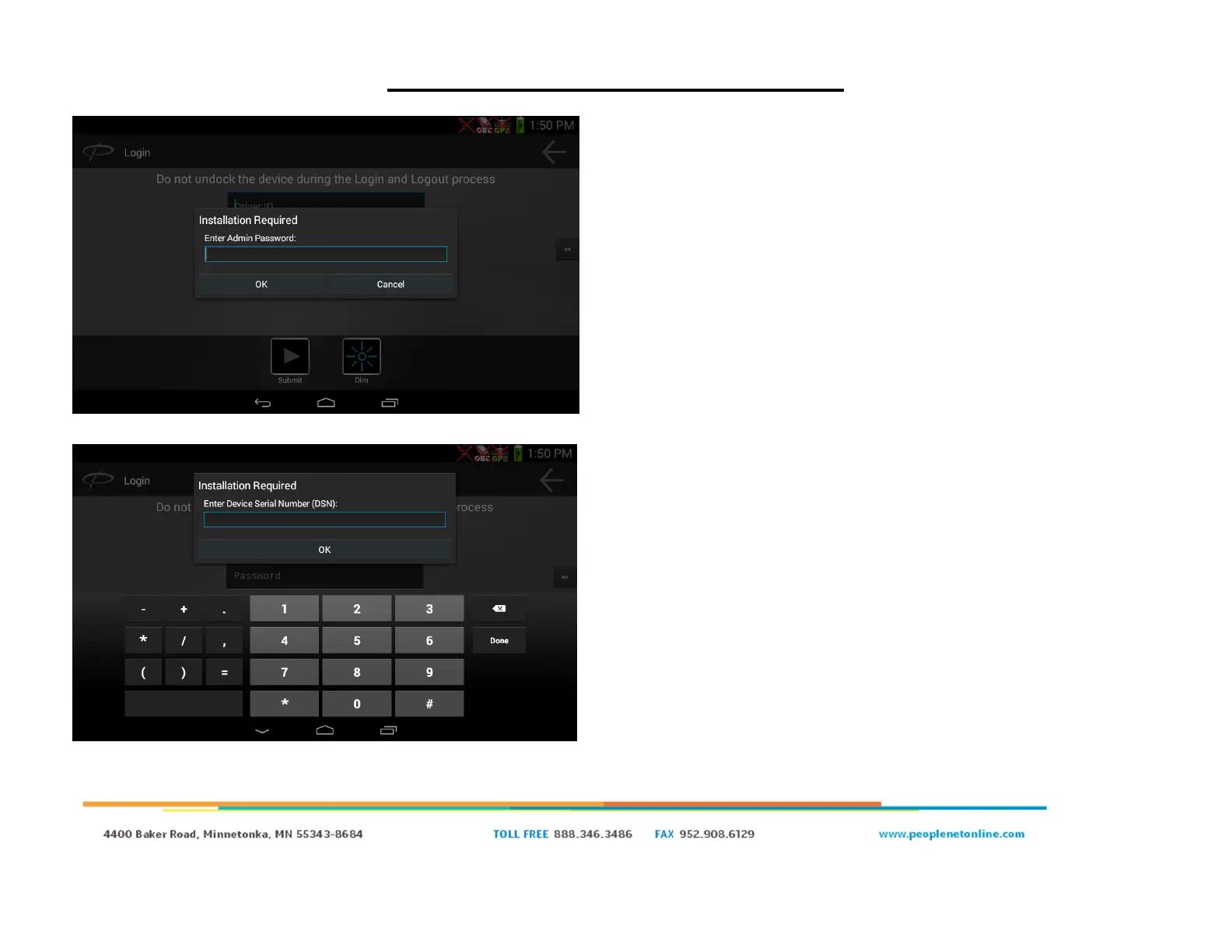
● Enter “9238” for the admin password, and click “OK”.
● You will be prompted to enter the DSN (Device Serial Number)
of the OBC. The serial number is on a white sticker above the
power LED.
○ The serial number starts with a 1 and is 8 digits long.
Example: 11000682
● Enter the serial number of your OBC and click “OK”.


 To Next Page