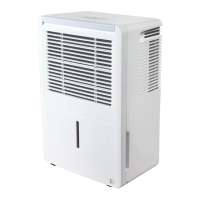
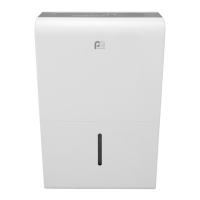
This document is the Owner's Manual & Installation Manual for a Perfect Aire Dehumidifier, specifically Model 1PDP60. It provides comprehensive information on the safe operation, installation, maintenance, and troubleshooting of the device.
Function Description
The Perfect Aire Dehumidifier is designed to remove excess moisture from the air in indoor residential spaces. Its primary function is to reduce humidity levels, which helps prevent moisture damage to items like books and valuables, and can also contribute to a more comfortable living environment. The unit operates by drawing in humid air, passing it over cooling coils to condense the moisture, and then releasing drier air back into the room. The collected water is stored in a removable bucket or can be continuously drained.
Usage Features
The dehumidifier offers several features to enhance its usability and effectiveness:
- Control Panel: The unit is equipped with a control panel that allows users to manage various settings. While the exact layout may vary by model, common controls include Power, Timer, Humidity Set Control (Up/Down buttons), Fan Speed (Turbo), Continuous Dehumidifying (Continue), and Pump operation (on some models).
- Humidity Set Control: Users can set the desired humidity level within a range of 35% RH to 85% RH, in 5% increments. This allows for customization based on personal comfort and environmental needs.
- Fan Speed Control (Turbo): The Turbo pad allows selection between High and Normal fan speeds. High speed is recommended for maximum moisture removal, while Normal speed is suitable for quieter operation once humidity levels have been reduced.
- Continuous Dehumidifying: The "Continue" button activates continuous dehumidifying operation, which is useful for ongoing moisture removal without a specific target humidity.
- Timer Function: The Timer button enables Auto Start and Auto Stop features. Users can set the desired start or stop time from 0.0 to 24 hours using the Up/Down buttons, with increments of 0.5 hours up to 10 hours, and then 1-hour increments up to 24 hours.
- Auto Defrost: The unit includes an Auto Defrost feature. If frost builds up on the evaporator coils, the compressor will automatically cycle off, and the fan will continue to run until the frost disappears, ensuring efficient operation even in cooler conditions.
- Auto Shut Off: For safety and convenience, the dehumidifier automatically shuts off when the water bucket is full or incorrectly positioned. For some models, the fan motor may continue to run for a short period after shut-off.
- Auto-Restart: In the event of an unexpected power cut, the unit will automatically restart with its previous function settings once power is restored.
- Pump Operation (on some models): Some models include a pump feature for automatic drainage. When activated, the pump can empty collected water into a floor drain or suitable drainage facility via a pump drain hose. This feature requires careful installation of the pump drain hose and removal of the continuous drain hose.
- Error Codes and Protection Codes: The display shows specific error codes (e.g., AS for humidity sensor error, ES for tube temperature sensor error) and protection codes (e.g., P2 for full or incorrectly positioned bucket, Eb for removed bucket) to help users identify and resolve issues.
- Wireless Connection Mode (on some models): Some models offer a Wireless connection mode, indicated by "AP" on the LED display, allowing for remote control or monitoring.
- Comfort Dehumidifying (on some models): A "Comfort" button may be available to activate a comfort dehumidifying operation, which typically sets the unit to an optimal humidity level automatically.
- Dryer Operation (on some models): A "Dryer" button may be present to activate a dryer function, which can be useful for drying clothes or other items.
Water Removal Options:
The dehumidifier offers three methods for removing collected water:
- Using the Bucket: Water collects in a removable bucket. When the bucket is full, an indicator light illuminates, and the unit may display "P2" (if on) or beep (if off). Users can manually pull out the bucket, empty it, and replace it. It's important to handle the bucket carefully to avoid spills and ensure it is securely reinstalled for the unit to operate.
- Continuous Draining: For hands-free operation, a 5/16" water hose with a 1" female threaded end (not included, but included on some models) can be attached to the continuous drain hose outlet on the back of the unit. This allows water to be automatically emptied into a floor drain. It's crucial to ensure the hose is secure, free of kinks, and positioned to allow smooth water flow.
- Pump Draining (on some models): For models equipped with a pump, a pump drain hose (included) can be connected to the pump drain hose outlet. This allows water to be pumped to a higher drain location if needed. This method requires the continuous drain hose to be removed and the plastic cover to be installed on its outlet.
Maintenance Features
Regular maintenance is essential for optimal performance and longevity of the dehumidifier:
- Cleaning the Grille and Case: The exterior of the unit can be cleaned with water and a mild detergent. A vacuum attachment or brush can be used to clean the air intake and outlet grilles, which tend to collect dirt.
- Cleaning the Bucket: To prevent mold, mildew, and bacteria growth, the water bucket should be cleaned every few weeks. This involves partially filling it with clean water, adding a mild detergent, swishing it around, emptying, and rinsing. The bucket should not be cleaned in a dishwasher.
- Cleaning the Air Filter: The air filter should be removed and cleaned every two weeks under normal operating conditions. After cleaning with water and drying, it must be reinstalled. The unit will remind users to clean the filter with a "Filter" light that illuminates after 250 hours of operation. Pressing the Filter button resets this reminder. Operating the dehumidifier without a filter is not recommended as it can lead to clogging and reduced performance.
- Storage for Long Periods: When the unit will not be in use for an extended time, it should be turned off, the bucket emptied after one day, and the main unit, water bucket, and air filter cleaned. The power cord should be wrapped with the provided buckle, and the unit should be covered with a plastic bag and stored upright in a dry, well-ventilated area.

 Need help?
 General


 To Next Page