EasyManua.ls Logo

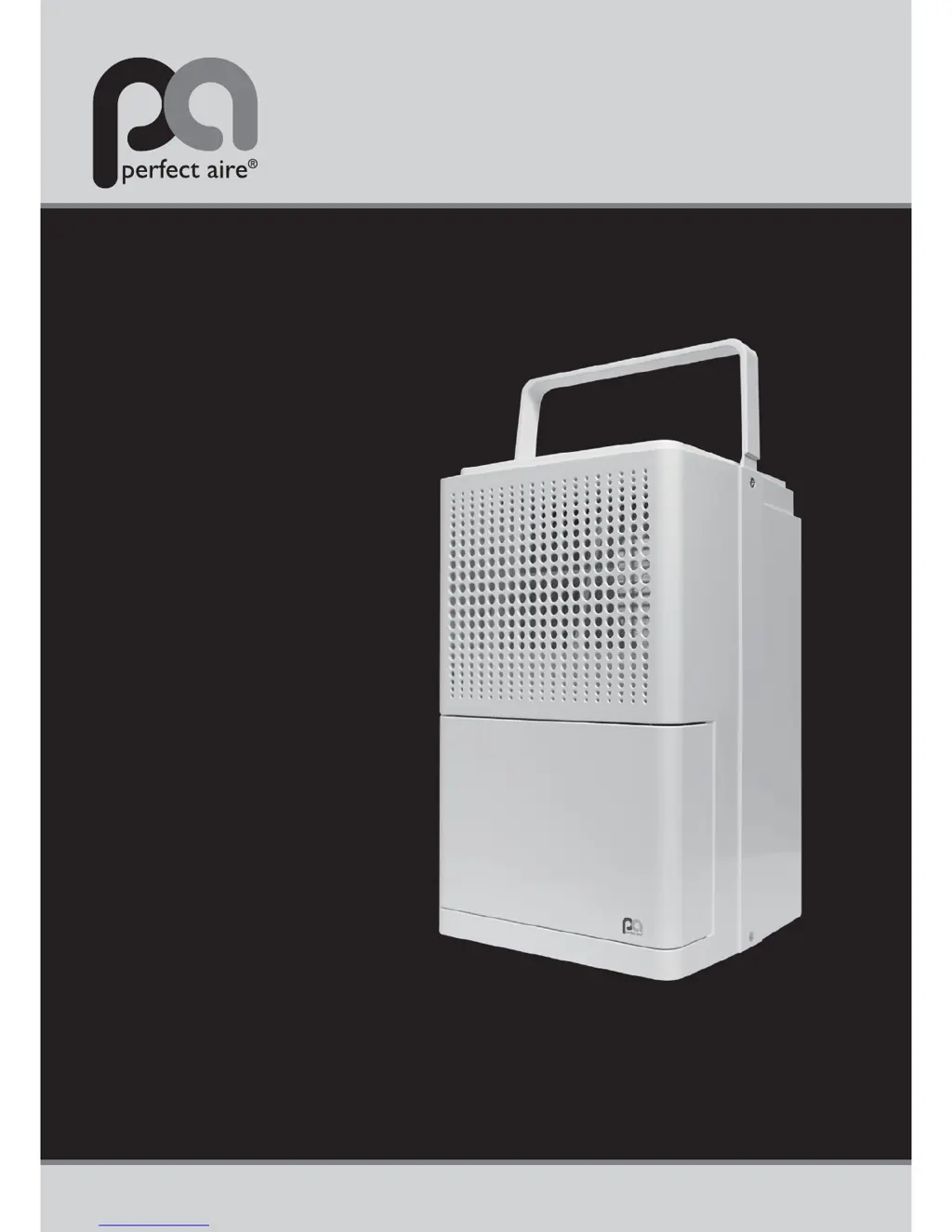
Perfect Aire 3PAD11 - User Manual

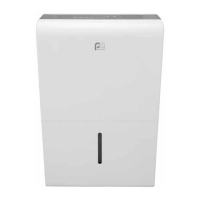
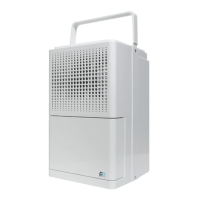
Perfect Aire 3PAD11
12 pages
Print Icon
To Next Page IconTo Next Page
Loading...
11 PINT
Before using your dehumidifier,
please read this manual carefully
and keep it for future reference,
along with your receipt.
FOR MODEL:
3PAD11
DEHUMIDIFIER
USER MANUAL
COMFORT...BUILT TO LAST

Questions and Answers

  • D
    Danielle LewisAug 1, 2025
    What to do if my Perfect Aire 3PAD11 Dehumidifier is not drawing water?
    • J
      Jamie ClarkAug 1, 2025
      If your Perfect Aire Dehumidifier isn't collecting water, consider the following: * Ensure the unit's size is appropriate for the room. * Allow sufficient time for the unit to remove moisture. * Lower the humidity setting to encourage moisture removal. The setting might be at the same level as the current humidity in the room. * Close all doors and windows securely. * Make sure the unit is level with good air circulation around it and between it and the floor. * Ensure nothing is blocking the unit, such as curtains or furniture. * Verify the room temperature is above 41º F. * Relocate the unit if it's near a heat source. * Clean the air filter and outlet.
  • P
    Patrick OwensAug 6, 2025
    Why is my Perfect Aire Dehumidifier bucket full light on when the bucket is empty?
    • C
      carolyn46Aug 6, 2025
      If the 'bucket full' light is illuminated on your Perfect Aire Dehumidifier even when the bucket is empty, there are several things to check: * Ensure the drain plug is properly inserted if you're using the bucket to collect water. * Inspect the float switch (the small tab located inside the unit behind the bucket) for any damage or obstructions. * Make sure the unit is level and that the filter, vents, and bucket are clean. * Verify the float is correctly snapped into place inside the bucket. * Try unplugging the unit for at least 5 minutes, then plug it back in, re-secure the bucket, and turn the unit on.
  • A
    Albert HardyAug 16, 2025
    How to fix a Perfect Aire 3PAD11 Dehumidifier that won't start?
    • T
      Tony GarciaAug 17, 2025
      If your Perfect Aire dehumidifier isn't starting, check these items: * Ensure the dehumidifier plug is fully inserted into the outlet. * Check the fuse or circuit breaker in your home. * Empty the bucket if it's full. * Make sure the water bucket is correctly positioned.
  • A
    Anthony GarciaAug 21, 2025
    What to do if Perfect Aire 3PAD11 auto defrost displays repeatedly?
    • S
      Sylvia WalshAug 21, 2025
      If your Perfect Aire dehumidifier repeatedly displays 'Auto Defrost', try these steps: * Turn off the unit and unplug it for 4-6 hours. * Plug the unit back in and run it in normal mode (without Turbo fan or Continuous operation). * Ensure the humidity setting isn't too low, the unit isn't on a cold floor, and the room temperature is above 41º F. * Make sure there's sufficient air circulation around the unit.
  • N
    Natalie CameronAug 26, 2025
    Why is my Perfect Aire 3PAD11 Dehumidifier making a loud noise?
    • J
      Julie CrawfordAug 27, 2025
      If your Perfect Aire dehumidifier is operating loudly: * Make sure the air filter is clean and not clogged. * Ensure the unit is upright on a flat, level surface.
  • T
    tjonesNov 10, 2025
    Why does my Perfect Aire 3PAD11 Dehumidifier constantly cycle on and off?
    • C
      Christina MitchellNov 10, 2025
      If your Perfect Aire dehumidifier is constantly turning on and off, here are some potential reasons and solutions: * Ensure the unit is appropriately sized for the room. * Using a unit too large for the space can cause frequent cycling. A unit too small will run constantly. * If the humidity setting is close to the actual room humidity, the unit may cycle on and off. * Note that the fan will run for a few minutes after the compressor shuts off. In Continuous mode, both fan and compressor run continuously. * Check that the unit is level and that the filter, vents, and bucket are clean and unobstructed. * Ensure all doors and windows are closed securely. * Make sure there is sufficient air circulation around the unit and between the unit and the floor. * Try unplugging the u...

Summary

Specifications

Warning

Caution

Caution Continued

Identification of Parts

Control Panel

Operating Instructions

Starting Operation

Steps to begin using the dehumidifier, including power connection and tank placement.

When Defrost Light Illuminates

Explanation of the auto-defrost mode and its indicator light.

Removing Collected Water

Details the two options for removing collected water from the unit: bucket or continuous drain.

Maintenance

Cleaning the Unit

Instructions for cleaning the grille, case, bucket, and air filter for optimal performance.

Storage for Non-Use

Guidance for cleaning and storing the dehumidifier during prolonged periods of non-use.

Troubleshooting Tips

Unit Does Not Start

Solutions for when the dehumidifier fails to power on, checking outlet and fuse.

Bucket Full Light Issues

Troubleshooting for a false full bucket indicator, checking float switch and position.

Dehumidifier Not Drawing Water

Solutions for when the unit is not collecting moisture, checking room conditions and filter.

Auto Defrost Repeatedly Displays

Addresses frequent auto-defrost cycles, suggesting temperature and airflow checks.

Dehumidifier Cycles On;Off Frequently

Troubleshooting for frequent cycling of the unit based on room humidity settings.

Loud Noise During Operation

Solutions for unusual operational noise, checking filter, level surface, and airflow.

Dehumidifier Always Running

Reasons for the dehumidifier running continuously, checking room conditions and settings.

Continuous Drain Not Working

Solutions for issues with the continuous drainage feature, checking hose and connections.

Water on Floor

Troubleshooting for leaks or water spills, checking bucket and drain plug.

Perfect Aire 3PAD11 Specifications

General IconGeneral
Model3PAD11
Energy Star RatedNo
Weight26.5 lbs
Dimensions14.17 x 9.84 x 19.88 inches
Noise Level51 dB(A)

Related product manuals