Section 1 Initial System Start Up
The very first time your PerfectPass is turned on, it may ask you two questions:
1. [ 5.7L ^ = Yes ] If your boat has a standard 5.7 V8, press the UP key. If you
have an optional 6L or 8.1L, press the DOWN key.
2. [ Read in MPH ^ = Yes ] If you want your system to display in MPH, press the
Up Key. For metric, press the Down Key.
USING WAKEBOARDPRO
There are three operating modes to choose from: (1) Wakeboard Mode is speed based
and controls from the paddle wheel; (2) RPM Mode allows the user to set an RPM value;
and (3) Slalom Mode allows recreational slalom skiers to enter a speed for open water
skiing. (24 – 36 mph).
The ON/OFF key is pressed to turn control ON or OFF. System should always be in OFF
mode when not in use. Turning system ON or OFF is always done at neutral or at idle for
safety. You may be asked to confirm you are in neutral as follows [ IN NEUTRAL ^ =
Yes ].
Typically, wakeboarders prefer the pull characteristics of the speed based Wakeboard
Mode. This mode is designed for 9 – 25 mph. Open water skiers at higher speeds should
use the RPM or Slalom Mode.
Wakeboard Mode (Speed Based)
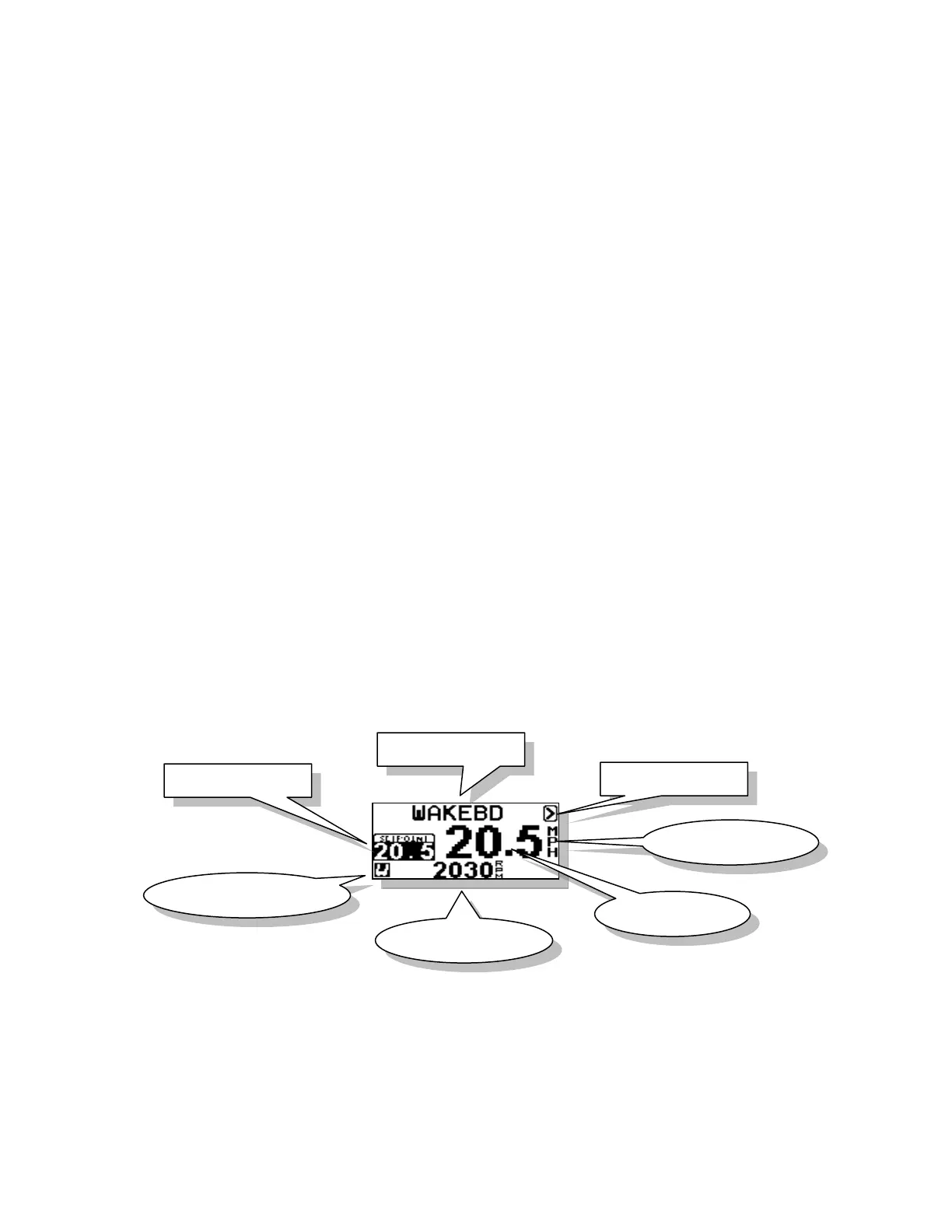
When system is ON, the screen will appear as above with set point speed at left. By using
Menu Key you can move around the screen and highlight set point to make speed
changes.



 To Next Page