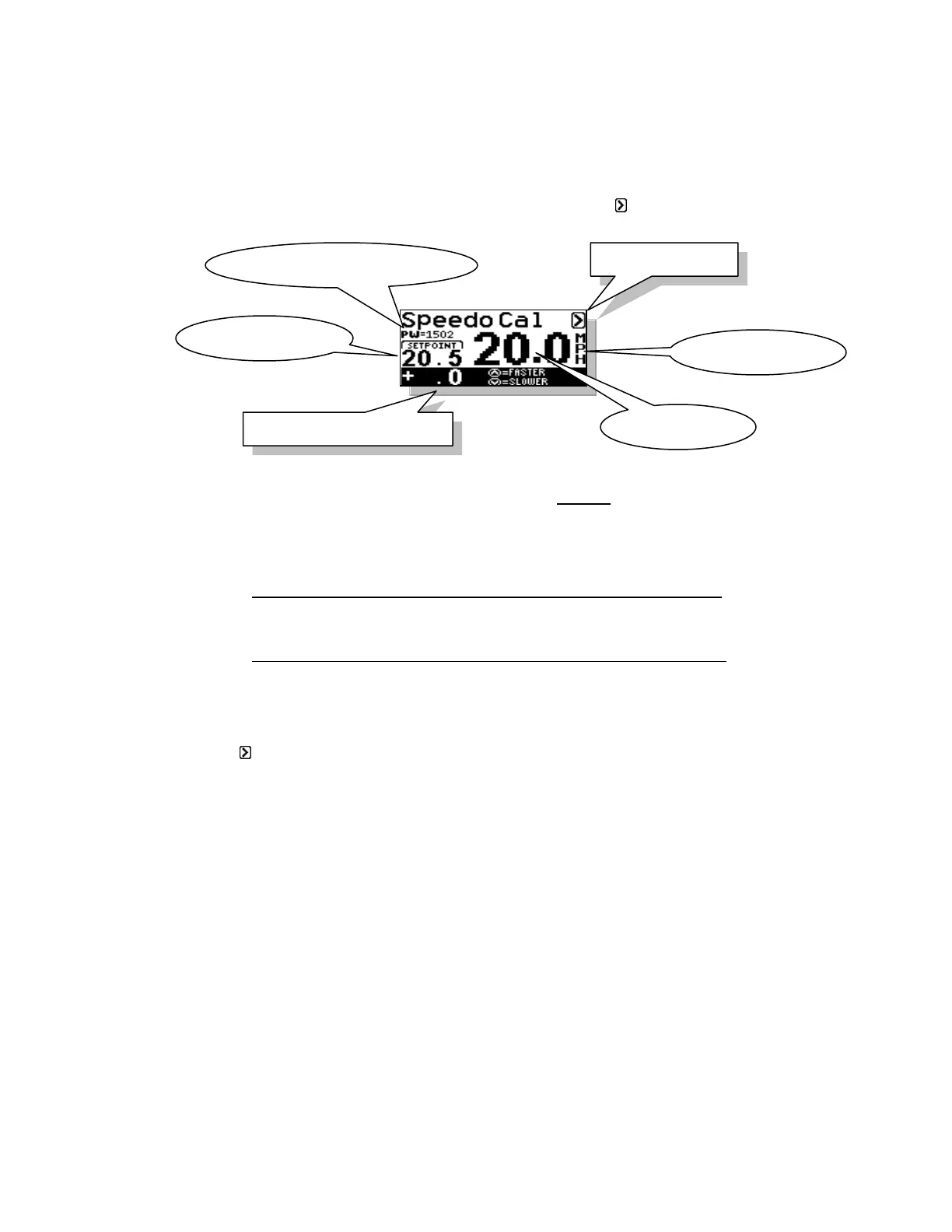
Section 6 CALIBRATING PERFECTPASS SPEEDOMETER
(Wakeboard Mode)
If your digital speedometer is not accurate, you can go into the Speedo Cal screen of the
system. This is accessed by pressing the DOWN key with the highlighted on the main
Wakeboard screen.
We recommend you check and calibrate if necessary at 20 mph.
With the Calibration Adjust highlighted on the screen press either the UP or DOWN keys
to speed or slow the boat.
CASE 1. Boat speedometer reading lower then PerfectPass Speedometer
Press the UP key until the boat speedometer matches the PerfectPass
speedometer.
CASE 2. Boat speedometer reading higher then PerfectPass Speedometer
Press the DOWN key until the boat speedometer matches the PerfectPass
speedometer.
When the speed readout matches the boat or reference speed press MENU once to
highlight the then press the UP arrow to return to main screen.
Example: If you are set and engaged at 17 mph, but the analog speedometer or GPS is
reading 18 mph, go into the Speedo Cal screen and press the DOWN key several times
until the boat speed drops to 17 mph so the PerfectPass Digital Speedometer matches the
GPS or boat’s speedometer.
Paddlewheel Factor – This value is the actual calibration value much like an RPM
baseline. This number can be used to quickly determine where the calibration is at when
troubleshooting the paddlewheel. This number is also very useful when trying to set
calibration to match another system or to reset the calibration after a system RESET had
been performed.



 To Next Page