Section 4 Using Name List
Additional PerfectPass features are accessed by pressing the MENU & UP keys together.
The features available vary depending on the make and model of your boat. If a feature
is not present on your PerfectPass then it is not available on your system. To move to the
next feature press the MENU key.
NAME LIST
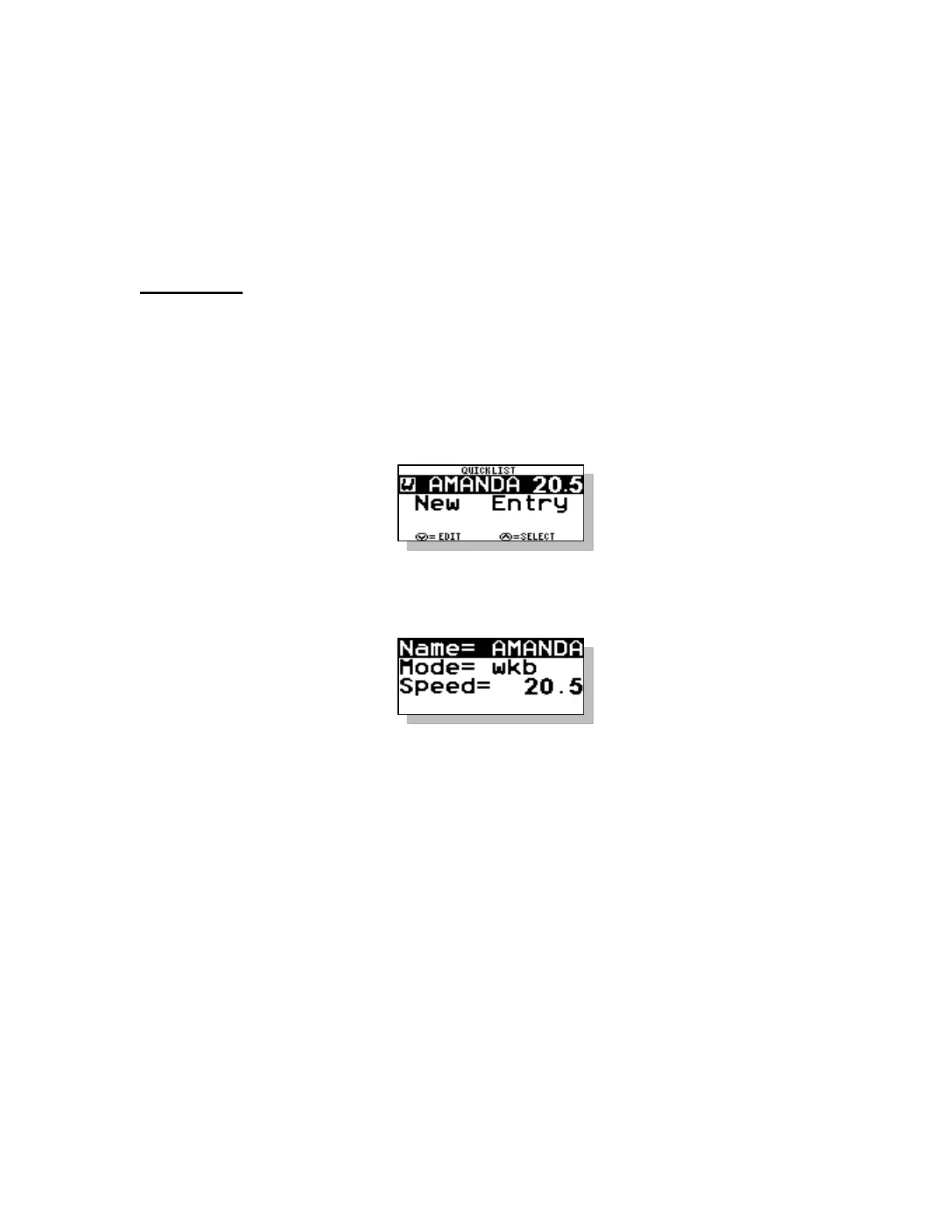
This version of PerfectPass allows you to store up to eight names and their preferred
speed. The Name List can be accessed by pressing the UP key when the NAME/MODE
section is highlighted or by going into the SUBMENU and selecting the Name List.
Once in the Name List press the MENU key to move through the list. With the desired
name highlighted press the UP key to select the name from the list and load their settings
or press the DOWN key to edit the name.
Creating Names – First enter the Quick List. Press the MENU key until [NEW
ENTRY] is highlighted. Then press the UP key to enter a new name. The following
screen will then appear:
Scroll through the alphabet using UP & DOWN keys, and then press MENU to move to
next position. Press the MENU key to move through the settings. If you are
programming a JUMP or SLALOM name there will be another page of settings to enter.
Editing Names – As you scroll through list of names, instead of pressing UP key to
select that name, press the DOWN key to edit.
Note: Names can be changed by “Editing Names” but can only be deleted by performing
“System Reset”.



 To Next Page